
How to Block Ads in Microsoft Edge
Learn how to block ads in Microsoft Edge, including pop-ups, banners, notification spam, trackers, and video ads on Windows, Mac, Android, and iPhone.

The ultimate ad blocker browser extension that never misses.
Learn how to block ads in Microsoft Edge, including pop-ups, banners, notification spam, trackers, and video ads on Windows, Mac, Android, and iPhone.
Learn how to block malware with browser protections, secure DNS, built-in device security, safer downloads, ad blocking, and infection response steps.
Build a reliable Twitch streaming setup with OBS, recommended bitrate settings, beginner equipment, audio tips, private testing, and upgrade priorities.
Learn how to stop app tracking on iPhone by disabling tracking requests, limiting location access, blocking Safari trackers, and auditing app activity.
Compare the best Spotify playlist downloader tools for web, PC, Mac, Android, iOS, and GitHub, including quality, safety, batch limits, and risks.

Is Brave Browser safe? Review its privacy, security, ad blocking, fingerprinting defenses, data collection, limitations, controversies, and settings.
Fix YouTube anti-adblock warnings, black screens, buffering, and playback blocks with browser-specific troubleshooting for Chrome, Firefox, Edge, and Brave.
Learn how to turn off Twitch pre-roll ads as a streamer using Ads Manager, or avoid them as a viewer with Twitch Turbo, subscriptions, and ad blockers.
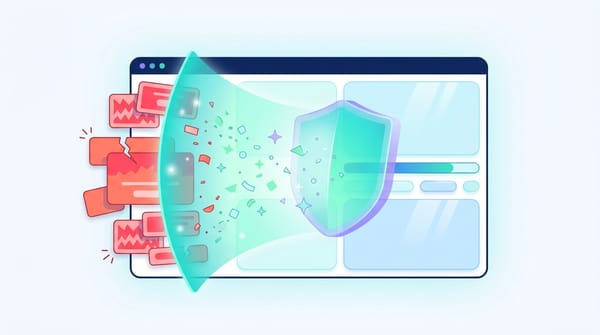
Learn how ad blockers work using filter lists, request blocking, cosmetic filtering, and script neutralization and why some ads still get through.

Learn how to stop email tracking pixels and tracked links in Gmail, Outlook, Apple Mail, Yahoo, and Thunderbird across desktop and mobile devices.
Learn how to improve browser performance by diagnosing slow tabs, extensions, high memory use, network issues, cache problems, and hardware limits.
Online tracking follows you everywhere, but you do not have to accept it. If you
You clear your cookies, launch an Incognito window, and switch on a VPN. You think
Every time you connect to the internet, your device broadcasts a highly unique trail of
TL;DR * Pixels are no longer just 1x1 images; they are complex JavaScript monitors logging
Find out if Opera GX is safe, what data it collects, how its VPN works, and which privacy settings to change before using it as your daily browser.
Learn what Private DNS is, how it encrypts DNS lookups, what it does and does not protect, and how to set it up on Android, iPhone, and desktop.
Find the best no ads browser setup for Chrome, Edge, Firefox, Android, and iPhone, including built-in blockers, extensions, and DNS filtering.
Learn what Tor Browser is, how it hides your IP, when to use it, its safety limits, and how it compares with VPNs and incognito mode.
Learn what a browser cache is, how it speeds up websites, how it differs from cookies, and when clearing cached files can fix page issues safely.
Learn what browser fingerprinting is, how websites track your device without cookies, and how to reduce fingerprinting risk with safer browser habits.
Learn what malvertising is, how malicious ads work, real examples, common attack types, and practical steps to prevent malware and scam exposure.
Learn how to protect your privacy online with practical steps for passkeys, MFA, browser settings, app permissions, phishing, VPNs, and AI chatbots.
Compare the best secure browsers in 2026 for privacy, phishing protection, anonymity, mobile browsing, extensions, and everyday security.