
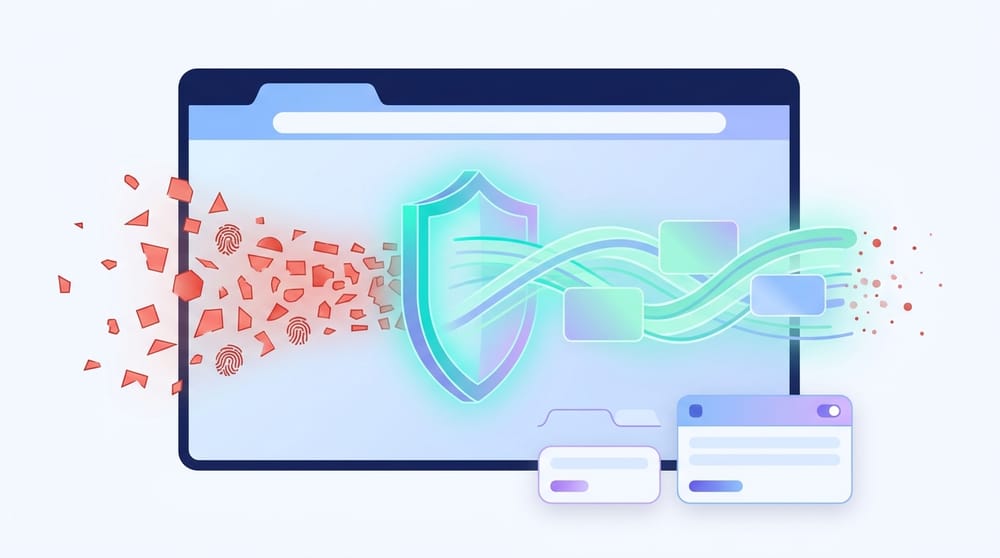
Every time you connect to the internet, your device broadcasts a highly unique trail of hardware and software signals. Trackers compile these clues into a persistent digital fingerprint. If you need to manage multiple accounts or separate workflows without getting blocked, simply hiding your IP address is no longer enough. You need to control the fingerprint itself.
An anti detect browser is a specialized web browser designed to create, isolate, and manage multiple browsing identities. Instead of just masking your network location like a VPN, it alters deep browser and device signals—such as your operating system, screen resolution, fonts, and canvas rendering. This ensures that every profile you use appears as a completely different, believable physical device.
If your actual goal is just to block ads, stop tracking, or clean up your everyday browsing, skip to the safer alternatives section. This category of software is for complex identity-management, not everyday ad blocking.
What an Anti Detect Browser Actually Is
An anti detect browser allows a single computer to act like dozens of completely different devices, preventing websites from linking your accounts together.
Regular web browsers prioritize speed. Standard privacy tools (like VPNs or Tor) prioritize anonymity. An anti detect browser focuses exclusively on fingerprint spoofing and profile isolation.
Vendors like Multilogin, GoLogin, AdsPower, Dolphin Anty, and Octo Browser currently dominate this space. Mentioning this short anti detect browser list clarifies the category, but remember: the core function is multi-identity management, not general privacy.
What it changes in practice
When you launch a profile, the software assigns it a dedicated session, separate cookies, and isolated local storage. It actively alters browser-visible hardware and software attributes. To complete the illusion, users pair each profile with a dedicated proxy, matching the apparent network location to the fake device identity.
What it is not
Do not confuse this software with simpler tools. It is not incognito mode, which only deletes local data after a session. It is not a VPN. Furthermore, it is fundamentally different from a standard anti detect browser extension, which only alters surface-level headers rather than deep rendering behavior.
Why Websites Can Recognize You Without Cookies
Wiping cookies does not hide your hardware and software signals. Fingerprinting identifies your device based on its unique configuration.
Browser fingerprinting identifies you using signals like HTTP headers, screen size, system fonts, rendering behavior (Canvas/WebGL), and time zones. Unlike cookies, you cannot simply "clear" these signals.
Why this matters right now
Fingerprinting is escalating. As traditional third-party cookies vanish, trackers increasingly rely on hardware clues. Google announced it would stop prohibiting fingerprinting in its advertising products starting February 16, 2025. The UK Information Commissioner's Office (ICO) strongly criticized this shift, calling it "irresponsible".
Fingerprinting is a double-edged sword
While fingerprinting powers invasive advertising, platforms also rely on it to block malicious automation. Automated traffic recently crossed 51% of all internet traffic, with bad bots making up 37%. Commercial fraud-prevention systems rely heavily on browser signals to stop account takeovers and automated abuse.
How Anti Detect Browsers Work
Effective multi-identity setups do not just randomize your device data; they maintain an internally consistent, believable fingerprint.
Profile isolation
Everything begins with strict separation. The software creates distinct operational "personas." Logging into an account on Profile A has zero crossover with Profile B. They share no cookies, cache, or storage.
Fingerprint spoofing and consistency
Generating a plausible device story is critical. If your profile claims to be a Windows PC running Chrome, your user-agent, fonts, and canvas rendering must perfectly match a Windows environment.
Randomly mismatching signals makes you stand out. Claiming a Windows operating system while exposing Mac-specific fonts is an immediate red flag to anti-fraud systems.
Why you still need a proxy
An anti detect browser changes your device signals, but reusing the same IP address across different profiles ruins the illusion. You must pair profiles with high-quality residential proxies so your IP, time zone, and language accurately reflect the spoofed identity. A mismatched time zone or a known data-center IP triggers automatic security blocks.
Anti Detect Browser vs VPN vs Incognito vs Privacy Browser
Most internet users need a privacy browser or a dedicated ad blocker, not a complex multi-identity tool.
Tool Comparison Matrix
| Tool Type | Hides IP | Spoofs Fingerprint | Isolates Sessions | Creates Fake Identities | Best For |
|---|---|---|---|---|---|
| Incognito | No | No | Local only | No | Leaving no local device history |
| VPN | Yes | No | No | No | Encrypting network traffic |
| Privacy Browser | Varies | Randomizes/Blocks | Optional | No | Everyday privacy and tracking reduction |
| Tor Browser | Yes | Resists via Uniformity | Yes | No | Strong anonymity |
| Ad Blocker | No | Blocks trackers | No | No | Cleaner browsing, stopping ads |
| Anti Detect Browser | Via Proxies | Yes | Yes | Yes | Multi-account management |
Is an anti detect browser the same as Brave or Tor?
No. Privacy browsers like Brave block trackers and randomize fingerprints to protect your privacy. Tor achieves anonymity by making all users look identical. An anti detect browser does the exact opposite: it generates multiple, uniquely distinct, highly specific device identities.
Do You Actually Need One?
If you do not explicitly need multiple believable browser identities for work or research, you do not need this software.
Who genuinely needs it
- Marketing agencies managing separate client environments.
- QA and ad-verification teams testing regional compliance.
- Security researchers testing identity-dependent flows.
- Operators managing strict multi-account workflows.
Who does not need it
- Everyday privacy seekers.
- People looking for ad-free streaming.
- Users who just want a VPN.
- People looking to keep work and personal logins separate (use Firefox Containers instead).
The Reality: What They Do Not Solve
Passing a public fingerprint test does not guarantee a major platform will trust your session.
Marketing in this space focuses heavily on passing public checking tools. Passing simply means your fingerprint lacks obvious leaks. It does not mean a major social network or e-commerce platform will trust you.
The three layers of detection
- Browser fingerprint layer: Hardware and software signals.
- Behavioral layer: Typing cadence, mouse movements, and scroll velocity.
- Network and AI layer: Deep IP reputation and machine-learning risk scoring.
Accounts still get flagged because of behavioral anomalies. Fresh profiles with zero history, overlapping click patterns, and sudden, high-velocity actions trigger AI defenses long before the fingerprint is ever scrutinized.
Are They Legal and Safe?
The software is legal to download, but using it to breach terms of service will result in bans. Using it for fraud is a crime.
Legality vs. ToS Risk vs. Crime
Downloading an anti detect browser open source repository or commercial tool is perfectly legal. However, using it to bypass platform limits violates Terms of Service (ToS) and invites permanent account bans. Deploying these tools for credential stuffing or financial fraud is a crime. Do not confuse the software's legality with the safety of your actions.
The vendor trust paradox
Safety is not just about avoiding malware. You are funneling your entire workflow, passwords, and session data through closed-source software built by niche vendors. Ensure you evaluate their privacy policies, software update cadence (matching the latest Chromium builds), and company transparency before handing over your data.
The True Cost and How to Evaluate Them
The real cost includes proxy subscriptions, profile management time, and the risk of account bans.
Is there a best anti detect browser free of charge?
While you might search for the best anti detect browser free, completely free tiers usually restrict you to a handful of profiles and lack premium support. Trusting an unverified, entirely free anti detect browser with your credentials carries intense security risks.
The software subscription is just the baseline. You must also pay for high-quality residential proxies, team seats, and the operational time required to warm up profiles.
How to evaluate your options
Do not blindly trust a top 10 anti detect browser list. Evaluate based on:
- Engine freshness: Does the core browser match current public Chromium/Firefox builds?
- Profile isolation: Are local storage, WebRTC, and Canvas rendering genuinely separated?
- Proxy integration: Does the software handle IP switching smoothly?
- Vendor transparency: Is there clear documentation and a solid privacy policy?
Avoid tools that only use extension-level spoofing, as they cannot alter core engine rendering.
Anti Detect Browser Android and Mobile Options
True mobile anti-detect solutions are rare and complex; most users are better off with simple mobile privacy browsers.
If you are looking for an anti detect browser for android or iPhone, be aware that mobile spoofing is significantly harder. True mobile anti-detect systems usually function closer to cloud-based phone emulators rather than simple apps. A free anti detect browser for android is often just a standard mobile browser with weak user-agent spoofing. For everyday mobile privacy, use standard privacy browsers instead.
Safer Alternatives for Everyday Privacy
Use a privacy browser to reduce tracking, and a dedicated blocker to stop ads and pop-ups.
If your real problem is tracking, ads, or streaming interruptions, a spoofing browser is massive overkill. Match your tool to your specific goal:
For everyday privacy and less tracking
- Brave Browser: Delivers low-friction privacy, default tracker blocking, and built-in fingerprint randomization.
- Firefox Multi-Account Containers: Perfect for separating work and personal accounts without complex spoofing.
For ad blocking and cleaner media
If you just want fewer ads and pop-ups on standard browsers like Chrome or Edge, use a dedicated blocker. Tools like Blockify process rules locally to stop trackers, block display ads, and prevent streaming interruptions. You do not need a multi-identity tool to block a pop-up.
For strong anonymity
- Tor Browser: Routes your traffic through an encrypted network and standardizes your fingerprint to resist tracking.
How to Test Your Browser Fingerprint
Use public tests as basic diagnostics, not as a guarantee of stealth.
Do not guess how unique your browser is. Use the Electronic Frontier Foundation's Cover Your Tracks tool to establish a baseline.
- Test your default browser.
- Test your privacy browser setup.
- Compare the results.
Public tools expose obvious WebRTC leaks and mismatched system variables. However, they cannot measure behavioral scoring or AI-driven platform trust. Run these tests as health checks to ensure your privacy setup is actually limiting the data you broadcast.
FAQ
Does an anti detect browser make me anonymous?
No. Making one profile look different from another is not anonymity. Your behavioral patterns, IP reputation, and account history can still expose you. Use Tor Browser if true anonymity is your goal.
Do anti detect browser extensions work?
An anti detect browser extension can spoof surface-level signals like user-agents, but struggles with deep engine-level rendering. They are significantly easier for anti-fraud systems to detect compared to full, engine-modified browsers.
Can Firefox Containers replace an anti detect browser?
For light session separation (like keeping work and personal logins apart), yes. But Firefox Containers do not spoof your hardware footprint or turn one machine into multiple believable devices.
Should I trust a top 10 anti detect browser list?
Only after verifying you actually need multi-identity software. Ranking lists often ignore the specific use case. If you just need to reduce tracking, a standard privacy browser is the better choice.
Final Takeaway
An anti detect browser is a powerful, highly specialized tool for multi-account management - not a daily driver for personal privacy. If you want to stop tracking, use a privacy browser. If you want to stop ads and interruptions, use a dedicated ad blocker. Choose the tool that matches your actual intent, and always prioritize security over complexity.




