
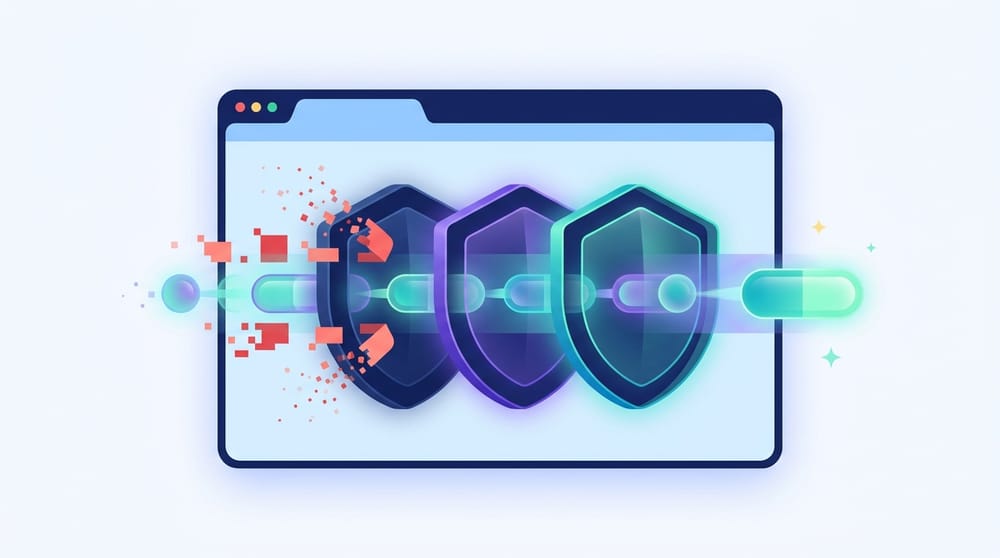
Tor Browser is a free, open-source web browser designed to maximize anonymity and bypass censorship. Instead of connecting you directly to a website, it routes your traffic through a decentralized network of encrypted, volunteer-run servers. This structure hides your IP address, prevents your local internet provider from tracking your browsing history, and standardizes your browser profile so you blend in with millions of other users.
Tor Browser is a highly specialized tool for privacy and censorship resistance, not a faster version of Chrome or Safari.
If you just want a standard browser to load pages quickly, Tor is the wrong choice. If you are comparing it with standard privacy tools, jump to our Tor vs. VPN comparison below.
What Is a Tor Browser Used For?
People use Tor Browser when anonymous browsing matters more than convenience. It prevents websites from seeing your physical location and stops local network administrators (like your employer or internet service provider) from seeing which sites you visit.
Common Use Cases
- Sensitive research: Journalists, whistleblowers, and researchers protecting their digital footprints.
- Censorship resistance: Citizens in restrictive regimes bypassing state-level firewalls to access the open internet.
- Network evasion: Preventing local Wi-Fi administrators or ISPs from monitoring browsing habits.
- Accessing
.onionservices: Reaching websites hosted directly within the Tor network (the dark web).
Use Tor if: You need strict location privacy, need to bypass severe censorship, or are doing sensitive investigative work.
Skip Tor if: You want to stream high-definition video, play online games, access personal banking, or just need a daily driver without lag.
How Does It Work?
When you use a normal browser, your computer connects directly to a website's server. Tor Browser changes this by sending your traffic through the Tor network—a system of thousands of volunteer relays.
Every new domain you visit gets an isolated connection (a "circuit") that hops through three specific relays.
- Entry Guard (First Node): This server sees your real IP address but cannot see your destination. The Tor Project keeps this node stable for a few months to protect against profiling attacks.
- Middle Relay: This server receives encrypted traffic from the guard and passes it along. It knows neither your IP address nor your final destination.
- Exit Relay (Final Node): This server connects directly to the website you want to visit. It sees the destination URL, but it has no idea who you are—it only sees the middle relay's IP address.
This three-hop system relies on distributed trust. Because no single relay possesses the full picture of your connection, the system protects your identity even if one node is compromised.
Beyond network routing, the browser itself (built on Firefox ESR 140) aggressively blocks trackers and normalizes your hardware profile to prevent cross-site fingerprinting.
Tor Browser vs VPN vs Incognito vs Ad Blockers
It is easy to confuse Tor with other common privacy tools. They solve fundamentally different problems.
Tor vs VPN
A Virtual Private Network (VPN) encrypts all traffic leaving your device and routes it through a server owned by a single company. You must completely trust your VPN provider not to log your activity. Tor Browser is decentralized; you do not have to trust a single corporate entity. However, VPNs are much faster and protect background apps, while Tor only anonymizes web traffic inside its own browser window.
Tor vs Incognito Mode
Incognito mode does not provide anonymity. It simply deletes your local browsing history and cookies when you close the window. Your ISP, Wi-Fi administrator, and the websites you visit can still track exactly what you do.
Tor vs Ad Blockers
Tor Browser is built for anonymity, not for polishing your daily web experience. While it blocks some trackers, it does not function like a dedicated ad blocker. In fact, installing extra browser extensions is strongly discouraged, as it alters your unique browser fingerprint and breaks your anonymity.
If you just want a cleaner, faster web experience without pop-ups or streaming interruptions, stick to Chrome, Edge, or Brave and install a browser-level tool like Blockify. Blockify removes trackers and intrusive ads, but it belongs in a regular browser, not inside Tor.
Is Tor Browser Safe?
Yes, Tor Browser is highly secure for privacy tasks when kept updated and used strictly as intended. It hides your IP, resists cross-site tracking, enforces HTTPS-Only connections, and provides variable security levels. However, it is not immune to user error or highly sophisticated state-level attacks.
What It Protects
- Your IP Address: Websites only see the IP of the Tor exit relay.
- Your Browsing Destination: Your ISP knows you are using Tor, but cannot see which sites you visit.
- Device Fingerprinting: Tor standardizes your browser signature to blend in with the crowd.
What It Cannot Protect Against
- Malicious Downloads: If you download a document via Tor and open it while connected to the regular internet, that file can dial home and expose your real IP address.
- Personal Logins: Logging into your personal Facebook or Gmail account immediately de-anonymizes you to that platform.
- Advanced Timing Attacks: Anonymity is never absolute. In 2024, reports emerged of German law enforcement successfully deanonymizing specific Tor users involved in illegal activities by monitoring infrastructure over long periods and performing sophisticated timing analysis. While mass surveillance remains incredibly difficult, highly targeted operations by well-funded adversaries can find cracks in the armor.
Tor protects your network connection, but your behavior matters more. The fastest way to break Tor's anonymity is to log into an account tied to your real identity.
What Using Tor Is Actually Like
Why is Tor Browser slow? Tor trades speed for security. Because your connection bounces through three different global servers, latency naturally increases.
The Daily Experience
Heavy, media-rich websites will load sluggishly. Because many users share the same exit relay IPs, automated abuse-prevention systems will frequently flag your traffic. Expect to encounter aggressive CAPTCHAs, denied logins on financial sites, and blocked connections.
If a site refuses to load, you can click the "New Circuit for this Site" button in the URL bar to force Tor to build a fresh path through a different exit node.
Tor Browser Dark Web Access
Is Tor Browser the dark web? No. Tor Browser is simply a tool. While it is the primary way to access the dark web, the vast majority of its users use it to browse the regular internet (the "clearnet") privately.
That said, Tor is the only major browser that can resolve .onion web addresses.
What Are .onion Services?
A .onion service is a website hosted entirely within the Tor network. When you visit one, your traffic never leaves Tor's encrypted ecosystem. There is no "exit relay." This provides end-to-end encryption and hides both the visitor's identity and the server's physical location.
Is Tor Browser Legal?
In the vast majority of the world, downloading and using Tor Browser is completely legal. It is a legitimate privacy tool used by millions.
However, authoritarian governments (and many corporate or school networks) actively attempt to block connections to the Tor network. Using the tool is legal, but reaching the network may require bypassing local firewall restrictions.
What If Tor Is Blocked?
If your ISP or government blocks direct access, the Tor Project provides built-in obfuscation tools called "bridges" (like Snowflake). A bridge disguises your Tor traffic so that a censor cannot recognize it, allowing you to connect anyway.
How to Install Tor Browser Safely
Is Tor Browser free? Yes, absolutely. The Tor Project is a non-profit. Any website or app store asking you to pay for "Tor Browser" is a scam.
To ensure your system remains uncompromised, follow these strict installation rules:
- Use Official Sources: Only download the application from torproject.org or its official mirrors. Never use third-party software directories.
- Choose the Right Platform: Tor Browser is officially available for Windows, macOS, Linux, and Android.
- iOS Limitations: Apple's strict WebKit engine rules prevent the Tor Project from building a full Tor Browser for iPhones. If you use iOS, the Tor Project officially recommends using the Onion Browser app instead.
- Do Not Tweak It: Do not install extra extensions, do not maximize the browser window (which can reveal your screen resolution), and do not alter the default settings unless you understand the security implications.
Recent Technical Upgrades
The Tor ecosystem is under active development to counter modern digital threats.
- Tails OS Integration (September 2024): Tails, the popular amnesic live operating system built around Tor, formally merged operations with the Tor Project to pool resources and strengthen hardware-level privacy tools.
- CGO Encryption Upgrade (November 2025): To defend against advanced relay-traffic tampering and tagging attacks, Tor announced the Counter Galois Onion (CGO) encryption framework, with implementations underway in its Arti and C Tor codebases. This modernized Tor's cryptography, hardening circuits against the exact types of traffic analysis utilized by well-funded adversaries.
FAQ
Should I use Tor with a VPN?
Generally, no. The Tor Project advises against running Tor over a VPN unless you are an advanced user who understands exactly how to configure it. A poor configuration can actually decrease your anonymity by introducing a static logging point into your connection stream.
Can I pick which country I exit from?
The Tor Project strongly discourages manually selecting your exit node. Tampering with how Tor naturally builds its circuits makes your behavior predictable and compromises your anonymity. If you simply want to change your apparent location for streaming or bypassing geo-blocks, you need a standard VPN, not Tor.
Can I use Tor for banking or streaming?
It is not recommended. Financial institutions frequently flag or lock accounts accessed via Tor because the login attempts appear to originate from high-risk, shared IPs overseas. Streaming is equally frustrating due to the inherent speed limits of onion routing.
Does Tor make me completely anonymous?
No system offers flawless anonymity. Tor provides the strongest network-level privacy available, but it cannot protect you if you voluntarily reveal your identity, fall victim to device-level malware, or execute poor security practices.
The Bottom Line
Tor Browser is the gold standard for when anonymity and censorship resistance matter more than speed. By distributing trust across multiple global relays, it ensures no single observer can track your entire digital footprint.
For maximum security, download it directly from the official Tor Project site, leave the default settings alone, and treat it as a specialized tool for sensitive tasks rather than a daily driver. If you simply want a faster internet with fewer ads and trackers, stick to your standard browser and install a browser-level ad blocker. Tor is built for privacy, not performance.




