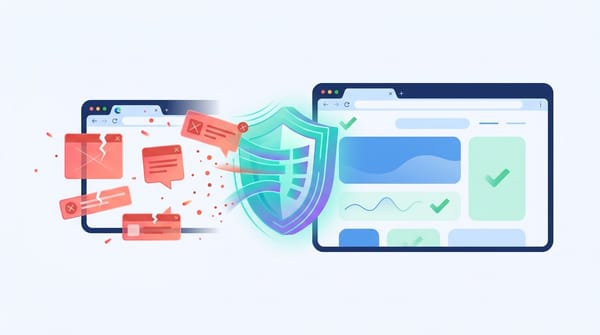

Yes, Brave browser is safe to use. For everyday internet users, it is more private and secure out of the box than Chrome or Edge. Brave natively blocks invasive trackers, malicious ads, and cross-site scripts without requiring extra extensions. However, it will not hide your IP address from your internet service provider or protect you from downloading malware. If you want to stop routine data harvesting, Brave is an excellent choice. If you need complete anonymity, you must use Tor.
Verdict Scorecard:
- Security: Strong (Chromium core)
- Privacy: Excellent (Class-leading default blocking)
- Anonymity: Limited (Fails against targeted surveillance)
- Vendor Trust: Improving (Past controversies resolved)
Quick Facts:
- Cost: 100% Free.
- Engine: Chromium (supports most Chrome extensions).
- User Base: Over 101 million monthly active users.
What browser safety actually means
Browser safety breaks down into security, privacy, anonymity, and private browsing. Brave excels at privacy but does not provide anonymity.
What is the difference between browser security, privacy, and anonymity?
Browser security protects your device from exploits, malicious downloads, and phishing. Privacy limits corporate tracking and data collection. Anonymity hides your physical location and identity from network operators. Private browsing merely stops your device from saving local history. Brave provides strong privacy and security, but limited anonymity.
| Term | What it protects | What it does not protect | Where Brave stands |
|---|---|---|---|
| Security | Exploits, malware, phishing | Your IP address, tracking | Strong (Chromium base) |
| Privacy | Trackers, profiling, telemetry | Your physical location, ISP visibility | Excellent out of the box |
| Anonymity | Identity, IP, linkability | Local device forensics | Limited (use Tor instead) |
| Private Browsing | Local history, saved cookies | Network surveillance, RAM artifacts | Standard industry protection |
Why Brave matters more in 2026
Google's Manifest V3 update crippled Chrome ad-blocking extensions. Brave's built-in ad blocker bypasses these restrictions entirely.
Google's Manifest V3 (MV3) rollout severely restricted the capabilities of standard Chrome ad-blocking extensions. Network request modifications were strictly capped. This heavily weakened third-party privacy tools that relied on deep browser access.
Ad blocking is a security issue, not just a privacy preference. Because Brave builds its Shields directly into the browser core using Rust, it does not rely on Chrome's extension store. It delivers full-strength blocking regardless of Google's policy shifts.
What Brave protects against
Brave natively blocks the most common threats to everyday privacy and security without requiring user configuration.
What does Brave actually protect against?
Brave protects you against routine web tracking, third-party cookies, malicious ad redirects, and basic browser fingerprinting. It also sends significantly less backend telemetry than its major peers. These default settings make Brave highly effective for people who want privacy without building a custom browser setup.
- Trackers and cookies: Brave Shields block cross-site trackers automatically on the "Standard" setting.
- Malicious ads: Malvertising deploys malware through compromised ad networks. Stopping these scripts at the network level prevents the threat from ever loading on your screen.
- Excessive telemetry: A foundational 2020 study by Trinity College Dublin found Brave sent the least amount of out-of-the-box telemetry among mainstream browsers.
What Brave does not protect against
Brave cannot protect you from bad browsing habits, malicious downloads, or network surveillance.
Is Brave browser safe from hackers?
Brave reduces your attack surface by blocking malicious ads and tracking scripts, but it cannot stop every attack. It will not save you from phishing pages you trust, malware you download, or unsafe extensions you install. Treat Brave as one layer in a broader security setup, not a total defense system.
- Your IP address: Brave does not encrypt your traffic to hide it from your internet service provider (ISP). Your IP address remains entirely visible.
- Over-privileged extensions: Every extension expands your attack surface. A malicious Chrome extension installed in Brave can still monitor your keystrokes.
- Site breakage: Strong privacy protections sometimes break website functionality. When a banking or streaming site fails to load, lower the Shields for that specific URL by clicking the lion icon in the address bar.
Does Brave stop fingerprinting?
Brave blocks lazy commercial tracking, but academic research proves determined adversaries can still identify users.
Does Brave stop browser fingerprinting?
Brave offers strong default anti-fingerprinting through a randomization technique called Farbling, but it does not make you untrackable. A 2025 ACM peer-reviewed study proved that advanced statistical attacks can defeat these randomization defenses over time. Brave raises the cost of tracking, but true anonymity requires Tor.
Simple automated tools like PrivacyTests.org rate Brave highly because they measure binary pass/fail mechanics. Sustained tracking networks use complex pattern recognition instead. For everyday users, Brave's defense is excellent. For high-risk whistleblowers, it is insufficient.
What data Brave collects
You control your data exposure in Brave. Enabling optional features like Sync, Rewards, or AI changes the privacy math.
Does Brave collect or sell your data?
Brave's default telemetry posture is lighter than Chrome or Edge, and the company explicitly states it does not sell personal data. However, optional features introduce new data streams. The safest setup depends entirely on which features you choose to activate.
- Brave Rewards (BAT): Completely optional. Opting in to view privacy-preserving ads introduces localized on-device profiling.
- Brave Sync: Uses client-side encryption to sync bookmarks and passwords. Brave cannot read your data, but encrypted blobs are still stored on their servers.
- Brave Leo (AI): The integrated AI assistant sends your chat prompts to external language models. Engaging with any LLM inherently shares the data you type.
Brave's trust record: real controversies and fixes
Brave's history includes serious missteps, but recent independent audits and infrastructure investments signal maturing vendor trust.
Can you trust Brave the company?
Brave's trust record is mixed but improving. The company faced backlash for injecting affiliate links in 2020, leaking Tor DNS requests in 2021, and installing VPN services on Windows without consent in 2023. Brave fixed each issue and has since added stronger trust signals.
- 2020 Affiliate Links: Users caught Brave autocompleting cryptocurrency exchange URLs with its own affiliate links. Brave apologized and disabled the autocomplete behavior.
- 2021 Tor DNS Leak: A critical flaw caused Brave's Private Window with Tor to leak DNS requests to local ISPs. Brave patched it quickly, but the incident proved why Brave is not a substitute for the actual Tor Browser.
- 2023 Unconsented VPN Installs: Windows users discovered Brave had been silently installing background VPN services since mid-2022 even if they never purchased the subscription. Following public criticism, Brave's VP of Engineering committed to removing the VPN service registrations from the installer so the services would only be installed when explicitly purchased or activated.
Despite these startup-era mistakes, Brave achieved SOC 2 Type II compliance for its Search API and rebuilt its ad-block engine in memory-safe Rust. The engineering investment is solid.
Is Brave safer than Chrome, Firefox, Safari, and Tor?
Brave offers the best balance of strict default privacy and Chromium-based site compatibility.
Is Brave safer than Chrome?
For most people, yes. Brave is safer than Chrome from a privacy perspective because it blocks trackers and many ads by default. Its built-in protections bypass Chrome's Manifest V3 extension limits. Chrome shares the same strong Chromium security core, but Brave provides a much more protective default setup.
- Brave vs. Firefox: Firefox requires manual hardening (adjusting config settings and installing uBlock Origin) to match Brave's default privacy level.
- Brave vs. Tor: Brave loads sites quickly and supports normal logins. Tor routes traffic through three encrypted nodes, making it slow but highly anonymous. Never use Brave for life-or-death anonymity needs.
- Brave vs. Safari/Edge: Safari offers decent tracking prevention but lacks aggressive ad blocking. Edge includes heavy Microsoft telemetry, making it a poor choice for privacy.
Is Brave safe for your exact use case?
Brave handles normal browsing and banking effortlessly, but requires a VPN for network privacy.
Is Brave safe for online banking?
Yes, Brave is safe for online banking. It enforces encrypted connections and blocks malicious scripts by default. Some banking sites may break due to aggressive cross-site cookie blocking. If a page fails to load, simply lower Shields for that specific banking URL.
Is Brave safe on public Wi-Fi?
Brave helps on public Wi-Fi by blocking trackers and enforcing HTTPS. It does not encrypt all network traffic or hide your IP address from the network administrator. If public Wi-Fi privacy is a concern, pair Brave with a reputable VPN.
Is Brave browser safe for iPhone and Android?
Yes, Brave is a strong choice for mobile browsing. It provides aggressive mobile ad blocking out of the box. Keep in mind that mobile operating systems restrict certain browser behaviors, so the iOS version operates slightly differently than the desktop version.
How to make Brave safer in 10 minutes
Updating your browser, limiting extensions, and keeping Shields active eliminates the vast majority of web threats.
Most risks come from user behavior and extra add-ons, not Brave's default setup. Follow this checklist to harden your browser:
- Keep Shields on Standard: Avoid the "Aggressive" setting unless you are willing to troubleshoot broken websites frequently.
- Disable unused features: Turn off Brave Rewards, Wallet, and Leo if you do not actively use them.
- Purge extensions: Delete any extension you have not used in the past month. Fewer extensions mean lower risk.
- Isolate tasks: Use separate browser profiles if you mix work, online banking, and casual browsing on the same device.
Should you use an ad-blocker extension with Brave?
Brave natively handles display ads, cross-site trackers, and malicious scripts effectively. You only need a secondary extension if you want extra filtering for formats Brave might miss, such as audio ads on streaming platforms. Otherwise, rely on the built-in Shields.
FAQ
Is Brave free and safe to download?
Yes, the core Brave browser is entirely free. It is safe to download as long as you use the official Brave website. Avoid unofficial mirrors, third-party app stores, or sponsored search ads impersonating the download page.
Is Brave private browser safe?
Brave's standard private browsing mode is useful for hiding activity from other people who share your device. It prevents local history and session cookies from being saved. It does not hide your activity from your ISP, your employer, or the websites you visit.
Do you need a VPN with Brave?
You do not need a VPN for everyday browsing if your main goal is blocking trackers and intrusive ads. You only need a VPN if you want to hide your IP address, secure your connection on public Wi-Fi, or mask your physical location.
Final verdict: Who should switch to Brave?
Brave is the easiest way to secure your everyday browsing without learning complex configurations.
Is Brave browser good, and should you use it?
Brave is an excellent choice if you want better privacy than Chrome or Edge without spending hours tweaking settings. Its strongest value is default, out-of-the-box protection. Its weakest area is true anonymity. For most everyday internet users, Brave is the most sensible, privacy-first browser available today.