Looking for a reliable Spotify playlist downloader? Most free tools do not actually download audio from Spotify. Instead, they read your playlist metadata, search external catalogs like YouTube, and record the closest match. Understanding this hidden mechanism is the only way to avoid malware, fake 320kbps files, and broken downloads.
I tested 14 popular tools to find which ones actually convert full playlists to MP3s safely.
The best free Spotify playlist downloader depends on your batch size and device. For quick, small playlists (under 30 tracks), browser-based tools like Spotisaver are the most reliable free online options. For advanced users needing precise metadata, spotDL is the best open-source GitHub tool. For massive 100+ track batches, PC desktop converters provide the best stability, though permanent free tiers are rare.
Quick Picks: Choose the Right Tool in 30 Seconds
- Best for quick small playlists (Web): Spotisaver
- Best open-source option (CLI): spotDL
- Best for bigger playlists (PC/Mac): NoteBurner (Freemium)
- Best for mobile: Browser-based tools (Avoid batch ZIPs)
- Best for uninterrupted listening without MP3s: Blockify (Web Player ad-blocker)
How Spotify Playlist Downloaders Actually Work
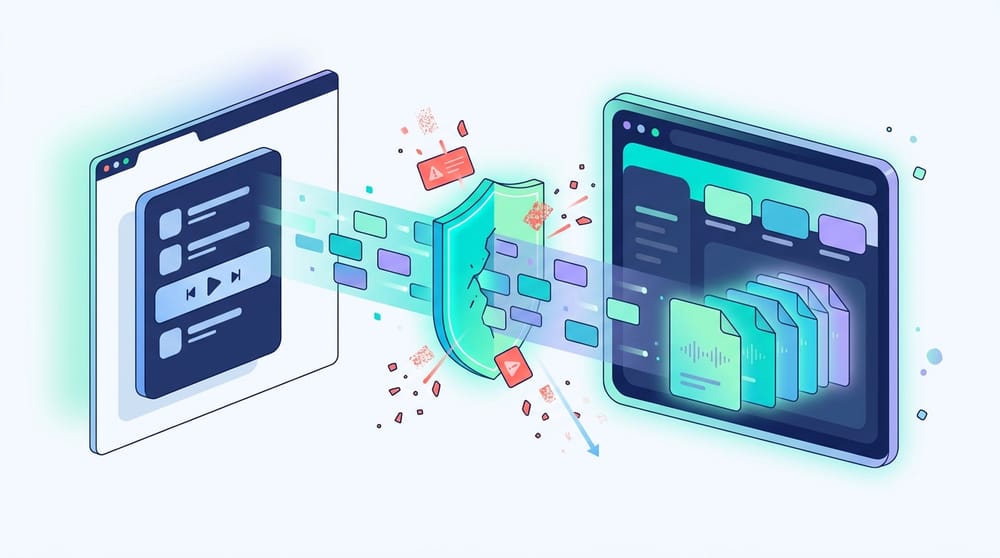
Spotify Premium offline downloads are encrypted, cached files—not portable MP3s. To create playable local files, third-party downloaders use one of three methods:
- YouTube-match tools (Most common): Read your Spotify playlist text, search YouTube or YouTube Music for matching tracks, and download that external audio as an MP3.
- Stream-recording tools: Play the audio silently on your PC and record it directly through your soundcard (slowest, safest).
- Web-player capture apps: Desktop software that routes through Spotify's web player logic to capture streams (fast, but often requires premium software).
The "320kbps" Quality Myth
Many free tools output files labeled as 320kbps, but the audio actually comes from a 128kbps YouTube source upscaled into a larger MP3 container. File properties do not prove source quality.
To verify true quality, run one downloaded file through a free acoustic spectrum analyzer like Spek. A true high-bitrate file shows frequency extension above 20 kHz. A fake 320kbps file shows a hard cutoff around 16 kHz.
How to Convert Spotify to MP3 Free
Follow this universal workflow to safely test any downloader without risking your library.
- Make the Spotify playlist public: Private playlists block most metadata scrapers.
- Copy the link: Open Spotify, click "Share," and select "Copy Link to Playlist."
- Paste and fetch: Paste the URL into your chosen downloader (like Spotisaver).
- Test one track first: Download a single MP3. Play it to verify it is the correct studio version (not a live or acoustic match) and check the ID3 tags.
- Run the batch: If the sample passes, download the rest individually or via ZIP archive.
Best Spotify Playlist Downloader Online Free
Browser tools are perfect for quick grabs and zero-installation workflows. However, they struggle with large batches (ZIP timeouts) and often mismatch obscure edge-case tracks.
Spotisaver
Spotisaver is currently the cleanest browser-based option for small batches.
- Best for: Less than 30 tracks.
- Source method: YouTube metadata matching.
- Observed quality: Standard web audio (~128–256kbps upscaled).
- Pros: Clean interface, retains basic Title/Artist tags, no Spotify login required.
- Cons: ZIP generation fails on large playlists; occasional aggressive ad redirects (malvertising).
- Verdict: Highly reliable for mobile and desktop users needing quick, casual-listening files.
SpotifyMate
A highly reliable single-track fetcher with minimal page bloat.
- Best for: One-off downloads.
- Pros: Extremely fast parsing engine; strong track-title retention.
- Cons: No bulk playlist ZIP downloads; tedious for large libraries.
Safety Note: The web is flooded with similar-sounding clones (SpotiDown, SpotifyDownloader). Domains change frequently. Never enter your Spotify login credentials into a web-based downloader.
Best Spotify Playlist Downloader GitHub Options
For users who want zero ads, high automation, and exact file naming, open-source command-line tools are superior to web apps.
spotDL (The Standard)
spotDL is a Python-based utility that syncs Spotify playlists natively via your command line.
- Target Audience: Power users comfortable with Python and FFmpeg.
- How it works: Cross-references Spotify API metadata with YouTube Music and applies precise ID3 tags and album art directly to the MP3.
- Pros: Exceptional batch control; perfect metadata mapping; fully scriptable.
- Cons: Fails on obscure remixes (spotDL GitHub issue); requires Python 3.10 or higher on Windows.
How to use download Spotify playlist to MP3 via GitHub (spotDL):
Ensure Python (3.10–3.14) and FFmpeg are installed, run pip install spotdl, and execute spotdl [playlist-link].
Best Spotify Playlist Downloader for PC
For Windows and macOS users processing huge libraries (100+ tracks), desktop applications offer unmatched batch handling.
Dedicated Capture Apps (NoteBurner / TuneFab)
These apps use internal web-player capturing rather than public API scraping.
- Cost reality: Freemium. The free tier is usually heavily capped (e.g., limits conversions to the first 1 minute of a song).
- Pros: Flawless metadata retention; rarely pulls the "wrong song" because it records the actual stream.
- Cons: Requires a paid license for full use; requires logging into your Spotify account natively inside their app.
System Recorders (Audacity)
- Cost reality: 100% Free.
- Pros: Zero account risk; completely legal for personal fair-use recording in many jurisdictions.
- Cons: Records at 1:1 real-time speed (a 3-hour playlist takes 3 hours to capture).
Best Spotify Downloader for Android and iOS
Mobile users should stick to browser-based tools. Avoid standalone "downloader apps" in the App Store or Play Store—they are often data-harvesting fronts that get banned quickly.
- Android Workflow: Use Chrome to access Spotisaver. Android routes files directly to your universal Downloads folder and natively handles ZIP extractions. It is the best mobile OS for this task.
- iOS Workflow: Safari manages downloads adequately via the Files app, but organizing MP3s into Apple Music without a PC is incredibly tedious. For iPhones, download on a Mac/PC first, then sync the files.
Note on Bots: While Telegram downloader bots exist, they are high-churn, heavily compressed, and offer zero metadata control. Skip them.
Do You Actually Need MP3 Files? (The Ad-Free Alternative)
If you are only searching for a downloader because you are tired of audio ads, downloading gigabytes of MP3 files is an overly complicated fix.
If you use the Spotify Web Player on Chrome, Edge, or Brave, an extension like Blockify is a much cleaner solution. It automatically blocks audio ads, visual banners, and trackers without altering your library or requiring offline file management.
- Best for: Uninterrupted desktop listening.
- Limitations: Does not create MP3s; does not work on mobile apps.
Safety, Account Risk, and Legality
- Can Spotify ban your account? Yes. Using third-party tools that alter playback speeds, bypass DRM, or require direct account logins violates Spotify's Terms of Service.
- Lowest Risk: Browser-based metadata matchers (they never touch your account).
- Highest Risk: Modded APKs or desktop tools that require your username and password.
- Legality: Downloading copyrighted audio without authorization violates general copyright laws. Rightsholders aggressively pursue DRM-bypassing platforms. This guide evaluates technical capabilities for educational and fair-use archiving, not piracy.
FAQ
Do you need Spotify Premium to use a downloader?
No. Most free online tools and GitHub scripts parse the public metadata of the playlist link. Premium status does not affect the output of external matchers.
Why did the downloader give me the wrong version of a song?
Because free tools pull from YouTube, they often grab the most popular video result. If a song has an acoustic version, a music video with intro dialogue, or a clean/explicit variant, the algorithm frequently guesses wrong.
What playlist size is too big for free online tools?
Browser tools generally stall, time out, or corrupt the ZIP file when processing more than 30–50 tracks simultaneously. For larger batches, use a desktop program or split your playlist into smaller chunks.
Can I download a private Spotify playlist?
Web tools cannot see private playlists. You must temporarily set the playlist to "Public," run the download, and switch it back to private once finished.
How do I organize the downloaded MP3 files for a car stereo?
Before transferring files to a USB drive, keep filenames short and avoid deep folder structures. Ensure the MP3s have basic ID3 tags (Title, Artist) embedded, or your car display will read "Unknown Track." Use bulk-renaming software on your PC to clean files before transferring.