
I know how frustrating a missing cancel button can be. The reality is simple: the native Spotify app does not let you cancel your subscription. To cancel Spotify Premium, you must use the platform that originally billed you.
If you pay Spotify directly, log into your account via a web browser, go to "Manage your plan," and select "Cancel subscription." If you subscribed through Apple or Google, you must cancel inside your device's subscription settings. My guide breaks down every cancellation path so you can stop your auto-renewal immediately.
How to Stop Spotify Premium Auto-Renewal
To stop your Spotify Premium auto-renewal, log into your account page using a mobile or desktop web browser, not the app. Scroll to Manage your plan and select Cancel subscription. If you are billed through a third party like Apple or Google Play, you must cancel through your phone's native subscription settings instead.
Identify Your Spotify Billing Provider
If another company manages your subscription, Spotify hides the cancel options entirely. Always confirm your payment processor before trying to downgrade. Log into your Spotify account page on a web browser. Under your plan details, check your listed payment method to find your exact cancellation route.
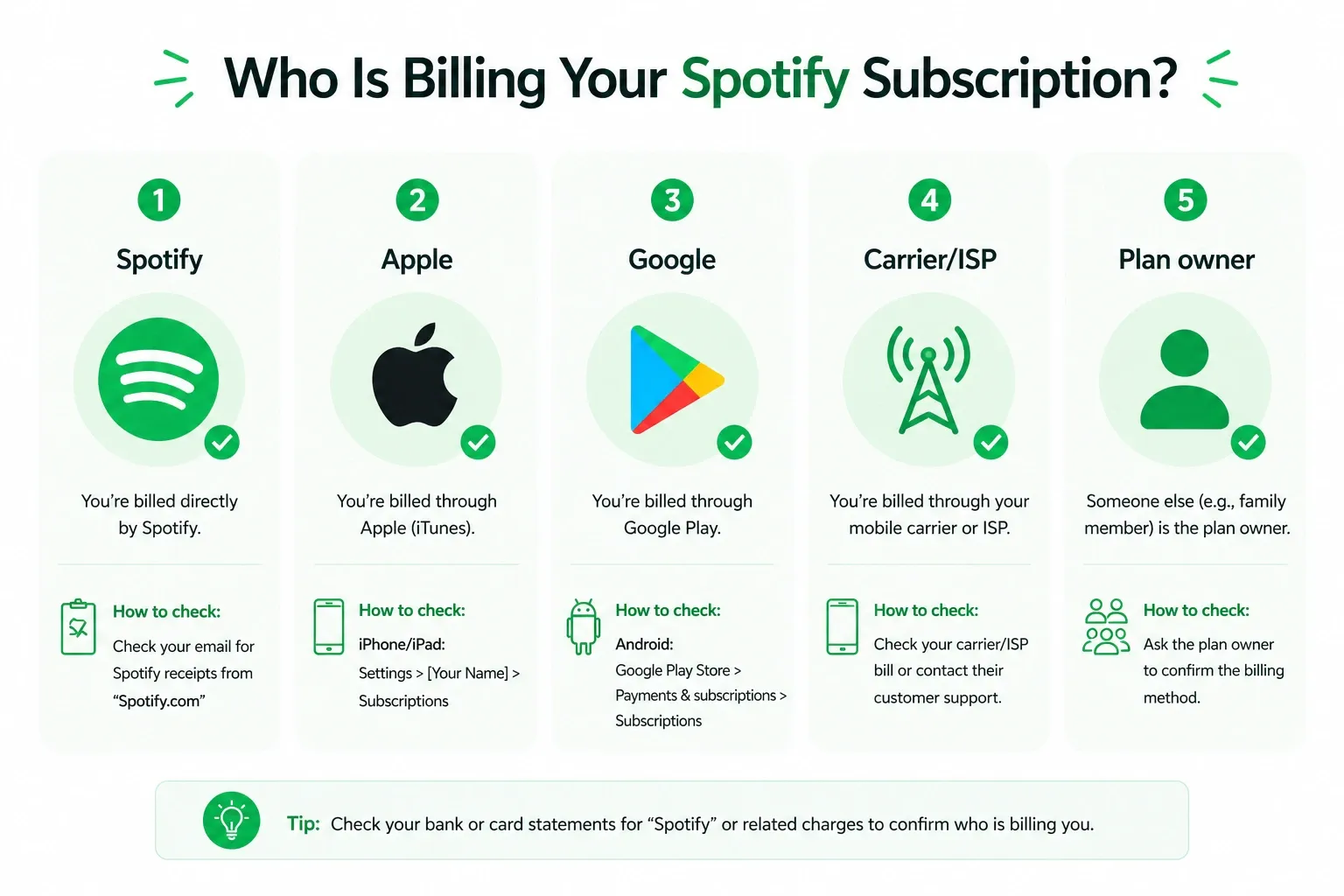
- Credit Card / PayPal: Spotify bills you directly. Cancel via the Spotify website.
- Apple Logo: Apple bills you. Cancel in your iPhone/iPad Apple ID settings.
- Google Play Logo: Google bills you. Cancel in the Google Play Store subscriptions list.
- Partner Logo (ISP/Carrier): Your internet or phone provider bills you. Cancel through their specific billing portal.
- "Managed by...": You are on a Family or Duo plan. Only the plan manager can cancel it.
Also read: How to Get Free Spotify Premium
How to Cancel Spotify Premium on Desktop or Mobile (Direct Billing)
If Spotify bills you directly, you must use a web browser like Chrome or Safari to cancel. The native smartphone app will not work.
I always recommend using a desktop browser to avoid redirect loops. Here is the exact path.
- Log into your Spotify account on a web browser.
- Scroll down to the Manage your plan section.
- Click Change plan if Spotify shows that option first.
- Select Cancel subscription or Cancel Premium.
- Click through the retention warning screens until you reach the final confirmation page.
If you must use a phone, open a mobile browser like Safari or Chrome, log in, tap your profile menu, select Account, and follow the same steps.
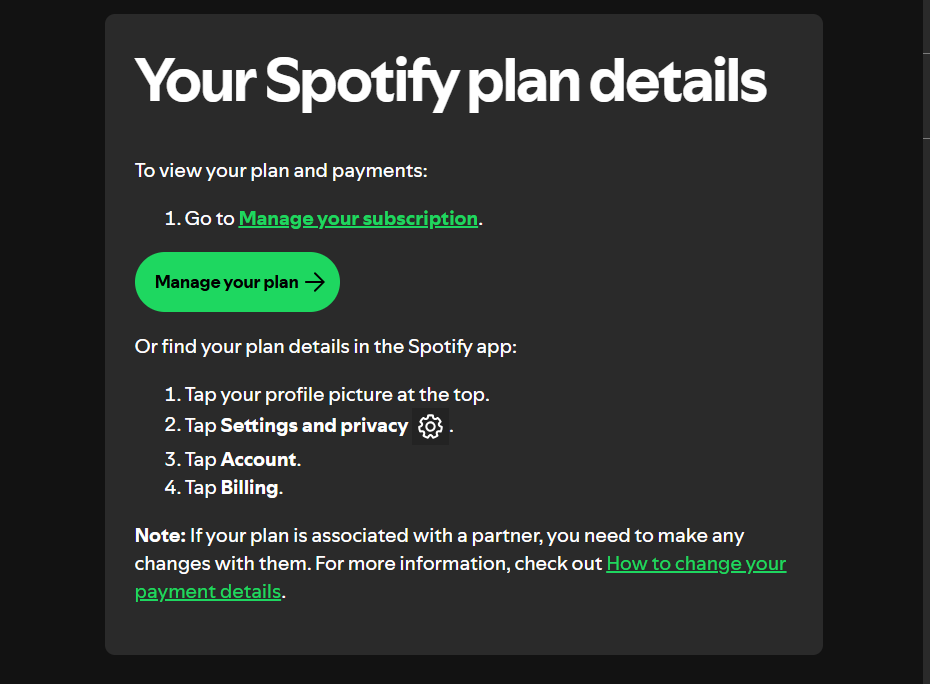
How to Cancel Spotify Subscription on Apple, Google Play, or Carrier Bundles
When a third party controls your billing, you must cancel through their ecosystem. Spotify cannot stop these payments from their website.
Cancel on iPhone (Apple App Store Billing)
If you subscribed through Apple, Apple controls the payment mandate.
- Open your iPhone's Settings app.
- Tap your Apple ID name at the top of the screen.
- Tap Subscriptions.
- Select Spotify and tap Cancel Subscription.
Cancel on Android (Google Play Billing)
- Open the Google Play app.
- Tap your profile icon in the top right corner.
- Tap Payments & subscriptions, then Subscriptions.
- Select Spotify and tap Cancel subscription.
Cancel a Phone Carrier or ISP Bundle
If Spotify is bundled with your mobile phone or broadband internet plan, check your latest utility bill. You must log into your provider's web portal or call their customer support line to remove the Spotify add-on.
How to Cancel Family or Duo Plans
Only the primary account holder who pays the monthly bill can cancel a Family or Duo subscription.
The person who pays the bill is the plan manager. If you are the manager, follow the direct-billing steps above to cancel. Once canceled, all connected accounts downgrade to Spotify Free on the next scheduled billing date.
If you are an invited member, you cannot cancel the billing. You can only remove yourself from the group by leaving the plan in your account settings. To stop the actual payments, you must ask the plan manager to cancel the overarching subscription.
What Happens After You Cancel Spotify Premium?
Canceling stops future payments, but you keep your playlists and saved music on the ad-supported Free tier.
- When Premium ends: For standard paid plans, your Premium features stay active until your next scheduled billing date. Spotify's Refund policy says you keep what you paid for until the end of the billing period.
- What you keep: You do not lose your playlists or saved songs. Canceling Premium is entirely different from deleting your Spotify account.
- What changes: You drop to Spotify Free. Ads will play between songs, you can no longer listen offline, and on mobile you lose the ability to play songs in any order.
Warning: Canceling a Zero-Priced Free Trial
If you cancel a zero-priced free trial early, your Premium access terminates immediately. Unlike paid plans that run until the end of the billing cycle, zero-priced trials end the moment you click cancel. Spotify will not reactivate the trial once terminated. If you want to use the full duration of the trial without getting automatically charged, set a calendar reminder on your phone to cancel two days before the renewal date instead of canceling immediately.
Verify If Auto-Renewal Stopped
Always save proof of your cancellation and check your next bank statement to guarantee the charges actually stopped.
Before closing your browser, take a screenshot of the final cancellation confirmation screen. Save the automated email from Spotify. Check your bank statement the following month. If a charge appears, verify you did not accidentally leave a third-party mandate active like Apple or sign up using a second email address.
Alternative: How to Listen Without Ads After Canceling
If you canceled to save money but hate the audio interruptions on the Free tier, you can easily optimize your web listening experience. Use Blockify, a modern browser-based ad blocker.
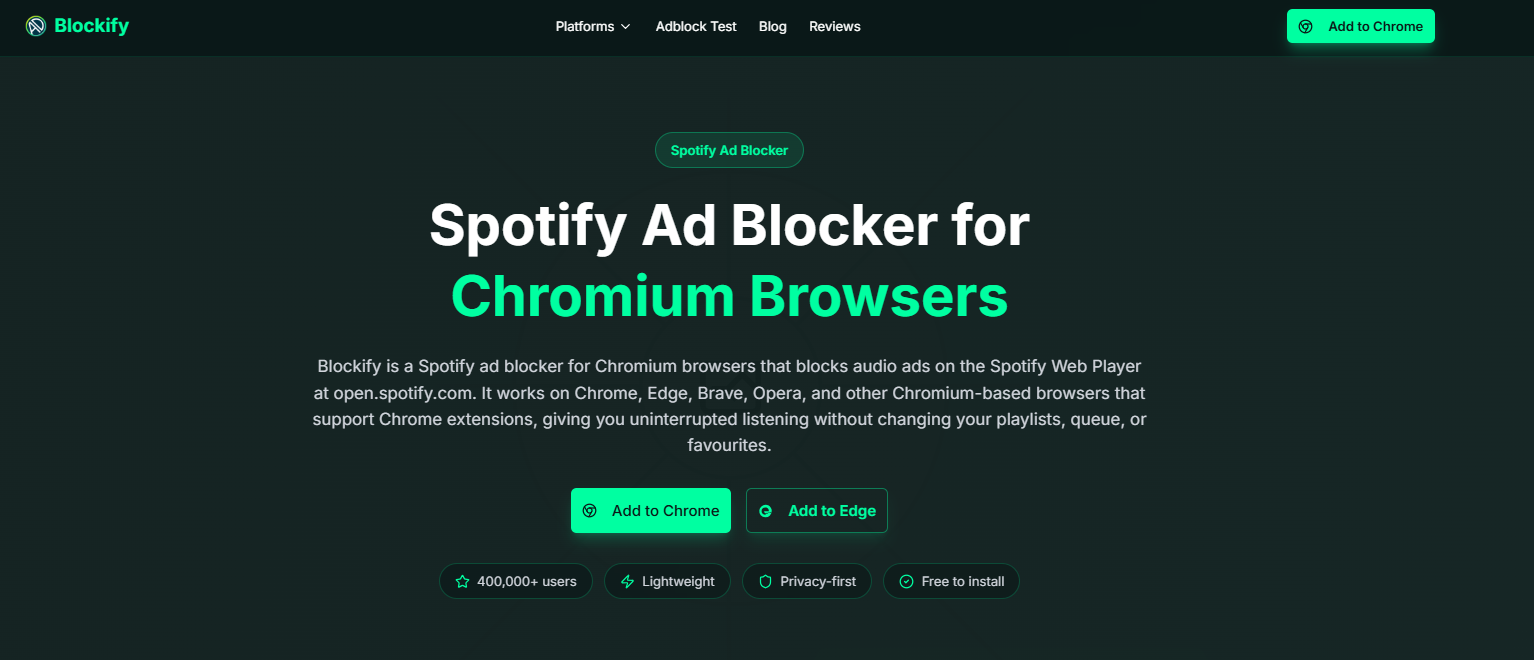
I use Blockify because it specifically targets the stubborn audio and video ads that traditional blockers often miss. It features a dual-layer blocking mechanism with intelligent fallbacks like safe muting, making it ideal for the Spotify web player. With 400,000 users and a 4.8/5 rating from 5.6K ratings on the Chrome Web Store, Blockify provides a clean, set-and-forget listening experience without the recurring Premium price tag.
FAQ
Can I Cancel Spotify Premium Anytime?
Yes. You can cancel your paid subscription at any time to stop auto-renewal. Your Premium benefits will continue until your current billing cycle ends.
Will I Lose My Playlists If I Cancel Spotify Premium?
No. Your playlists and saved songs remain completely intact. Your account simply drops to the ad-supported Spotify Free tier.
How Do I Cancel Spotify Premium On My Phone?
Do not use the native app. Open a mobile browser like Safari, log into your Spotify account, and navigate to "Manage your plan." If Apple or Google bills you, cancel via your device's native subscription settings.
Why Can’t I Find the Cancel Button?
The cancel button is missing if you are using the mobile app, if a third party like Apple, Google, or an ISP manages your billing, or if you are a non-manager member of a Family or Duo plan.
Is Canceling Spotify Premium the Same As Stopping Auto-Renewal?
Yes. Canceling stops the automatic monthly billing and initiates your downgrade to the Free tier at the end of the cycle.




