
Figuring out exactly how to delete a spotify account completely requires more than just removing the app from your phone. You must navigate Spotify's specific multi-step closure process, secure your playlists, and cancel active subscriptions based on who handles your billing.
To permanently delete your Spotify account, first confirm who bills your Premium plan. If Apple, Google, or a partner handles billing, cancel there and wait for your account to drop to the Free tier.
If Spotify bills you directly, or you already use Free, use Spotify's web-based account closure flow, confirm the email, and wait out the mandatory 7-day recovery period. After those 7 days, your account can no longer be reactivated and the process to delete your data begins.
Things to Do Before Deleting Your Spotify Account
If you rush the deletion process, you risk permanently losing your curated playlists or breaking the cancellation flow entirely. Handle your data and billing before clicking delete.
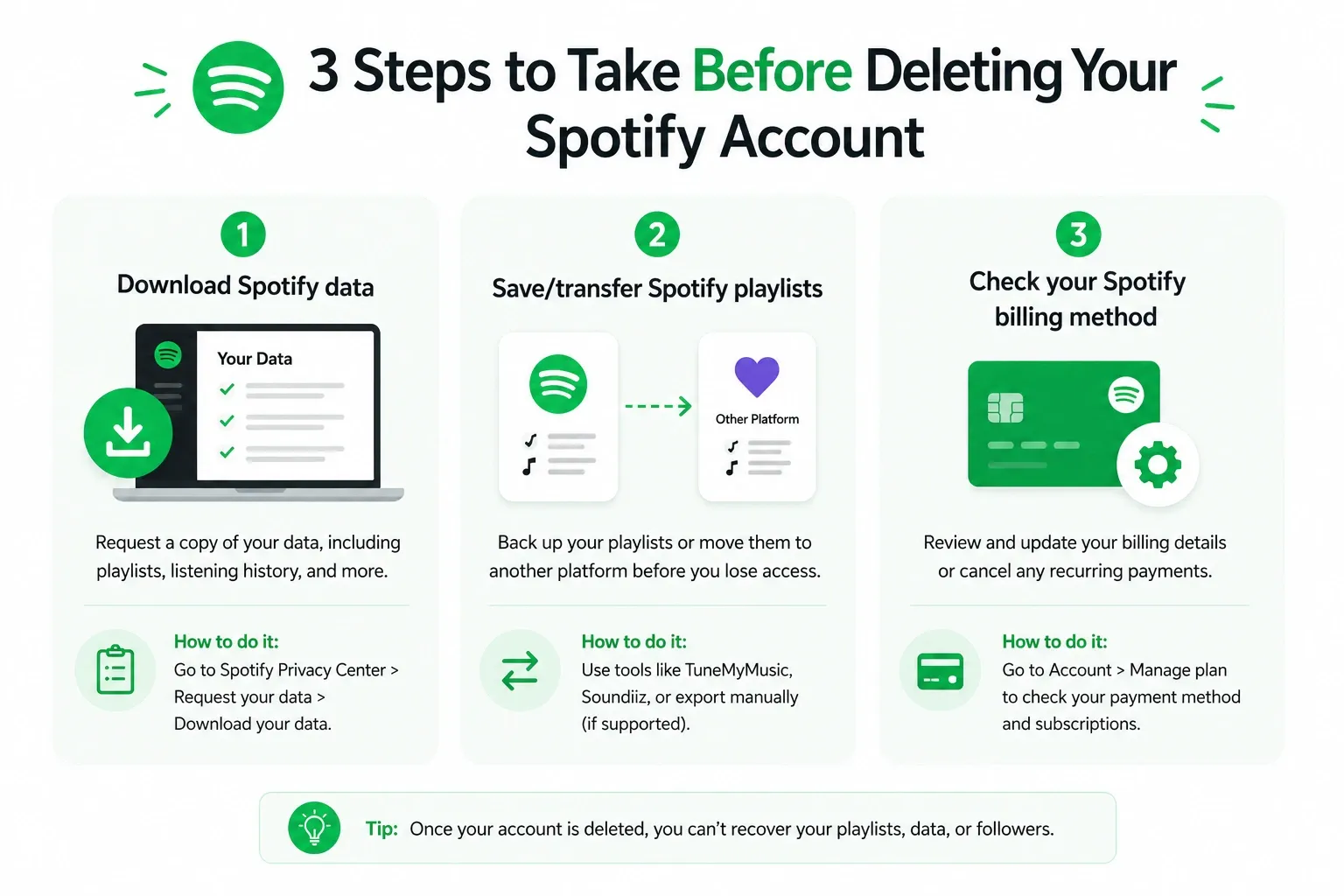
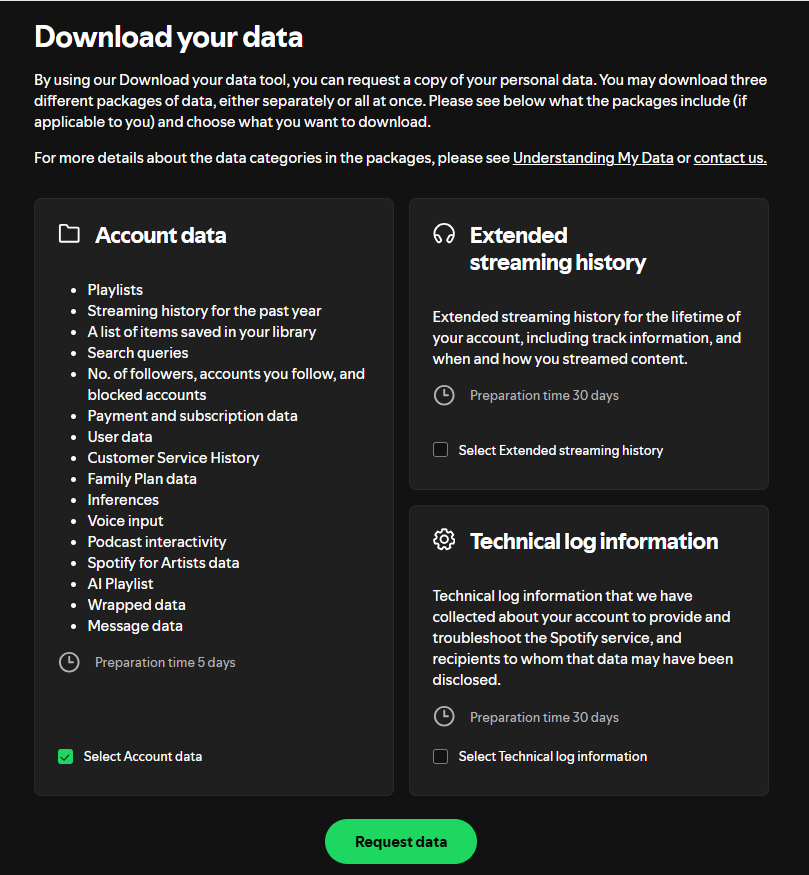
Step 1: Request Your Spotify Data
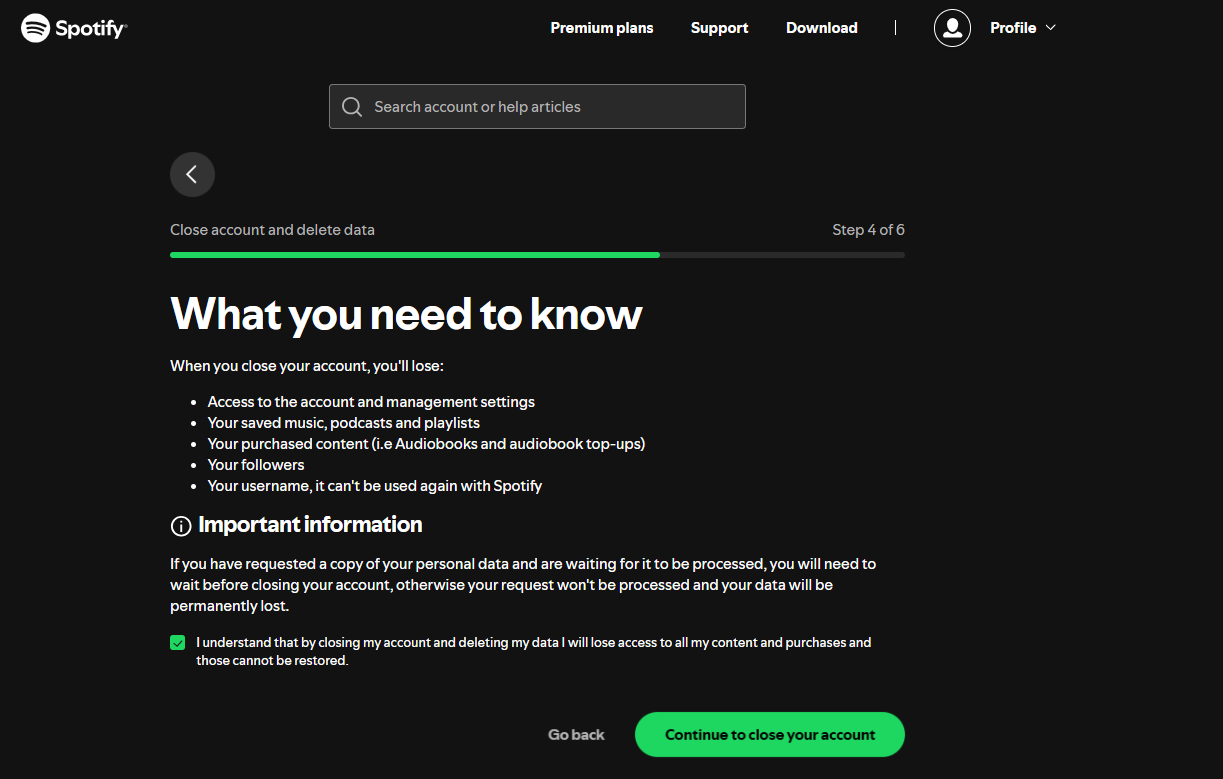
Data export and account deletion operate on conflicting timelines. A full data export takes up to 30 days. If you initiate account deletion before receiving your file, the export fails and your history is gone forever.
Go to the Account Privacy page, request your data, and wait to download the ZIP file before proceeding.
Step 2: Save or Move Your Playlists
Account deletion instantly wipes your curated library. If you plan to switch to Apple Music, YouTube Music, or Tidal, migrate your playlists now. Use a third-party transfer tool like Soundiiz, TuneMyMusic, or FreeYourMusic to export your library while your Spotify account remains active.
Step 3: Identify Your Billing Source
You cannot delete an account with an active Premium subscription. If Apple, Google Play, or your mobile carrier handles your billing, Spotify's native website cannot cancel it for you.
Log into Manage your plan to confirm who owns your billing before moving to the next step.
How to Delete Spotify Account on Mobile and Desktop
Skip directly to the path that matches your current account state.
Path 1: Free Users (or Premium Billed by Spotify)
If you have a Free account, or if you pay Spotify directly via credit card, you can close your account immediately.
On Desktop or Mobile Browser:
- Log into Close your free account and delete your data.
- Click Close Account under the "Don't have Premium?" section.
- Review the on-screen warnings detailing the data you will lose, then click Continue.
- Open your email inbox and click the final confirmation link.
Note: You cannot finalize deletion natively inside the iOS or Android app. Use a mobile web browser to complete these exact steps.
Also read: How to Cancel Spotify Premium
Path 2: Premium Billed Through Apple
Spotify cannot cancel Apple-managed subscriptions.
- Open the Settings app on your iPhone or iPad.
- Tap your Apple ID name at the top, then tap Subscriptions.
- Select Spotify and tap Cancel Subscription.
- Wait for your current billing cycle to end.
- Once your account drops to the Free tier, follow the browser steps in Path 1 to permanently delete your data.
Path 3: Premium Billed Through Google Play
Similar to Apple, Google Play subscriptions require external cancellation.
- Open the Google Play Store app.
- Tap your profile icon > Payments & subscriptions > Subscriptions.
- Select Spotify and tap Cancel subscription.
- Wait for the billing cycle to expire, then follow Path 1.
Path 4: Family or Duo Plan Managers
If you delete the primary manager account, all subordinate members lose Premium access and revert to Free tier. Notify your plan members to secure alternative billing, cancel the shared plan billing from your account page, and then proceed to the browser deletion flow in Path 1.
What Happens After You Delete Your Spotify Account
Submitting the web request is not the finish line. The closure process relies on strict deadlines.
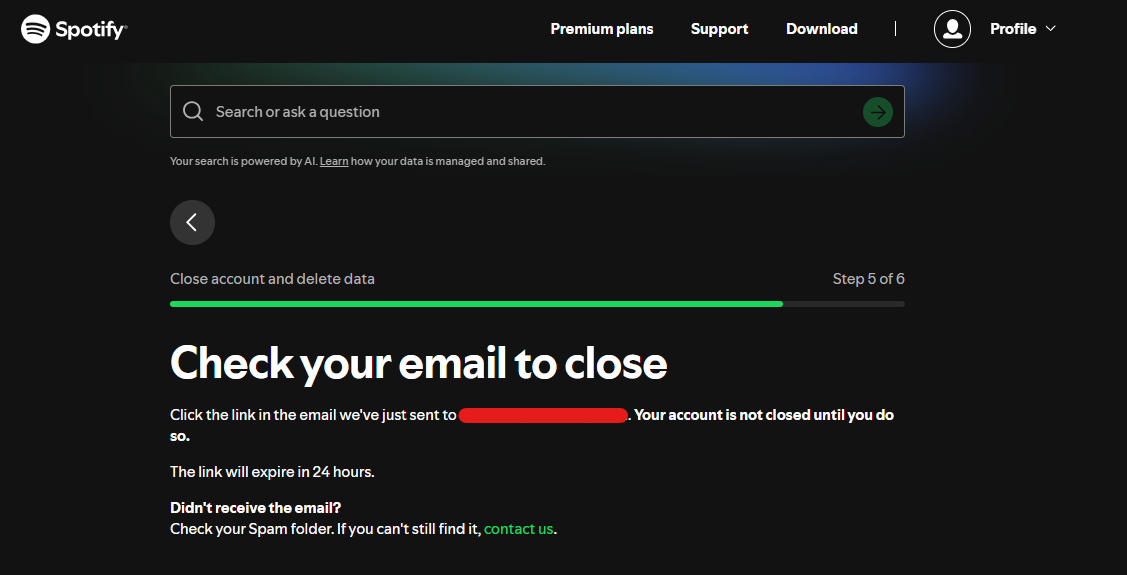
The Confirmation Email (24-Hour Deadline)
Spotify emails you a confirmation link that expires in exactly 24 hours. If you miss this email, your deletion request is voided. Check your spam, junk, or promotions folders immediately after clicking "Close Account."
The 7-Day Recovery Window
Your account enters a 7-day holding period after you click the email confirmation link. During this window, you can still recover your Spotify account by clicking the reactivation link sent to your inbox.
After Day 7: Permanent Deletion Begins
Once the 7-day window closes, your account cannot be reactivated. Playlists, followers, and account identity are wiped. Your exact username cannot be reused to create a new account. Any remaining financial or transaction data is retained internally only for legal, tax, and accounting compliance, as outlined in Spotify's Privacy Policy.
Why You Can’t Delete Your Spotify Account (Common Issues)
If you are stuck figuring out how to close spotify account, you likely hit one of these common blockers:
- You are using the mobile app: The native app does not process deletions. Use a web browser like Chrome or Safari.
- You have an active third-party subscription: Cancel via Apple, Google, or your telecom carrier first.
- Single Sign-On (SSO) issues: If you use Facebook or Apple sign-in, ensure you know the underlying account email and password to authenticate the browser session.
Alternatives to Deleting Your Spotify Account
If your frustration stems from rising costs or constant interruptions, consider these alternatives before nuking your account.
Cancel Premium and Downgrade to Free
If you want to stop paying monthly fees, simply downgrade to the Free tier. This stops future billing entirely but preserves your curated playlists, algorithms, and account history for when you want to listen on desktop or smart speakers.
Keep Spotify and Block Ads with Blockify
If intrusive, repetitive audio ads are the real reason you want to leave, try Blockify before you permanently delete your account.
Blockify is a modern browser-based ad blocker built specifically for content-heavy web browsing where traditional blockers fail. It uses a dual-layer blocking system and intelligent fallbacks (like safe muting) to seamlessly remove audio and video ads on dynamic streaming platforms like Spotify, YouTube, and Twitch.
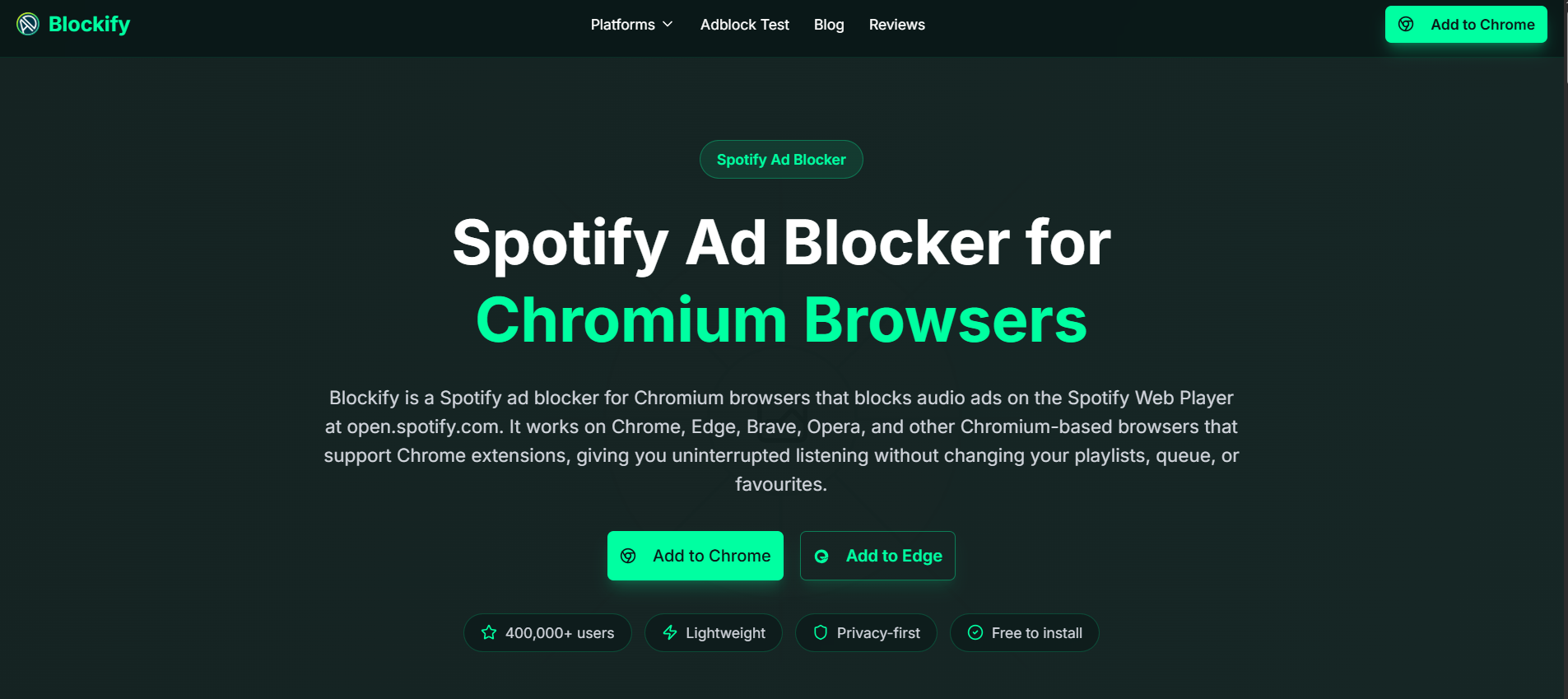
With over 360,000 active users and a 4.8-star rating, Blockify delivers a set-and-forget experience. If you listen through a desktop browser, this gives you a clean, uninterrupted session without the Premium price tag or the hassle of account deletion.
FAQs
Can I Permanently Delete My Spotify Account?
Yes. To delete spotify account permanently, use the official Spotify web flow to close the account, confirm the request via email, and wait out the mandatory 7-day recovery window.
How Do I Delete Spotify Account On Phone or Desktop?
You cannot fully delete your account inside the native mobile app. On phone or desktop, open the Spotify account closure flow in a web browser, log in, and complete the web-based steps there.
Do I Need to Cancel Premium First?
Yes, if a third party bills you. If Spotify bills you directly, the closure flow can handle the downgrade. If Apple, Google Play, or a telecom carrier bills you, you must manually cancel your subscription with them before Spotify's system allows account deletion. Spotify's official guide on How to cancel Premium plans is the best place to confirm who handles billing.
Can I Recover My Spotify Account After Deleting It?
Yes, but only within the first 7 days. Spotify provides a reactivation link via email immediately after you confirm closure. After those 7 days pass, permanent deletion begins and the account cannot be restored under any circumstances.
Does Deleting the Spotify App Cancel My Subscription?
No, removing the app only uninstalls the software from your device. It does not cancel your subscription, stop your payments, or close your account.




