

Total Adblock is the stronger out-of-the-box blocker, as it blocks ads aggressively by default and requires no configuration. However, full functionality is limited to its paid plan after the trial period. Adblock Plus, while also offering a paid tier, remains fully usable for free, with optional premium features, and provides greater control through customization and filter lists, including support across browsers like Firefox, provided you disable the default “Acceptable Ads” setting.
However, neither tool reliably handles modern in-app ads or deeply integrated streaming ads, as these are often delivered within the same content stream and are difficult for browser-based blockers to filter.
Total Adblock vs Adblock Plus at a Glance
Feature |
Total Adblock |
Adblock Plus |
Filtering approach |
Blocks network requests, hides ads/pop-ups, includes tracker & threat blocking |
Uses EasyList-based filters; allows “Acceptable Ads” by default |
Default behavior |
Aggressive blocking out of the box |
Allows non-intrusive ads until disabled |
Price / renewal |
~$19.99 first year; renews around ~$99/year |
Core blocking is permanently free; optional paid features |
Browser support |
Chrome, Edge, Safari, Opera (no Firefox) |
Chrome, Firefox, Safari, Edge, Opera |
Mobile reality |
Android app with VPN-based system-wide blocking; iOS limited to Safari |
Limited to supported browsers; no system-wide blocking |
Trust / transparency |
Closed-source; subscription-based with auto-renewal |
Open-source (GPLv3+); backed by Acceptable Ads program |
The 3 Key Differences Between Total Adblock and Adblock Plus
Most comparisons get the verdict wrong because they compare the products in one fixed state. We evaluate them across three real-world states:
Stage 1: Default Performance
Filtering out of the box
Total Adblock feels stronger on day one. Its default configuration blocks ads and trackers aggressively without requiring any setup, resulting in cleaner pages immediately after installation.
Adblock Plus also starts blocking right away, but allows “Acceptable Ads” by default. This can make pages appear less clean initially, though the difference is reduced significantly once that setting is disabled.
Performance and setup friction
Adblock Plus installs easily on desktop, but you’ll need to adjust its settings if you want stricter ad blocking. Total Adblock requires virtually no configuration on desktop, offering a more seamless, set-and-forget experience. However, its mobile experience, especially on Android, involves additional setup due to its VPN-based system-wide blocking, while iOS remains limited to Safari.
If you want aggressive blocking without touching any settings, Total Adblock has the edge by default. However, Adblock Plus should not be judged on its default configuration, as disabling “Acceptable Ads” significantly improves its effectiveness.
Stage 2: Optimized Performance
To see the true capability of Adblock Plus, execute these steps:
- Turn off Acceptable Ads in the general settings.
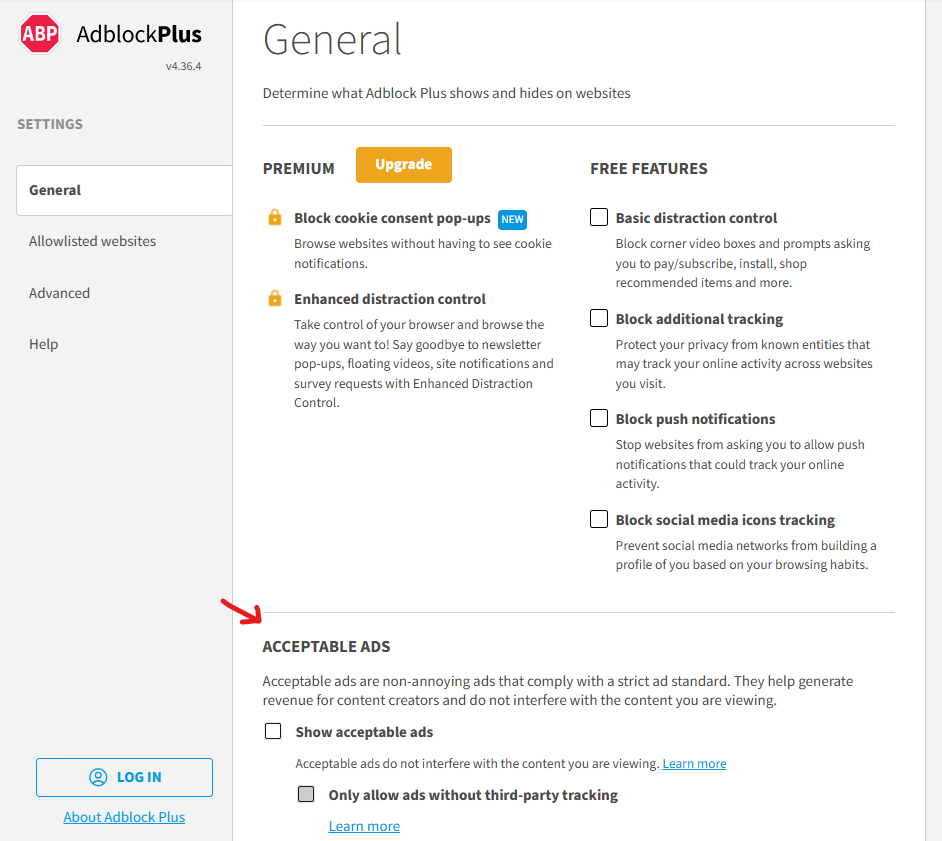
- Review your active filter lists.
- Use the Block a specific element tool for stubborn page elements.
What changes after tuning
Once you disable Acceptable Ads, Adblock Plus stops being a weak-default product and becomes a highly competitive, genuinely free option. It closes the real-world performance gap almost entirely. The Total Adblock vs Adblock Plus debate then shifts from a question of blocking power to a choice between convenience and control.Total Adblock wins on convenience. Adblock Plus matches its blocking power and wins on customizability once configured.
Stage 3: Long-Term Value
Price after year one
Introductory pricing rarely tells the whole story. Total Adblock lists a current introductory rate of around $19 annually, but its renewal pricing jumps to $99 a year. Full access requires this paid subscription.
Adblock Plus states clearly that core ad blocking remains free to use.
Adblock Plus Premium is an optional upsell that blocks cookie consent pop-ups and floating videos, not a requirement for better ad blocking.
Browser and device fit
Chrome and Edge
Both extensions operate under Google’s Chrome Manifest V3 (MV3) rules.
While MV3 limits dynamic rule updates via the DeclarativeNetRequest API, there is no significant average drop in ad-blocking effectiveness between MV2 and MV3 blockers. Both tools function perfectly fine on Chrome today.
Firefox
Adblock Plus wins easily. Total Adblock completely omits official Firefox support.
Mozilla’s approach to Manifest V3 continues supporting both blockingWebRequest and declarativeNetRequest, making Firefox the best desktop environment for power users.
Mobile reality
If you want to block ads on Android Chrome or inside mobile apps, you are solving the wrong problem with these tools. Total Adblock requires bypassing default security prompts and installing certificates via a VPN-like connection, as shown in Android Setup and Certificate Setup.
Get started with ad blocking on mobile notes that Adblock Plus is limited on Android to Samsung Internet.
Ads appearing on YouTube says consistent mobile YouTube blocking is more difficult.
Neither tool reliably handles the full range of in-app iOS and Android ads you might care about.
Trust and transparency
Adblock Plus’ web extension is open-source under GPLv3 and that large entities may pay fees under the Acceptable Ads initiative if their ads meet the nonintrusive criteria.Total Adblock is a closed-source product emphasizing subscription billing. Adblock Plus wins the long-term ownership phase due to its free baseline, open-source transparency, and robust Firefox support. Total Adblock carries high renewal costs and historical billing friction.
Should You Use Total Adblock or Switch to Adblock Plus?
No, you should never run two ad blockers on the same browser simultaneously.
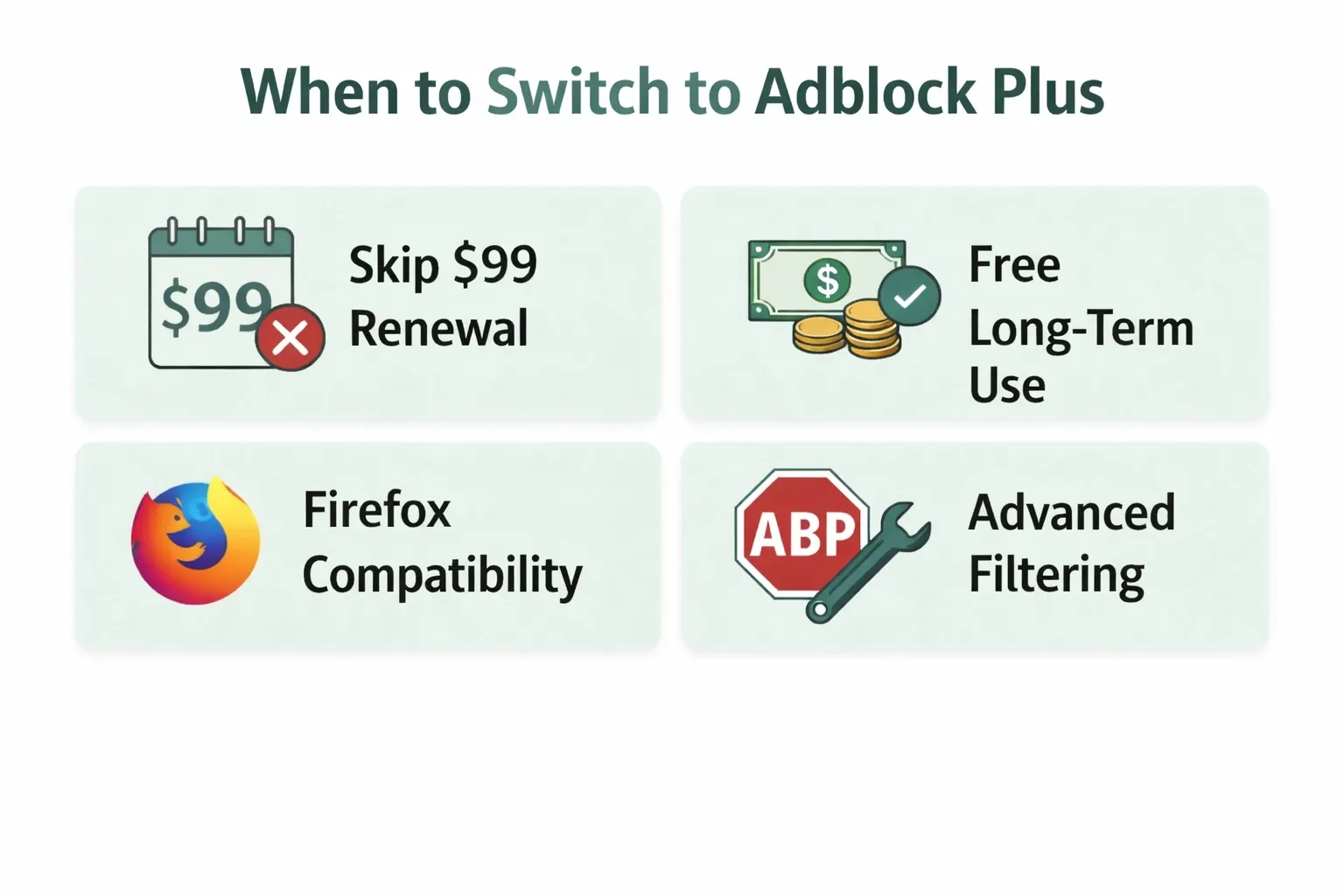
Keep Total Adblock if you value convenience and accept the $99 annual renewal fee. Switch to Adblock Plus if you want a free baseline and lower long-term costs.
Total Adblock Cons: Key Disadvantages You Should Know
- High renewal pricing compared to the introductory offer.
- No official Firefox support.
- Heavy Android setup requiring external certificate installation.
- Auto-renewal billing model that requires manual cancellation.
Are Total Adblock or Adblock Plus Enough in 2026?
Traditional browser extensions struggle with dynamic platforms, in-app ads, and edge cases where ads are woven directly into content streams.
Total Adblock admits blocking varies by platform. Ads appearing on YouTube notes consistent mobile YouTube blocking is impossible.
Best Alternative: Why Blockify Works Better for Streaming Ads
If your real problem is stubborn audio or video ads on content-heavy platforms, a modern blocker built for that specific use case makes more sense.
Blockify uses a dual-layer blocking mechanism with smart ad detection to mute and remove injected ads before they load. It supports dynamic environments like Spotify, YouTube, Twitch, and Hulu.
With an average 4.8-star rating from over 5,300 reviews, it provides a set-and-forget experience for uninterrupted streaming.
Final Verdict: Total Adblock vs Adblock Plus
Choose Total Adblock if you want the strongest day-one cleanup and accept paying a premium for total simplicity.
Choose Adblock Plus if you want a genuinely free blocker, dedicated Firefox support, and better long-term ownership value.
Choose neither alone if your core issue is modern streaming platforms, injected media, or in-app mobile ads. If traditional extensions miss the media ads you actually care about, compare a modern option like Blockify next.
FAQs
Which Is Better In 2026: Total Adblock or Adblock Plus?
Total Adblock is better if you want aggressive blocking the second you install it. Adblock Plus is better if you want a free, open-source blocker, stronger Firefox support, and more control after one quick settings change.
Do I Need Adblock Plus if I Already Have Total Adblock?
No. You should not run two ad blockers in the same browser because overlapping filters can create conflicts. Keep Total Adblock for convenience, or switch to Adblock Plus for lower long-term cost and more manual control.
What Are the Disadvantages Of Total Adblock?
The main drawbacks are a high renewal price after the intro offer, no official Firefox support, more setup friction on Android, and a subscription-first model that may not suit users who want a permanently free blocker.
Total Adblock vs Adblock Plus 2026 Review and Pricing: Which Offers Better Value?
Adblock Plus offers better long-term value for most users because core blocking remains free and can deliver similar results once configured. Total Adblock is worth paying for only if you prioritize convenience over long-term cost.
Can Either One Block YouTube and Streaming Ads Consistently?
Not always. Both are traditional browser extensions, so they can struggle with dynamic media insertion, mobile in-app ads, and some streaming edge cases. That is where a more media-focused blocker such as Blockify can outperform them.




