

If your adblock is not working on Twitch today, you are not alone. Twitch recently updated its Server-Side Ad Insertion (SSAI), allowing mid-rolls to bypass traditional ad blockers. Simultaneously, Chrome's Manifest V3 crippled older extension methods, and the foundational TwitchAdSolutions script hub was permanently archived by its creator in March 2026.
Your setup did not spontaneously break. The entire technical ecosystem changed.
This guide explains why Twitch video ads bypass standard blockers and provides working 2026 solutions—from low-maintenance browser extensions to advanced script setups.
Why is my adblock not working on Twitch?
If Twitch ads suddenly returned, your ad blocker is likely failing because Twitch now inserts ads directly into the live video feed using Server-Side Ad Insertion. Because the ad and the stream share the exact same delivery path, standard blockers cannot filter the ad without breaking the video entirely. To fix this, you must use a dedicated Twitch-specific extension like Blockify, pair Firefox with a custom uBlock Origin script, or subscribe to Twitch Turbo.
- Best low-maintenance fix: Blockify (handles dynamic insertions and mutes automatically).
- Best free/manual setup: Firefox + full uBlock Origin + actively maintained script fork.
- Best official route: Twitch Turbo.
30-Second Checks Before You Replace Anything
Run these checks once. If ads still show, stop tweaking standard settings and move to the architectural fixes below.
Sometimes, the issue is a stale filter list or conflicting extensions. Run through this quick validation sequence to eliminate basic misconfigurations:
- Confirm your blocker is enabled on twitch.tv.
- Refresh your filter lists manually inside the extension dashboard.
- Update both your extension and your browser to the latest versions.
- Clear your Twitch cookies and active session data.
- Disable duplicate Twitch ad blockers (stacking them causes script conflicts).
- Restart the stream completely, not just the browser tab.
If ads survive this checklist, you face an upstream structural change. Stop tweaking standard filters and switch to a dedicated Twitch workaround.
Why Does Twitch Bypass Ad Blockers?
Twitch uses Server-Side Ad Insertion (SSAI), commonly referred to as SureStream.
Standard ad blockers look for known third-party ad server domains and block those requests. SSAI merges the ad directly into the broadcaster's live video feed on Twitch's own servers. Since the ad and the stream use the identical HLS delivery path, standard rules cannot cleanly isolate the ad.
Why the free ecosystem weakened in 2026:
- Chrome Manifest V3 (MV3): Chrome restricted advanced network request interception and dynamic script injection. This makes native video-ad blocking incredibly difficult on Chromium browsers.
- Archived Scripts: The popular TwitchAdSolutions GitHub repository was permanently archived on March 5, 2026. Because this hub acted as the backbone for countless community fixes, many older Reddit threads now point to dead scripts.
Side-by-Side Comparison: What Still Works in 2026
Do not judge a Twitch blocker by a simple "works" or "fails" binary. Judge it by what actually happens during an ad break, the privacy risks involved, and the required upkeep.
| Method | Best For | Browser | Ad Outcome | Maintenance | Cost |
|---|---|---|---|---|---|
| Blockify | Lowest Upkeep | Chromium-based | Mutes/Bypasses | Low | Free |
| Firefox + uBO + script | Advanced Setup | Firefox | Swaps/Blocks | High | Free |
| Twitch Turbo | Zero Hassle | All | Clean Block | None | $11.99/mo |
| Brave Shields | Clean Baseline | Brave | Partial | Low | Free |
| External Player | Power Users | Desktop OS | Blocks | High | Free |
Note: The Firefox manual path now requires finding active community script forks since the original TwitchAdSolutions repository is read-only.
Best Twitch Adblock Solutions by Browser
Firefox
Firefox remains the best browser for hands-on blocking because it supports the full uBlock Origin feature set. Pair full uBO with an actively maintained Twitch-specific script fork. Expect occasional breakages and manual updates whenever Twitch rotates playback access tokens.
Chrome
Chrome's MV3 framework severely limits advanced workarounds. The modern uBlock Origin Lite version lacks the deep network capabilities older Twitch fixes relied upon. Free, extension-only video-ad solutions on Chrome are highly fragile today. Use a specialized tool like Blockify instead of expecting a one-click default extension fix.
Edge, Opera GX, and Brave
Built-in blockers like Brave Shields or Opera's native tool handle page-level clutter, banners, and trackers brilliantly. However, they struggle to untangle SSAI video ads. Treat them as a clean baseline, but expect mid-rolls to slip through unless you add a dedicated extension.
Mobile: Android vs. iOS
Android users can install alternate browsers like Firefox for Android that support extensions, or use custom DNS filtering. The official iPhone and iPad app is severely locked down. On iOS, Twitch Turbo or a network-level VPN are the only realistic routes to reduce interruptions.
Blockify: The Best Low-Maintenance Twitch Ad Blocker
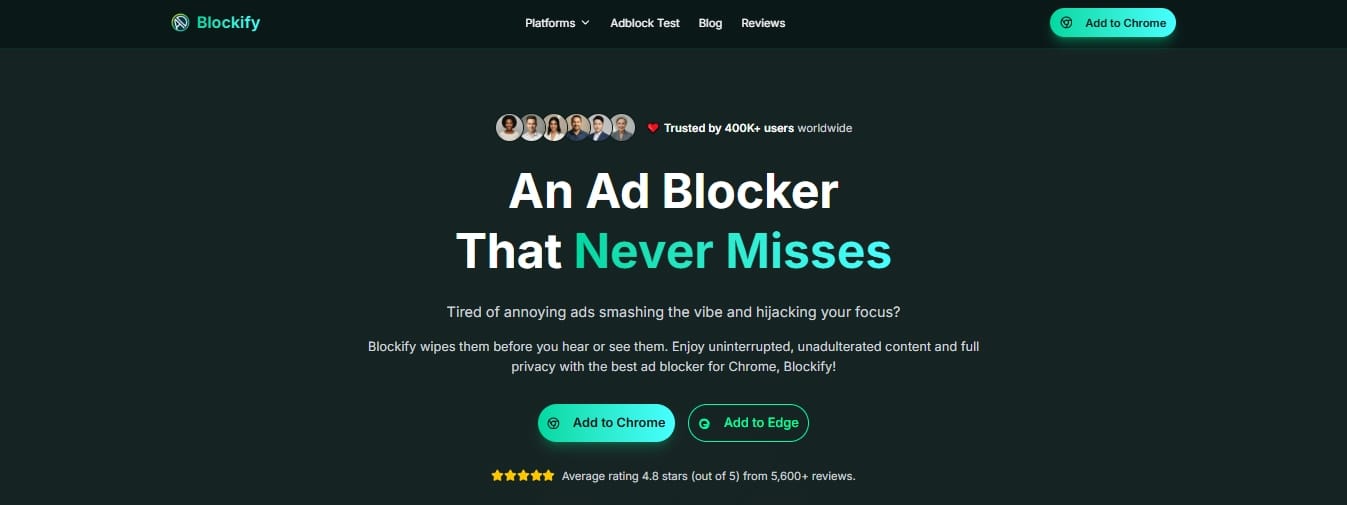
If you want a set-and-forget experience without paying a monthly fee, Blockify is the strongest modern alternative. Originally built to handle dynamic audio ads on Spotify, Blockify expanded its dual-layer blocking system specifically to target dynamic streaming platforms like Twitch and Hulu.
It automatically handles cross-platform ad insertion and uses intelligent fallbacks—like safe muting and stream bypassing—during unavoidable ad breaks. With a lightweight footprint and a privacy-first approach, Blockify removes the need to constantly hunt for broken GitHub script updates.
Why AdBlock, AdBlock Plus, or Pie Stopped Working on Twitch
Generic filter-list blockers (AdBlock, AdBlock Plus, Pie Adblock) still perform perfectly on normal websites. They scan for known ad domains. Because Twitch blends page ads and stream ads into the same domain requests, basic list-blocking breaks down.
Keep these tools for standard web cleanup, but recognize their fundamental weakness against stream-inserted video ads.
What "Working" Really Means on Twitch Now
Many tools no longer "block" ads in the traditional sense. Depending on the method, you will experience different tradeoffs:
- Block: Cleanly removes the ad without disrupting the stream (Twitch Turbo).
- Swap: Replaces the ad segment with a 480p backup feed from a different server region (custom scripts).
- Mute/Hide: Lets the ad play invisibly while suppressing the audio and visuals (Blockify).
- Partial: Removes static banners but lets video ads play (generic blockers).
If your tool uses swapping or muting, expect occasional 480p fallback, brief latency jumps, or a temporary blank player. Choose based on the tradeoff you tolerate most.
Safety Check: Avoid Malware and Privacy Leaks
Desperate viewers often install low-quality extensions that trade ads for severe privacy problems. A risky proxy-based Twitch blocker can steal clipboard data or route your traffic through unverified third-party servers.
Vetting checklist before installing any extension:
- Check the update recency.
- Verify the developer's identity.
- Scrutinize requested browser permissions (avoid tools demanding global proxy routing for non-Twitch domains).
- Check the GitHub issue tracker for unresolved privacy flags.
If an extension uses a copycat name or lacks public changelogs, skip it.
FAQ
Will Twitch ban me for using an ad blocker?
There is no verified evidence that Twitch bans viewers purely for using an ad blocker. Twitch may alter player behavior, trigger purple warning screens, or break unsupported workarounds, but the real risks are poor viewing experiences or privacy exposure from sketchy extensions, not instant account bans.
Why do I see a purple screen or blank player instead of ads?
A purple screen means your tool detected the ad break but failed to replace it cleanly with normal playback. The player gets stuck between the ad stream and the live stream. This usually indicates a broken script or a recent upstream Twitch token change.
Does Twitch Turbo block every ad?
Twitch Turbo is the most reliable official method to remove third-party pre-roll and mid-roll ads. At $11.99 per month, it eliminates most interruptions, though Twitch states some in-house promotions or streamer-enabled alerts may still occasionally appear.
Twitch Turbo vs Prime Gaming: What's the difference?
Twitch Turbo is a paid subscription specifically built for ad-free viewing. Prime Gaming is a separate benefit tied to Amazon Prime and does not function as Twitch-wide ad-free viewing. If your exact goal is zero ads, Prime Gaming is not a substitute for Turbo.
Do VPNs still work for Twitch ads?
Sometimes. Routing your connection through lower-ad regions via a VPN can reduce ad frequency. However, regional availability fluctuates, latency increases, chat sync suffers, and stream-inserted ads often still break through. Treat VPNs as a supplement, not a standalone fix.
Is Reddit or GitHub advice about Twitch adblock fixes still reliable?
Sometimes, but strictly verify the date before trusting it. Twitch fixes expire rapidly. The most-cited resource, TwitchAdSolutions, was permanently archived on March 5, 2026. Reddit surfaces working ideas quickly but spreads stale scripts and broken filters just as fast.
Your Best Next Step
Stop tweaking five different conflicting tools. Pick one path based on your viewing habits:
- For the strongest free manual control: Install Firefox, add full uBlock Origin, and configure an actively maintained Twitch-specific script fork.
- For the most resilient power-user path: Bypass the browser player entirely using Streamlink, VLC, and Chatterino.
- For the official no-hassle route: Purchase Twitch Turbo and eliminate the troubleshooting entirely.
- For the best set-and-forget experience: Install Blockify. It leverages a dual-layer blocking mechanism with safe muting fallbacks, requires zero manual script updates, and works across multiple dynamic streaming platforms natively.
If your adblock is not working on Twitch, the era of simple filter lists is over. Adapt your setup using the tools that actually survive the 2026 technical landscape.




