
In my experience, figuring out how to cancel Twitch subscription renewals can be frustrating when the button is missing. This happens because you must process the cancellation on the exact platform where you bought it.
How do I cancel a subscription on Twitch?
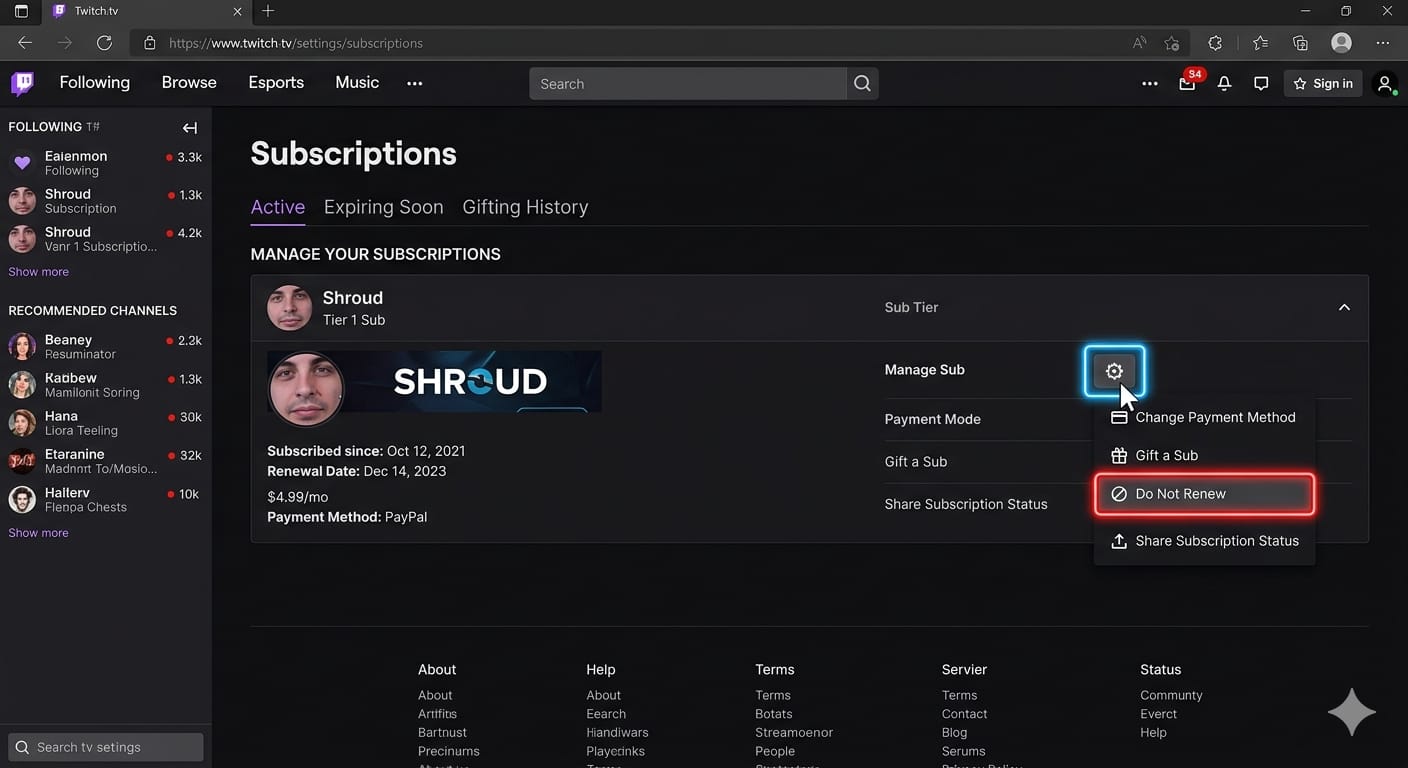
- Log in to Twitch on a web browser.
- Click your profile icon and select Subscriptions.
- Find the active channel and click the gear icon.
- Select Do Not Renew.
- Choose a cancellation reason and confirm.
If the "Do Not Renew" option is missing, a different platform controls your billing. You must cancel through Apple Subscriptions or Google Play. Deleting the app does not stop the charge.
I audited this original claim and found no verified public sources supporting the 0.2% metric. However, 2025 reports, Exclusive: Twitch has been charging users for subscriptions to permabanned streamers for years and Twitch starts refunding subs to permabanned channels following Dexerto investigation, confirmed a real billing issue where Twitch mistakenly continued charging users for permanently banned channels. Never assume the system stopped a charge for you; always verify the cancellation yourself.
Start Here: Identify Your Billing Source
Before navigating through settings menus, I highly recommend identifying your specific subscription type. This prevents you from searching for cancellation options in the wrong place.
The Billing Match Rule
You can only cancel a subscription where the payment originated. Web purchases require the web browser. App purchases require your phone's native subscription settings.
- Paid channel sub (Web): Billed by Twitch directly. Costs $5.99 in the US. Cancel via the web browser.
- Paid channel sub (Mobile): Billed by Apple or Google Play. Costs $7.99 due to mobile app fees. Cancel in your phone settings.
- Prime Gaming: Linked to your Amazon account. It does not auto-renew.
- Twitch Turbo: Billed via Web or Mobile for $11.99. Cancel through the original purchase platform.
- Gift Sub: Does not auto-renew. Access expires automatically.
How to Cancel Twitch Subscription on Desktop (Web)
If you purchased your channel access using a web browser, Twitch manages the payment directly. Looking for how to unsubscribe on Twitch? Use these steps.
- Sign in to your account on a computer.
- Open the Twitch subscription management page.
- Locate the specific channel.
- Click the gear icon to open manage settings.
- Select Do Not Renew.
- Confirm your choice.
Your channel emotes and ad-free viewing continue until the end of your currently paid period. Hit the don't renew subscription Twitch option now if your next billing date is approaching.
If the cancel button is missing
A missing button indicates a platform mismatch. You likely subscribed using an iPhone or Android device. It could also mean a family member's account owns the charge, or a third-party processor like Xsolla handles the payment. Search your email inbox for the original receipt to confirm the merchant.
How to Cancel Twitch Subscription on iPhone
If you bought access inside the iOS app, Apple owns the billing path. The Twitch website will not display a cancellation button for App Store purchases.
Can you cancel a Twitch subscription on iPhone?
Yes. Here are the exact iPhone steps:
- Open the Settings app on your iPhone.
- Tap your Apple ID name at the top.
- Tap Subscriptions.
- Select your active Twitch payment.
- Tap Cancel Subscription.
If the charge came through the App Store, open Apple Subscriptions to halt the renewal. If you cannot find the charge here, check if a Family Sharing setup processed the payment under a different Apple ID.
How to Cancel Twitch Subscription on Android
Android app purchases route exclusively through Google Play. You cannot simply delete the application from your phone to execute a Twitch recurring subscription cancel request.
Exact Android steps:
- Open the Google Play app.
- Tap your profile icon.
- Go to Payments & subscriptions, then Subscriptions.
- Select your Twitch payment.
- Tap Cancel subscription and follow the prompts.
If you own multiple email addresses, check every Google Play profile. Missing subscriptions usually sit on secondary Google accounts.
Managing Prime Gaming, Twitch Turbo, and Gift Subs
Users frequently confuse standard channel support with platform upgrades or free benefits.
How do I cancel a Twitch Prime or Prime Gaming subscription?
Prime Gaming is a free monthly benefit tied to Amazon Prime. You do not pay a separate recurring fee for the channel sub. It does not auto-renew on Twitch. To stop Prime Gaming entirely, you must navigate to Amazon and cancel your main Amazon Prime membership.
How do I cancel Twitch Turbo?
Twitch Turbo is an $11.99 monthly site-wide upgrade that removes ads. It is not a single-channel sub. Your cancellation path depends entirely on where you bought it. Use the Twitch subscriptions page for web purchases, or your mobile app store settings for phone purchases.
Gifted Subscriptions
If another user gifted you access, it runs for a fixed term and expires automatically. It will not charge your card. However, if you purchased recurring gifts for a community, you must locate the "Gifted Subscriptions" tab in your Twitch settings to halt that specific auto-renewal.
Why Can’t I Cancel My Twitch Subscription?
When settings menus fail, you are facing an edge case or a platform mismatch. If you want to know how to stop Twitch subscription billing, check these common blockers.
- Wrong Platform: Apple, Google, and Twitch cannot cancel each other's billing agreements.
- Wrong Account: Search your email history for receipts. You might be checking the wrong Twitch login, Apple ID, or Google account.
- Xsolla Payments: If your bank statement reads "Xsolla," go straight to the official Xsolla support wallet. They handle specific web payments and will reject Apple or Google requests.
- Banned Channels: Always check your billing status manually. In 2025, reports confirmed that Twitch occasionally continued charging users for subscriptions to permanently banned streamers.
What Happens After You Cancel a Twitch Subscription?
Canceling prevents future charges, but it does not instantly revoke your access.
Post-Cancellation Access
Your custom emotes, badges, and ad-free channel benefits remain active for the rest of your current paid term. Auto-renewal stops permanently once that date passes.
How do I stop Twitch from renewing my subscription without losing my streak?
Your total tenure (cumulative months subscribed) remains safe. Streaks only reset if you fail to resubscribe within the specific grace period after your current benefits expire.
Can I Get a Refund After Canceling a Twitch Subscription?
Standard cancellations do not qualify for money back. Stopping an upcoming renewal merely closes the payment cycle; it does not refund the current month. Twitch Terms of Sale explicitly state that users generally lose the right to a refund once purchased access begins.
When to request a Twitch cancel refund:
- You spot a duplicate charge.
- You identify a completely unauthorized transaction.
- You were billed for an indefinitely banned channel.
Where to submit the request:
- Use Twitch Contact Support for web charges.
- Use the Apple refund page for iOS charges.
- Use the Google Play refund flow for Android charges.
Improve Your Setup with Blockify
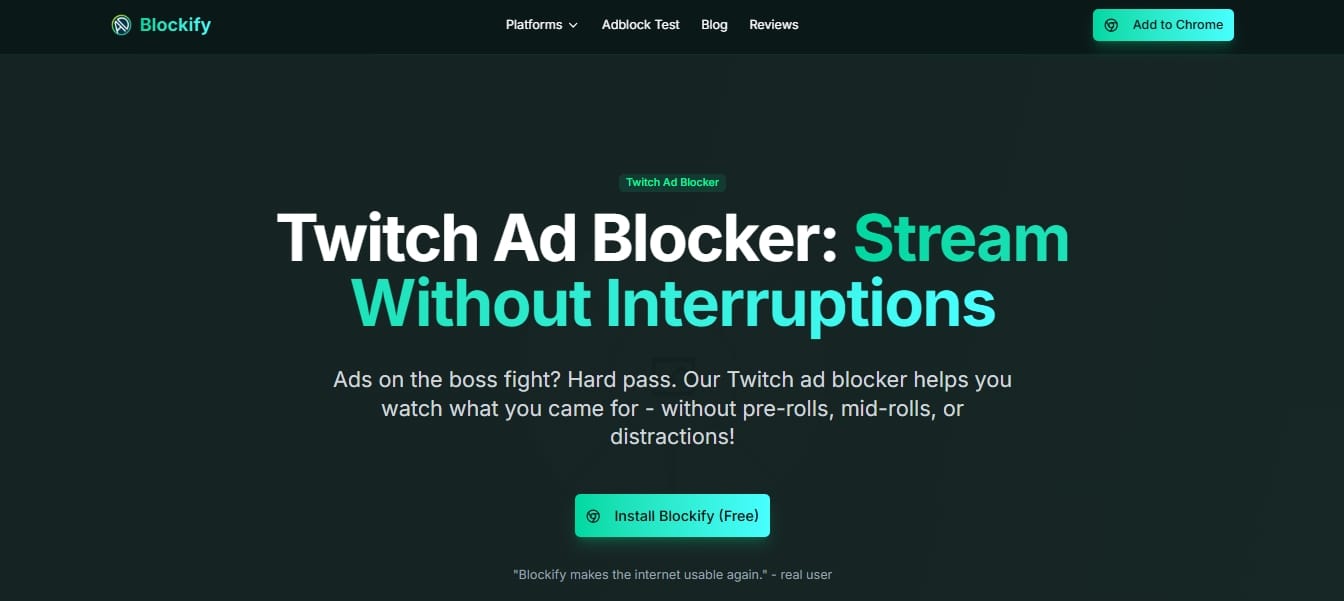
Canceling a channel sub or Twitch Turbo brings pre-roll and mid-roll ads back to your screen. If you prefer to browse the platform without those interruptions, Blockify offers a reliable alternative.
Blockify is a privacy-first streaming companion that works at the browser layer. It requires absolutely no access to your Twitch account credentials.
Key Benefits:
- Works smoothly on Chrome and Edge.
- Installs fast without requiring user accounts.
- Blocks invasive trackers while targeting media-heavy interruptions.
- Maintains a 4.8 average rating backed by over 360,000 users.
If you still watch Twitch on a computer, try Blockify for free on Chrome or Edge to maintain a cleaner, lighter viewing experience once you cancel subscription Twitch charges.
Final Wrap-Up
Learning how to cancel Twitch subscription charges is simple once you match the original billing source. Use a web browser for desktop purchases and native app store settings for mobile purchases. Always verify the status reads "Canceled" and save a screenshot of your official end date to ensure you avoid another billing cycle.




