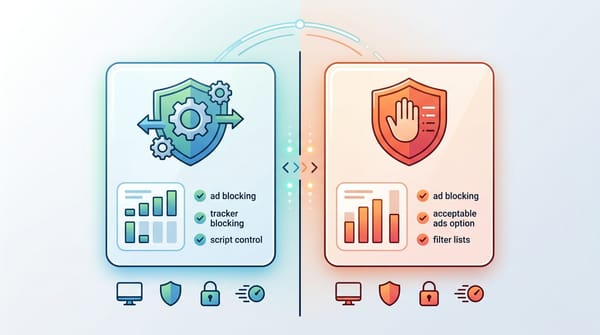
The legacy ad blockers you relied on for years are officially broken. Google’s Manifest V3 (MV3) architecture rewrite changed the rules, killing off old extensions and fundamentally shifting how browsers handle network requests.
The best ad block extension for Chrome in 2026 depends on your browsing habits. Blockify is the top choice for browsing along with heavy video and audio streaming (YouTube, Twitch, Spotify), utilizing smart ad-skipping technology. uBlock Origin Lite or AdGuard are the best lightweight options for standard websites. Both are also fully Manifest V3 compliant.
Best Ad Blockers for Chrome After MV3: Why Traditional Blocking No Longer Works
Understanding why prevents you from installing outdated, broken clones that drag down your browser speed.
The Manifest V3 (MV3) LimitChrome shifted from webRequest to the declarativeNetRequest API. Previously, extensions could intercept and inspect every network payload. Now, Chrome handles the filtering natively but restricts extensions to roughly 30,000 dynamic rules. You lose massive, unlimited custom blocklists, but gain a much more secure browser with lower CPU drain.
Server-Side Ad Insertion (SSAI)Platforms like YouTube no longer send a separate "ad request" your browser can block. Instead, they use SSAI to stitch the ad directly into the core video stream. When legacy blockers attempt to hide the ad container, the player breaks, resulting in the dreaded infinite loading wheel or black screen.
Key Takeaway: You cannot reliably "block" modern streaming ads on Chrome anymore. You need an extension that intelligently skips, speeds up, or safely mutes injected SSAI segments without breaking the player.
Comparison: Top 3 Chrome Ad Block Extensions
These three extensions are actively maintained, natively built for Chrome's current engine, and safe to use.
| Feature | uBlock Origin Lite (uBlock Origin Lite) | Blockify | AdGuard (Extension) |
| MV3-Native | Yes | Yes | Yes |
| Primary Strength | Lightweight static web filtering | Web filtering + dynamic streaming media (Audio/Video) | Ecosystem integration & UI |
| YouTube/SSAI Approach | Traditional (Prone to breakage) | Smart detection + Safe muting/skipping | Traditional |
| Setup Required | High (Requires manual ruleset tweaks) | Zero (Set-and-forget) | Medium |
| Cost | Free | Free | Free / Premium tiers |
1. uBlock Origin Lite: Best Free Ad Blocker for Chrome (Web-Focused)
If your daily browsing consists mostly of reading articles, browsing forums, and checking email, uBlock Origin Lite is your definitive choice. Developer Raymond Hill stripped away the heavy lifting of the legacy version to perfectly comply with Google's strict new rules.
Install uBlock Origin Lite on Chrome:
- Open the Chrome Web Store and search for "uBlock Origin Lite."
- Confirm the publisher is Raymond Hill.
- Click "Add to Chrome" and confirm "Add extension."
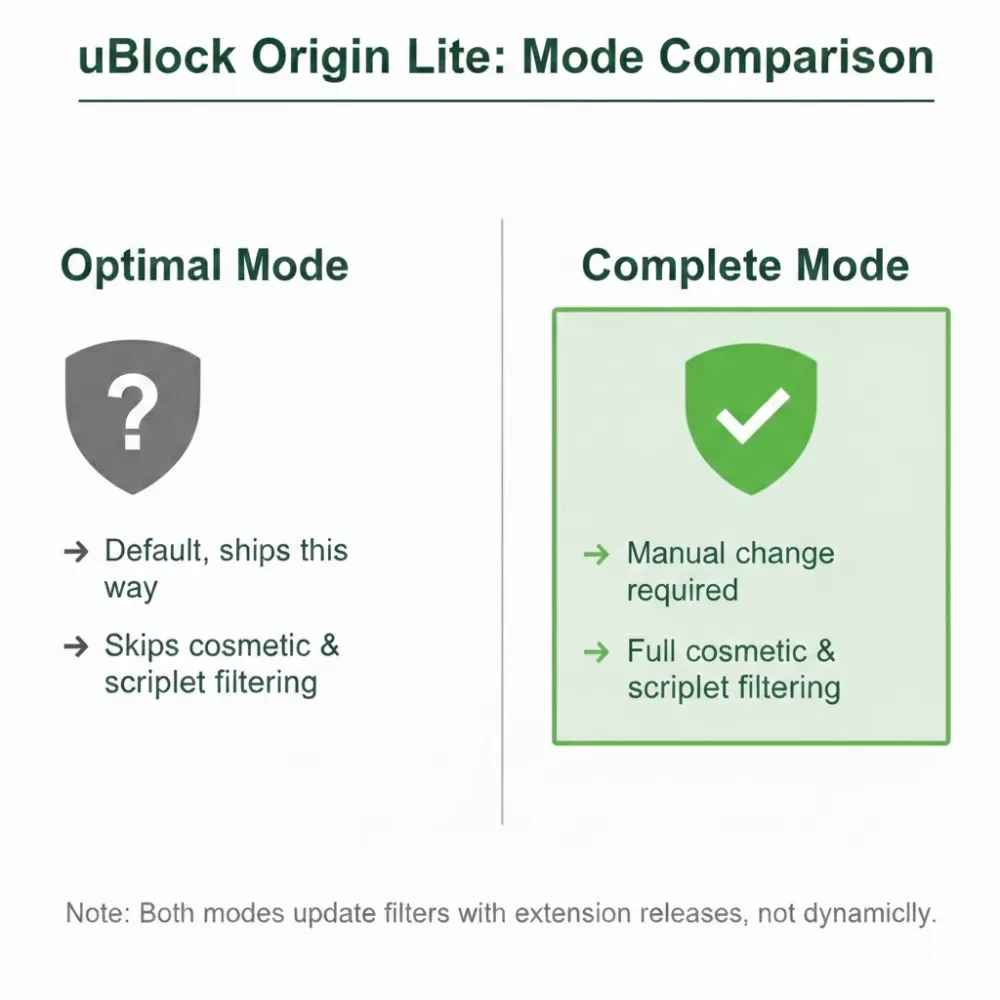
Optimal Setup for uBlock Origin Lite:To get maximum performance, you must configure it properly. Out of the box, it operates in a restricted state.
- Open the uBlock Origin Lite dashboard.
- Select "Complete" mode for maximum coverage (requires granting broad site access).
- Select strictly one regional filter list matching your location. Piling on redundant lists will exhaust your strict MV3 rule cap.
Limitations: uBlock Origin Lite struggles significantly with YouTube SSAI video ads. You will likely encounter playback errors if you use it heavily for video.
2. Blockify: Best for Streaming Media & YouTube
Traditional ad blockers fail against dynamic media. Blockify targets modern, content-heavy browsing. It is a highly stable, Chromium-based extension (available for Chrome, Edge, Brave, with Firefox support rolling out soon) designed to tackle stubborn audio and video ads that standard filter lists miss.
Install Blockify on Chrome:
- Click "Add to Chrome" on the Blockify for Chrome page.
- Pin the extension (Extensions icon → pin) for quick access.
- Refresh YouTube, Twitch, or Spotify to initialize protection.
Why Blockify stands out in 2026:Instead of brute-forcing a block and breaking the video player, Blockify uses a dual-layer mechanism. It blocks standard web trackers via filter lists, but when it detects an injected SSAI ad on platforms like YouTube or Spotify, it utilizes intelligent fallbacks, instantly skipping, speeding up, or safely muting the segment.
The Set-and-Forget Advantage:Blockify requires zero manual tinkering. With 300,000 users and a 4.8 rating (5.4K ratings) on the Chrome Web Store, it integrates smoothly without causing the frequent site conflicts associated with aggressive custom rulesets.
3. AdGuard Browser Extension: Best for Control & Ecosystem
AdGuard transitioned exceptionally well to MV3. It provides a highly polished, intuitive interface perfect for users who want visible toggles and granular control over what gets blocked.
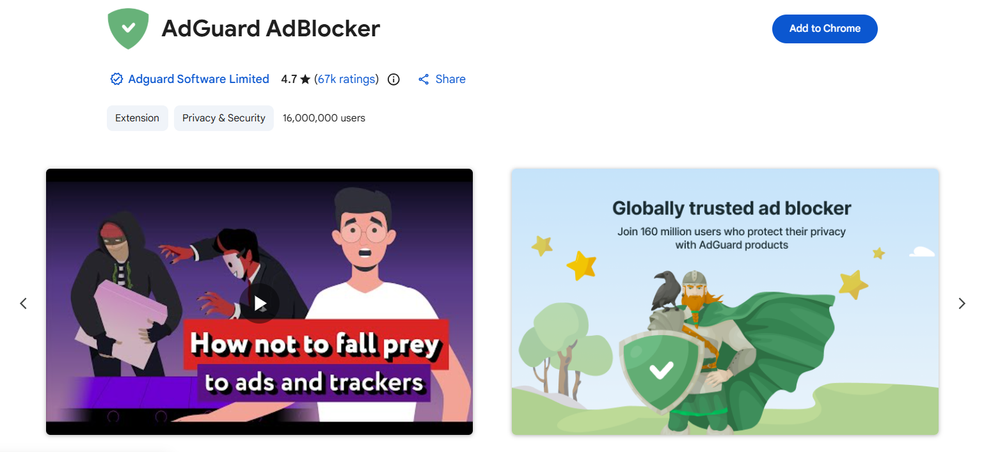
Install AdGuard (Extension) on Chrome:
- Open the Chrome Web Store and search for "AdGuard AdBlocker" (browser extension).
- Confirm the publisher is AdGuard.
- Click "Add to Chrome," then open its settings to review and enable the filter lists you actually need.
Best-fit scenario:AdGuard shines if you plan to implement network-level DNS filtering later on. Using the AdGuard extension alongside AdGuard DNS creates a cohesive, single-vendor privacy ecosystem. It handles web banners effortlessly, though like uBlock Origin Lite, it relies on traditional blocking methods that occasionally clash with advanced SSAI video delivery.
The Ultimate Chrome Ad-Blocking Setup (Beyond Extensions)
Overlapping extensions break websites. Installing five different blockers will crash your browser. Build a streamlined, multi-layered stack instead.
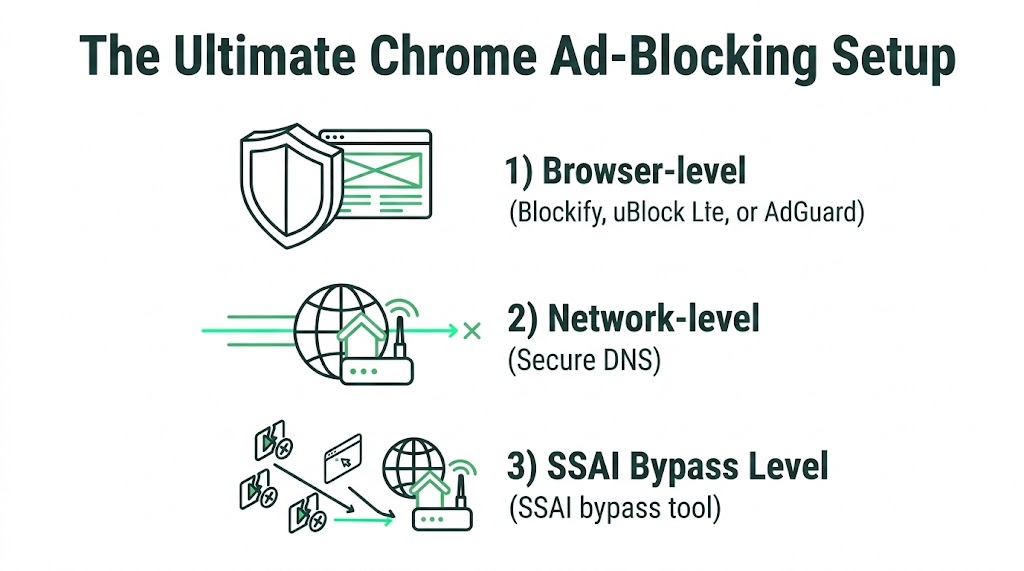
Layer 1: The Browser Level (Choose One)Install Blockify (if you stream video) OR uBlock Origin Lite (if you stick to text). Never run both simultaneously.
Layer 2: The Network Level (Secure DNS)DNS filtering blocks tracking domains before the page even loads, acting as a perfect safety net for Chrome's MV3 rule limits.
- Open Chrome Settings > Privacy and security > Security.
- Toggle on Use Secure DNS.
- Select Custom and paste an ad-blocking DoH (DNS over HTTPS) endpoint, like AdGuard DNS or NextDNS.
Layer 3: The SSAI Bypass Level (Optional)If you chose uBlock Origin Lite and YouTube is throwing black screen errors, you must add an SSAI bypass tool. Install an extension specifically designed for ad acceleration, like Ad Speedup. (Note: If you use Blockify, you can skip this step, as streaming defense is built-in).
Final Thoughts
Securing a clean browser is harder than it was five years ago, but highly achievable. Finding the best ad block extension for Chrome requires matching the tool to your media consumption.
Stick to uBlock Origin Lite for an unmatched, free static web experience. Deploy Blockify if you want seamless YouTube and Spotify streaming without player crashes. Pair your choice with a Secure DNS layer, and you will effectively neutralize the modern ad landscape.
FAQs
Are there any ad blocker extensions that still work on Chrome?
Yes. Extensions natively built on the new Manifest V3 (MV3) architecture function perfectly. Tools like Blockify, uBlock Origin Lite, and AdGuard are fully compatible with modern Chrome. Avoid outdated tutorials suggesting you use registry hacks to force-install deprecated MV2 extensions.
Will an ad blocker slow down Chrome?
No. Modern MV3 ad blockers significantly speed up Chrome. By preventing heavy video payloads, tracking scripts, and popups from rendering, they drastically reduce your browser's CPU and memory footprint. Just ensure you only run one primary blocker at a time.
Why do I still see "Sponsored" posts on social media?
Extensions cannot reliably block native, in-feed sponsored posts on platforms like Facebook, Instagram, or X. These platforms serve ads from the exact same domain as the organic content, making them indistinguishable to a network filter.