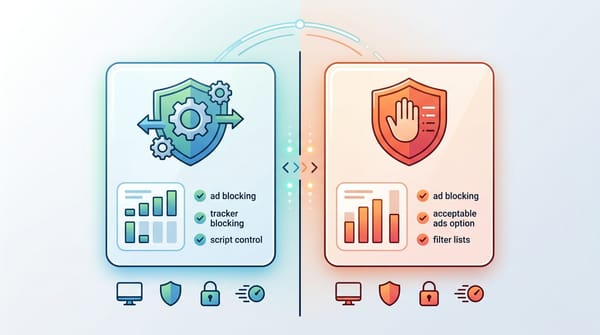
Ads today are more aggressive than ever. Many websites load dozens of trackers, pop-ups, and autoplay videos, while streaming platforms now insert ads directly into video and audio feeds. Because of this shift, simply installing a random extension is no longer enough.
Choosing the best browser for ad blocking now depends on how well the browser handles modern ad technology, extension restrictions, and server-side ad injection. In this guide, we compare the best web browser for ad blocking in 2026, including Brave, Firefox, Chrome setups, and mobile options, along with the ad-free stacks that actually stop website, video, and audio ads reliably.
What Is the Best Browser for Ad Blocking in 2026?
For most users, Brave remains the top choice thanks to its native Shields system, which blocks website ads and trackers out-of-the-box. Power users who want granular control can rely on Firefox, Zen Browser, or LibreWolf paired with uBlock Origin, which supports advanced dynamic filtering and privacy rules.
However, for video and audio ads on platforms like YouTube and Spotify, a streaming-focused tool like Blockify is essential. Blockify complements your browser stack by muting, skipping, or speeding through SSAI ads while also filtering website ads, making it the missing piece for a truly ad-free experience.
Best Browser for Ad Blocking by Device (Quick Picks)
Choose the setup below that matches your primary hardware and workflow.
| Device | Best Setup | Why it Wins in 2026 | Setup Time |
|---|---|---|---|
| Desktop (Zero Effort) | Brave + Blockify | Native Shields engine blocks website ads and trackers; Blockify handles streaming video/audio ads seamlessly | 3 mins |
| Desktop (Max Control) | Firefox / Zen / LibreWolf + uBlock Origin | Full extension support for advanced filtering and scriptlets | 5 mins |
| Chrome Loyalists | AdGuard OS app + Chrome / Edge + Blockify | System-level filtering blocks network traffic before the browser sees it; Blockify removes streaming ads | 7 mins |
| Android | Firefox Android + uBlock Origin | Desktop-grade extensions on mobile | 4 mins |
| iPhone / iPad | Brave iOS + NextDNS profile | Most stable option on WebKit; NextDNS provides network-level tracking/ad filtering | 5 mins |
The Simple Setup Most People Should Use: Desktop users wanting zero configuration should install Brave. Power users should run Firefox or Zen with uBlock Origin. Chrome loyalists must rely on OS-level apps like AdGuard. All setups require a streaming-specific extension to handle video ads.
Why Most Ad Blockers Fail in 2026
You cannot build a reliable setup without understanding what changed in the background. Old tools fail today because the battleground shifted.
How Manifest V3 Weakened Chrome Ad Blockers
Google’s Manifest V3 architecture fundamentally limits how browser extensions filter network requests. MV3 removes the background "god-mode" APIs that legacy blockers relied on. Recent research found no statistically significant reduction in ad-blocking or anti-tracking effectiveness for MV3 ad blockers compared to MV2 counterparts.
The fix: Switch to a browser with native blocking (Brave) or a non-Chromium engine (Firefox/Zen) that still supports Manifest V2 WebExtensions APIs.
Why Streaming Platforms Use Server-Side Ad Injection
Streaming giants like YouTube, Twitch, and Spotify now use SSAI. They stitch ads directly into the core video or audio feed on their own servers [24,25]. Standard network blockers cannot block the ad request without breaking the entire media player.
The fix: Use a streaming-first detection extension that mutes, skips, or speeds up the stitched ad segment dynamically.
How Trackers Bypass Basic Ad Blockers
Trackers disguise themselves as first-party subdomains to bypass basic extension blocklists. Mobile browsers are particularly vulnerable to this evasion tactic.
The fix: Route your traffic through a system-level DNS filter (like NextDNS or AdGuard DNS).
Best Browser for Ad Blocking on Desktop
Choosing the best browser for ad blocking on desktop depends on how much control you want.
Brave Browser: Best Built-In Ad Blocker
Brave integrates its ad-blocking system (Shields) directly into the browser core, allowing it to block ads and trackers natively without relying on extensions. Because this filtering happens at the browser level rather than through an extension, it avoids many of the limitations imposed by Manifest V3 on traditional ad-blocking extensions.
- Best for: Fast, out-of-the-box clean web.
- Strengths: Excellent cosmetic filtering, tracker blocking, and fingerprinting defense.
- Trade-offs: "Aggressive" mode occasionally breaks complex site layouts.
Note: Brave blocks most page ads by default, but streaming platforms like YouTube and Spotify use server-side ads. For those, add a dedicated streaming blocker like Blockify.
Also read: Best Brave Shields Alternatives
Step-by-step setup:
- Install Brave.
- Click the Shield icon in the URL bar → click the gear icon.
- Set Trackers & ads blocking to Aggressive.
- Enable "Block third-party cookies."

Mozilla Firefox-Based Browsers + uBlock Origin: Best Advanced Setup
Browsers based on Mozilla Firefox remain the most powerful option for ad blocking because they still support the full version of uBlock Origin without the limitations introduced by Chromium’s Manifest V3.
- Best for: Users who want the most powerful ad-blocking setup available.
- Strengths: Full uBlock Origin support, advanced filtering rules, and strong privacy controls.
- Trade-offs: Requires manual setup and a compatible Firefox-based browser.
Supported browsers:
- Mozilla Firefox: standard, stable option
- LibreWolf: hardened privacy-focused fork
- Zen Browser: modern Firefox fork with productivity features
Step-by-step setup:
- Install one of the Firefox-based browsers above.
- Install uBlock Origin from the add-ons store.
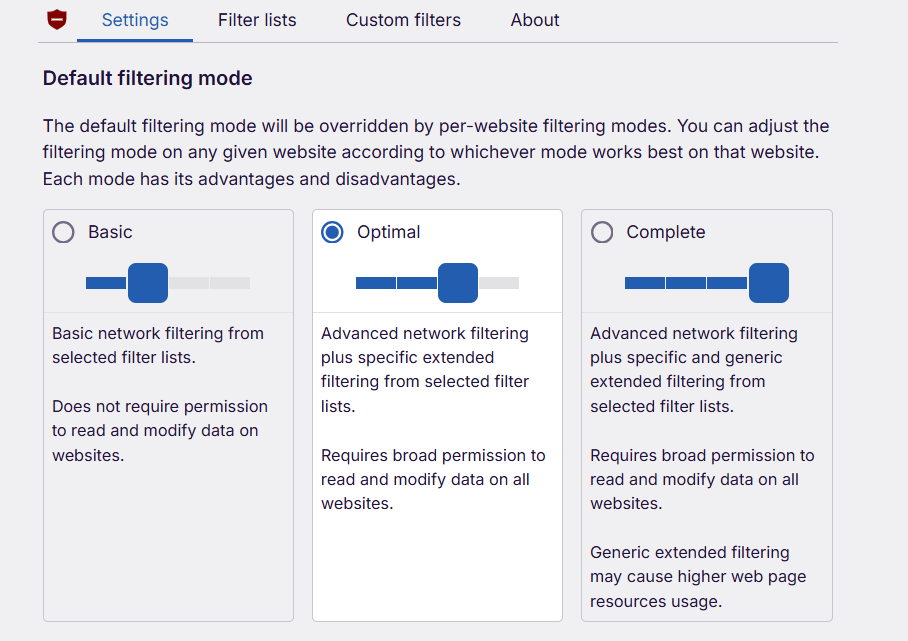
- Set filtering mode to Complete if needed (for cosmetic filtering and scriptlet injection)
Vivaldi: Built-In Ad Blocking With Custom Filters
Vivaldi includes a native ad and tracker blocker that works without relying on extensions, letting it remove most ads directly at the browser level.
- Best for: Users who want built-in ad blocking with a highly customizable browser.
- Strengths: Native ad and tracker blocking with support for major filter lists like EasyList and EasyPrivacy.
- Trade-offs: Blocking is solid but not as powerful as advanced setups using uBlock Origin.
Note: Some users report conflicts between Vivaldi’s native blocker and uBlock Origin on sites like YouTube. If you use uBlock Origin, disabling Vivaldi’s built-in blocker completely often produces more stable results.
Step-by-step setup:
- Install Vivaldi.
- Go to Settings → Privacy → Tracker and Ad Blocking.
- Select Block Trackers and Ads.
- Keep the default filter lists (EasyList, EasyPrivacy, and DuckDuckGo Tracker Radar) enabled.
Chrome or Edge + AdGuard Desktop: Best for Chrome Loyalists
If you refuse to leave the Chrome ecosystem, you must move your ad blocking out of the browser.
- Best for: Corporate users or Chrome ecosystem loyalists.
- Strengths: Filters network traffic at the OS level before Chrome even sees it.
- Trade-offs: Full functionality requires a paid license for AdGuard Desktop.
Step-by-step setup:
- Install AdGuard for Windows/Mac.
- Enable system-wide filtering.
- Install an MV3-compliant lightweight blocker purely for cosmetic cleanup (hiding blank spaces on pages).
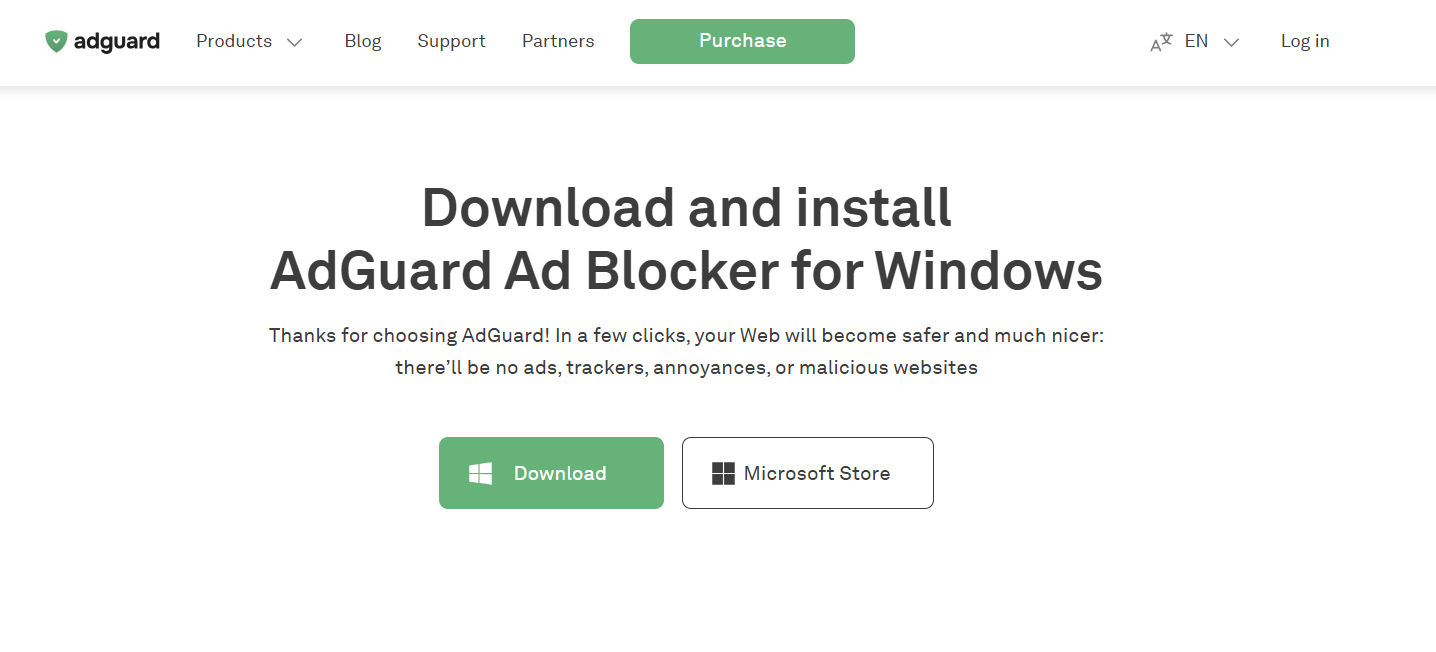
You can also install Blockify on Chrome and Edge alongside this setup. It handles both website ad filtering and streaming ads smoothly, including video and audio ads on platforms like YouTube and Spotify. This makes it a useful complement to OS-level filtering, especially for ads that standard network blocking cannot remove.
Best Browsers for Ad Blocking on Mobile (Android and iOS)
Mobile ad blocking requires different strategies due to OS-level restrictions. Avoid generic "Free Adblock Browser" apps; they frequently run outdated, insecure Chromium builds.
Best Ad Blocking Browser for Android
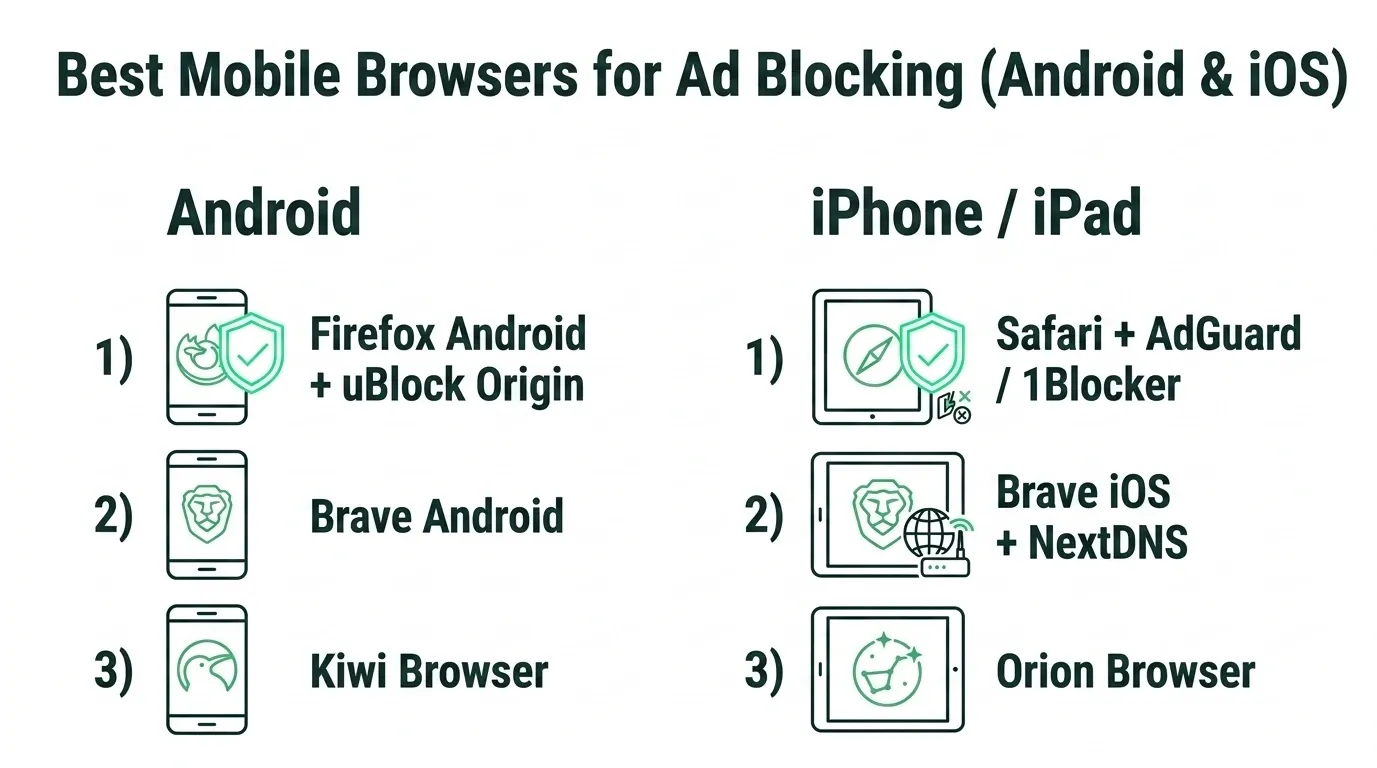
- Firefox Android + uBlock Origin: One of the most effective ad-blocking setups on Android. It supports powerful extensions like uBlock Origin through Firefox’s mobile add-on system, allowing strong filtering and tracker blocking.
- Brave Android: The simplest alternative. It blocks standard mobile ads and pop-ups natively without relying on multiple extensions, making it a lightweight option for everyday browsing.
- Kiwi browser: Kiwi Browser is a Chromium-based browser that supports installing desktop Chrome extensions on Android, including uBlock Origin. This allows users to run a full-featured ad blocker similar to a desktop setup. Open kiwi://extensions or enable Developer Mode in settings, visit the Chrome Web Store and install uBlock Origin, and configure filter lists inside uBlock Origin for stronger blocking.
Best Ad Blocking Browser for iPhone and iPad
Apple requires all iOS browsers to use the WebKit engine, which limits advanced ad-blocking capabilities compared with desktop browsers. As a result, most setups rely on built-in browser protections combined with system-level filtering.
- Safari + AdGuard or 1Blocker: On iPhone and iPad, the most reliable ad-blocking setup uses Safari with a dedicated content blocker like AdGuard or 1Blocker. These apps use Apple’s content-blocking API to filter ads and trackers before pages load, making them fast and stable. This setup removes most website ads, popups, and tracking scripts while maintaining full compatibility with iOS.
- Brave iOS + DNS Profile: The most reliable iOS daily driver. Turn on Brave’s built-in blocking, then add a system-wide DNS profile (like NextDNS) in your iPhone settings to catch background trackers.
- Orion Browser: Attempts to support Chrome and Firefox extensions on iOS, but compatibility varies because many WebExtension APIs are unavailable on the platform. It works for some extensions but can be unstable, making it better suited for experimentation than daily use.
How to Block Streaming Ads on YouTube, Spotify, and Twitch
Standard ad-free setups clean the web but fail against Server-Side Ad Injection on streaming giants. If you only use a browser blocker, you will still encounter unskippable ads on Spotify, YouTube, and Twitch.
You need a tool engineered specifically for the SSAI reality. Blockify bridges this exact gap using a dual-layer detection mechanism. Instead of blocking the core network request (which breaks the video player), Blockify seamlessly skips, mutes, or speeds through the stitched ad content.
- Broad Compatibility: Works flawlessly across YouTube, Spotify, Hulu, and Twitch.
- Frictionless: Zero manual filter tweaking required.
- Proven Scale: Trusted by over 360,000 daily users with a 4.8/5 rating.
Action Item: Install your base browser stack (Chrome, Edge, Brave), then add Blockify to solve the "everything works except video ads" problem immediately.
How to Fix Ad Blockers That Stopped Working
Fix the friction points that cause most users to give up:
- “This site says I have an ad blocker” (Anti-Adblock Walls): Disable cosmetic filtering for that specific URL. If the wall persists, use the extension's whitelist toggle.
- “The page layout completely broke”: Turn off "Aggressive" mode for that domain. Test in a private window to confirm the blocker is the actual culprit.
- “YouTube still shows ads”: Verify your streaming layer (Blockify) is active. Hard refresh the browser (Ctrl+F5 or Cmd+Shift+R).
- “I see big blank white spaces”: Your stack is blocking the network request but failing cosmetically. Ensure cosmetic filtering rules are enabled in your blocker's dashboard.
FAQs
What is the Best Browser for Ad Blocking and Privacy?
Firefox (or Zen Browser) paired with uBlock Origin (Strict mode) and a system-wide DNS layer. This combination neutralizes trackers, limits CNAME cloaking, and mitigates browser fingerprinting far better than default Chromium builds.
Is There a Browser That Blocks All Ads?
No single browser blocks 100% of ads natively. Because streaming platforms stitch ads directly into video feeds (SSAI), you must combine a hardened browser with a dedicated streaming extension to achieve a truly ad-free web.
Which Browser Has the Best Ad Blocker?
Brave features the most powerful native ad blocker built directly into its core. It works best with Blockify alongside to block both video and audio ads. Firefox provides the strongest ecosystem for extension-based blockers like uBlock Origin.