
Navigating modern ad block detection and bypass methods requires matching the right tool to the specific website. This guide breaks down exactly how sites catch your blocker and the specific extensions, DNS configurations, and browser tweaks that restore uninterrupted browsing today.
The most reliable ad block detection and bypass methods involve using modern browser extensions like Blockify for dynamic streaming sites (Hulu, YouTube), configuring DNS-level blocking (NextDNS) for mobile or smart TV apps, and pairing Firefox with uBlock Origin for advanced script control. Simple news sites can be bypassed quickly using built-in browser Reader Modes.
How to Fix “Ad Blocker Detected” Errors Instantly
There is no universal adblock detector bypass extension. The correct workaround depends entirely on the site type, your browser, and the specific script catching you. Use the triage steps below to fix the error in under a minute.
If a site throws a detection wall, try these fixes:
- News or article pages: Try Reader Mode first. It strips out the page scripts hiding the text. If the warning persists, check your browser for a conflicting privacy tool causing a false positive.
- YouTube, Twitch, or Hulu in a browser: Basic blockers fail here because ads are baked into the video player. You need a modern blocker built for dynamic media pages. We recommend Blockify as the easiest first-line option for Chrome, Edge, and Brave users wanting uninterrupted playback.
- Advanced Firefox users: Switch to Firefox paired with uBlock Origin. This requires more setup but offers the highest level of manual script control.
- Smart TVs and native mobile apps: Add a DNS layer to your home network. Browser extensions cannot reach inside native TV or mobile apps.
- Users without ad blockers installed: Built-in browser shields often trigger these warnings. Jump to our false-positive checklist below.
Quick Fix vs Permanent Ad Block Bypass Setup
|
Action Type |
Examples |
Best For |
|
Quick Fixes |
Toggling Reader Mode, Opening an Incognito window, Manually whitelisting |
Reading a single article, avoiding setup time. |
|
Permanent Setups |
Installing a dynamic blocker (Blockify), Configuring a network-wide DNS |
Heavy video streaming, cross-device browsing. |
How Manifest V3 Changed Ad Blocking (And What Still Works)
Google’s Manifest V3 (MV3) altered how extensions operate, but recent data proves it did not kill core ad-blocking effectiveness. The biggest shift is simply choosing the right tool for your specific browser architecture.
- The Myth: MV3 killed ad blockers entirely.
- The Reality: According to a February 2026 study published in Proceedings on Privacy Enhancing Technologies, core ad-blocking effectiveness saw no statistically significant drop for typical users across a 924-site sample test.
- The Caveat: Power users lost some advanced cosmetic filtering capabilities. Google Chrome’s Manifest V2 phase-out pushed many users toward MV3-compatible alternatives.
Why Crackdowns on Ad Blockers Often Backfire
When content platforms crack down on blockers, users rarely quit using them. They look for better ones. Historical data shows that major platform crackdowns drive massive traffic spikes toward search queries looking for updated bypass techniques.
How Websites Detect Ad Blockers
Anti-adblock systems rely on three primary mechanisms: dropping fake ad elements (bait) on the page, monitoring blocked network requests, or verifying media playback behavior.
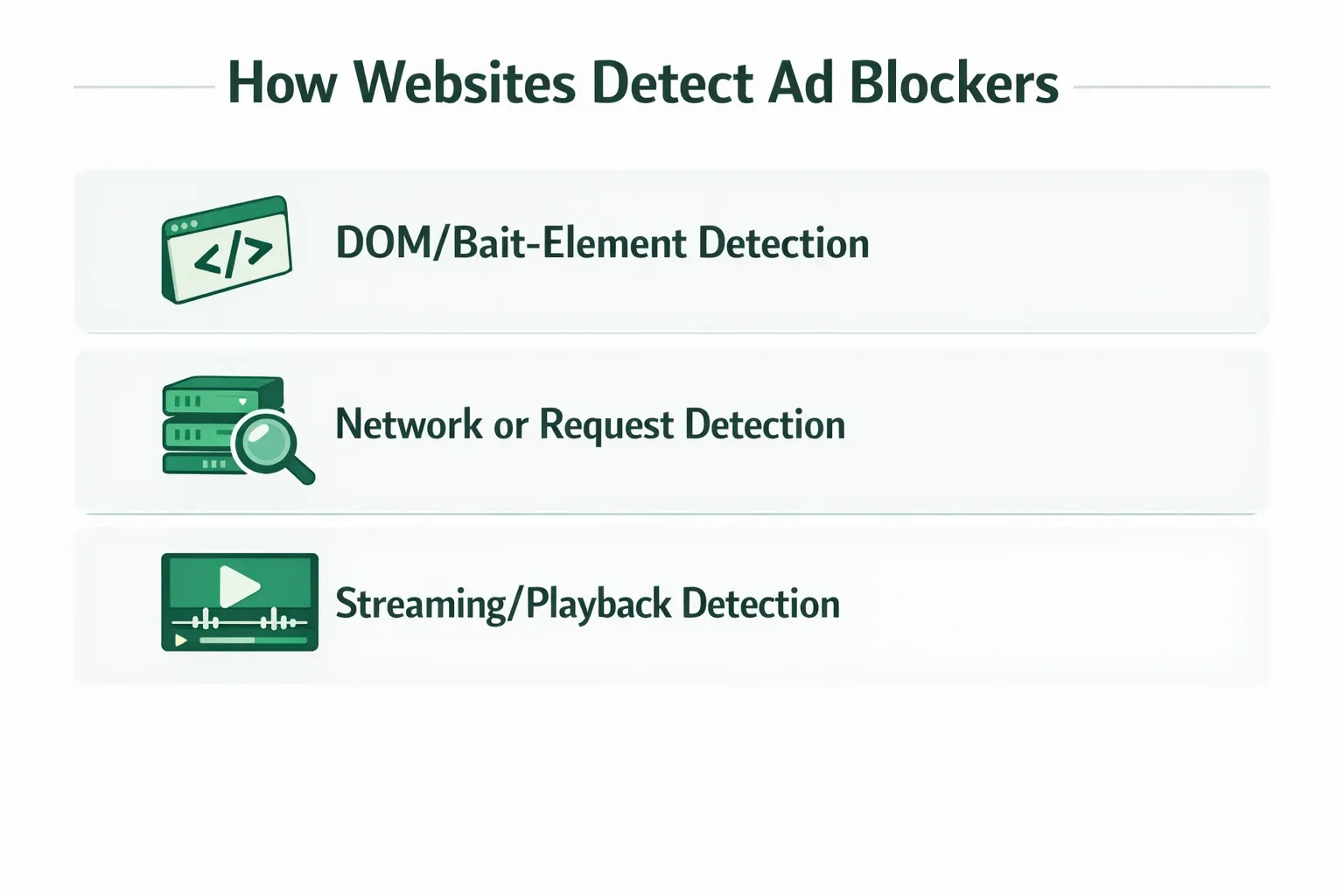
1. DOM or Bait-Element Detection
The site plants a fake ad box as bait, assigning it a common ad-related HTML class name. A JavaScript function then checks if your browser hid or removed that box. If the box is gone, the site triggers the detection wall. Cosmetic filters beat this easily, and Reader Mode bypasses it completely on text-heavy pages.
2. Network or Request Detection
The website tries to load a known ad script, tracking pixel, or analytics tool. If that request fails to reach its destination, the site assumes you are blocking it. Overlapping privacy tools or strict VPN settings often accidentally trigger this check.
3. Streaming or Playback Detection
Video platforms manage ads differently. Instead of loading an ad element on the page, platforms may integrate ads into the media player logic or deliver them through server-side insertion (SSAI). This makes article-page tricks ineffective on streaming platforms like Hulu or Twitch. If you want a consistent way to handle these complex streaming checks, an extension like Blockify is engineered specifically for dynamic media.
How to Bypass Admiral Adblock Detection Scripts
Admiral and similar commercial anti-adblock services do not use magic. They combine bait-element and request detection at scale. Bypassing them relies entirely on ensuring your extension filters are updated or utilizing an MV3-compatible extension built to handle aggressive network request monitoring, rather than targeting the vendor brand itself.
How to Bypass Ad Block Detection on Chrome, Firefox, and Mobile
Different devices trigger ad-block detection in different ways, so the bypass method depends on where you’re browsing. Here’s how to handle ad-block detection on Chrome, Firefox, and mobile using fixes that still work today.
Site Type |
Likely Detection Method |
Best Quick Fix |
Best Long-Term Fix |
News / Blogs |
Bait-element |
Reader Mode |
Blockify or uBO |
Paywalls |
Network or script request |
Allowlist site |
DNS or AdGuard Extra |
Social Video |
Player or network check |
Refresh page |
Blockify or uBO |
Hulu / Streaming |
Stream/Player |
Disable legacy tools |
Blockify |
Mobile Apps |
Server/API request checks |
None |
Private DNS layer |
News and Paywall Publishers
Understand the difference between a hard paywall and an anti-adblock prompt. An anti-adblock wall simply asks you to turn off your blocker. For basic articles, Reader Mode pulls text and images into a clean view, ignoring the overlay entirely. Disabling JavaScript is a last resort that usually breaks page formatting.
Streaming Sites and Hulu in a Browser
Streaming pages are structurally harder to filter. The best low-friction route is to use an adblock detector bypass extension built for media players. Blockify’s Hulu setup outlines a typical workflow: refresh the page once, close conflicting legacy blockers, and verify the extension is pinned. Browser extensions can handle many browser-based media players, while native apps usually require network-level blocking.
Mobile Browsers, Native Apps, and Smart TVs
Browser extensions thrive inside web browsers. Native mobile and TV apps are heavily locked down. A DNS layer helps across these devices, though it cannot stop every in-app or stream-inserted ad.
Best Ad Block Detector Bypass Extensions and Tools
Choose your tool based on your technical comfort level. Blockify is best for simplicity, Firefox + uBO for manual control, Brave for native defense, and NextDNS for network-wide coverage.
1. Blockify plus optional DNS
Best for: Chrome, Edge, and Brave users streaming heavy media who want a set-and-forget solution.
Blockify utilizes a dual-layer blocking mechanism with intelligent fallbacks (including safe muting) built specifically for dynamic media like browser-based Hulu, Twitch, and Spotify web players. Trusted by over 360,000+ users with a 4.8 rating on the Chrome Web Store, it handles complicated streaming checks automatically.
2. Firefox plus uBlock Origin plus DNS
Best for: Advanced users willing to tweak filter lists and troubleshoot breakages.
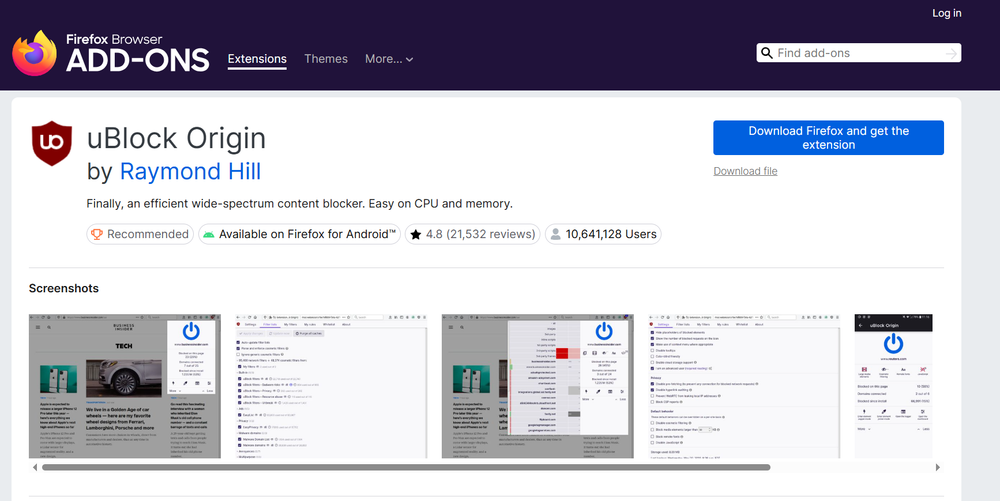
Pairing Firefox with uBlock Origin provides granular control over web traffic. It requires maintaining rules and occasionally fixing broken site elements manually.
3. Browser-Native Route: Brave
Best for: Users who want a built-in blocker without downloading extensions.
Brave handles tracking at the browser level, bypassing common extension detection scripts. It surpassed 100 million monthly active users in late 2025, driven largely by this native protection. It pairs exceptionally well with an external DNS layer.
4. Network-Layer Route: NextDNS, AdGuard DNS
Best for: Users needing cross-device blocking and native app coverage.
DNS blocking stops ad requests before they leave your router. NextDNS offers effortless cloud setup, highly effective for smart TVs and mobile devices. Note: DNS does not solve server-side injected streaming ads.
Also read: NextDNS Alternatives: Best Replacements Compared
Step-by-Step Ad Block Bypass Setup
Here are the quickest ways to set up tools that bypass common ad-block detection scripts. Follow the steps below to configure your browser or network and restore normal browsing.
How to Set Up Blockify on Chrome, Edge, and Brave
- Install the extension from the Blockify official site.
- Pin the extension to your browser toolbar.
- Open the streaming site that triggered the warning.
- Refresh the page once to initialize dual-layer blocking.
- Disable any overlapping legacy ad blockers if the warning persists.
How to Set Up Private DNS on Android for Ad Blocking
- Open your Android Settings.
- Tap Network & Internet or Connections.
- Select Private DNS.
- Choose "Private DNS provider hostname" and paste your NextDNS or AdGuard address.
- Save and test a mobile web page.
Why You May See “Ad Blocker Detected” When You Aren't Using One
Websites frequently confuse generic privacy shields with ad blockers because both block tracking scripts.
3-Step Checklist to Fix False Ad Block Detection
If you face a detection wall without an ad blocker, one of these is likely the culprit: Brave Shields, Firefox Strict Mode, VPN "Threat Protection," or standalone cookie blockers.
- Pause one privacy tool at a time and refresh the page.
- Retest the site in an unconfigured, private window.
- Keep the smallest stack that solves the problem. Consolidating into a clean, single-tool setup like Blockify prevents script conflicts entirely.
Outdated Ad Block Bypass Methods That No Longer Work
The internet is full of 2019 workarounds that fail against 2026 detection scripts.
- Incognito mode: Provides zero protection against DOM or network-request detection scripts.
- Disabling JavaScript: Kills the detection script but breaks site navigation, images, and video players.
- Old anti-adblock userscripts: Legacy scripts like "Anti-Adblock Killer" are abandoned and obsolete.
- Outdated Chrome/uBO advice: Applying old Manifest V2 configuration advice to modern Chrome causes frustration. Update your toolkit based on current realities.
Is It Ethical to Bypass Ad Block Detection?
Users block ads for valid privacy and security reasons: stopping aggressive tracking, reducing page loads, and preventing malvertising.
Conversely, publishers implement detection because they rely on revenue. According to an eyeo report, publishers were forecast to lose roughly $54 billion to ad blocking globally in 2024.
The practical middle ground is user choice: whitelist the independent creators you value, pay for premium subscriptions where logical, and protect your browser everywhere else.
Final Recommendation
Navigating ad block detection and bypass methods does not require a complicated, multi-layered stack. You just need the smallest, most reliable setup that matches your specific browsing habits.
- For the easiest setup: Blockify plus optional DNS. Best for users who want a simple way to block streaming ads and pop-ups directly in the browser with zero manual filter adjustments.
- For maximum control: Firefox plus uBlock Origin plus DNS. Best for technical users who prefer writing their own rules.
- For mobile or native apps: DNS first. Apply a DNS layer to your phone or router, keeping in mind that smart TV apps will always be harder to filter than standard web browsers.
Meta Description
See the best ad block detection and bypass methods for Chrome, Firefox, Hulu, and mobile. Fix ad blocker detected errors fast with tools that work in 2026.
FAQs
What Are the Best Ad Block Detection and Bypass Methods?
The best method depends on the site. For dynamic streaming pages, a modern extension like Blockify is an easy first choice; for deeper manual control, Firefox with uBlock Origin works well; for mobile apps and smart TVs, DNS-level blocking can help reduce ads across devices.
How Do Websites Detect Ad Blockers?
Most sites use bait elements in the page, check whether ad or tracking requests were blocked, or verify media player behavior during playback. Streaming platforms often rely on player-side logic or server-side ad insertion checks.
Why Do I See “Ad Blocker Detected” When I Do Not Have One Installed?
Strict privacy features, VPN threat blocking, cookie blockers, and browser shields can block the same scripts sites use to test for ads. Pause them one at a time to identify the false positive.
What Is the Best Adblock Detector Bypass Extension for Chrome?
Chrome users often need an extension designed for dynamic pages rather than a legacy blocker. Blockify can be a strong first option for streaming-heavy browsing because it is built for modern media players and complex detection scripts.
Does DNS Blocking Stop Hulu or YouTube Ads?
Usually not. DNS blocking helps with network-wide ad domains and some app requests, but Hulu and YouTube frequently deliver ads from the same infrastructure as the video content, so DNS alone rarely blocks those ads reliably. Browser-based filtering is typically more effective.