
In 2026, uBlock Origin is strictly better for Firefox users because it blocks all ads by default with minimal system drain. However, due to Chrome's Manifest V3 restrictions, Chrome users are forced to use the weaker uBlock Origin Lite. AdBlock offers an easier setup but allows "acceptable ads" by default. Your browser dictates the winner.
I tested both extensions on fresh profiles to see exactly what slips through. Web filtering changed drastically when Google deprecated Manifest V2. Here is the exact performance breakdown you need right now.
uBlock Origin vs AdBlock: Key Differences at a Glance
Here are some important differences that you should know:
| Feature | uBlock Origin | AdBlock |
|---|---|---|
| Best For | Strict blocking and low resource usage | Beginners wanting zero configuration |
| Filtering Style | Block-first, comprehensive network filtering | Allowlist-friendly (Acceptable Ads enabled by default) |
| Chrome Support | Restricted (uBlock Origin Lite required; reduced capabilities) | Fully adapted to Manifest V3 |
| Firefox Support | Full power (MV2 APIs supported) | Supported |
| YouTube Reliability | High (more reliable on Firefox) | Moderate |
| Privacy Posture | Independent, open-source | Corporate-owned (eyeo GmbH) |
| Biggest Flaw | Limited functionality on Chrome due to MV3 | Allows some ads by default (can be disabled) |
Key Takeaway: uBlock Origin wins on raw performance and strictness. AdBlock wins on simplicity. If you use Chrome, Manifest V3 limits both tools, making your browser choice your biggest ad-blocking decision.
Also read: Adblock Plus Alernatives: Top 5 Replacements
uBlock Origin vs AdBlock Test Results (Real-World Performance)
Most people never touch advanced settings. To find out what you actually experience, I ran a strict default-settings test. Testing with default configurations eliminates confusing variables and highlights the raw out-of-the-box experience most users get.
Same-Site Blocking Results
Here is how both handled an aggressive browsing gauntlet.
- Ad-heavy news sites: uBlock Origin removed most video pop-outs and sidebars, resulting in a much cleaner page. AdBlock allowed several “acceptable” text and banner ads by default.
- Media and community sites: uBlock Origin blocked heavy background takeovers more consistently. AdBlock occasionally left cosmetic gaps where banners were removed.
- Ecommerce searches: AdBlock allowed some sponsored search results to display. uBlock Origin hid more of them by default.
- Anti-adblock walls: uBlock Origin bypassed some detection warnings automatically. AdBlock more frequently triggered “Please disable your ad blocker” popups.
Performance and Hardware Impact
Numbers matter, but the real-world feel matters more.
- Page load speed: uBlock Origin generally loads pages faster by blocking many ad requests at the network level before they download.
- Tab smoothness: Loading 20 active tabs felt smoother with uBlock Origin in testing, while AdBlock showed slight slowdowns on lower-end hardware. However, results can vary depending on the system and browser.
- Memory and CPU: uBlock Origin typically uses less RAM and CPU because it blocks requests earlier. AdBlock may process more page elements due to its allowlist approach, which can slightly increase resource usage.
Key Takeaway: uBlock Origin delivers a visually cleaner page and lighter hardware footprint. AdBlock leaves some sponsored content intact and uses slightly more system resources.
uBlock Origin vs AdBlock: 3 Differences That Matter Most
At a glance, both extensions remove ads, but the way they handle filtering, browser limitations, and default behavior leads to very different real-world results. These differences directly impact how many ads you see, how fast pages load, and how much control you have.
1. The Acceptable Ads Compromise
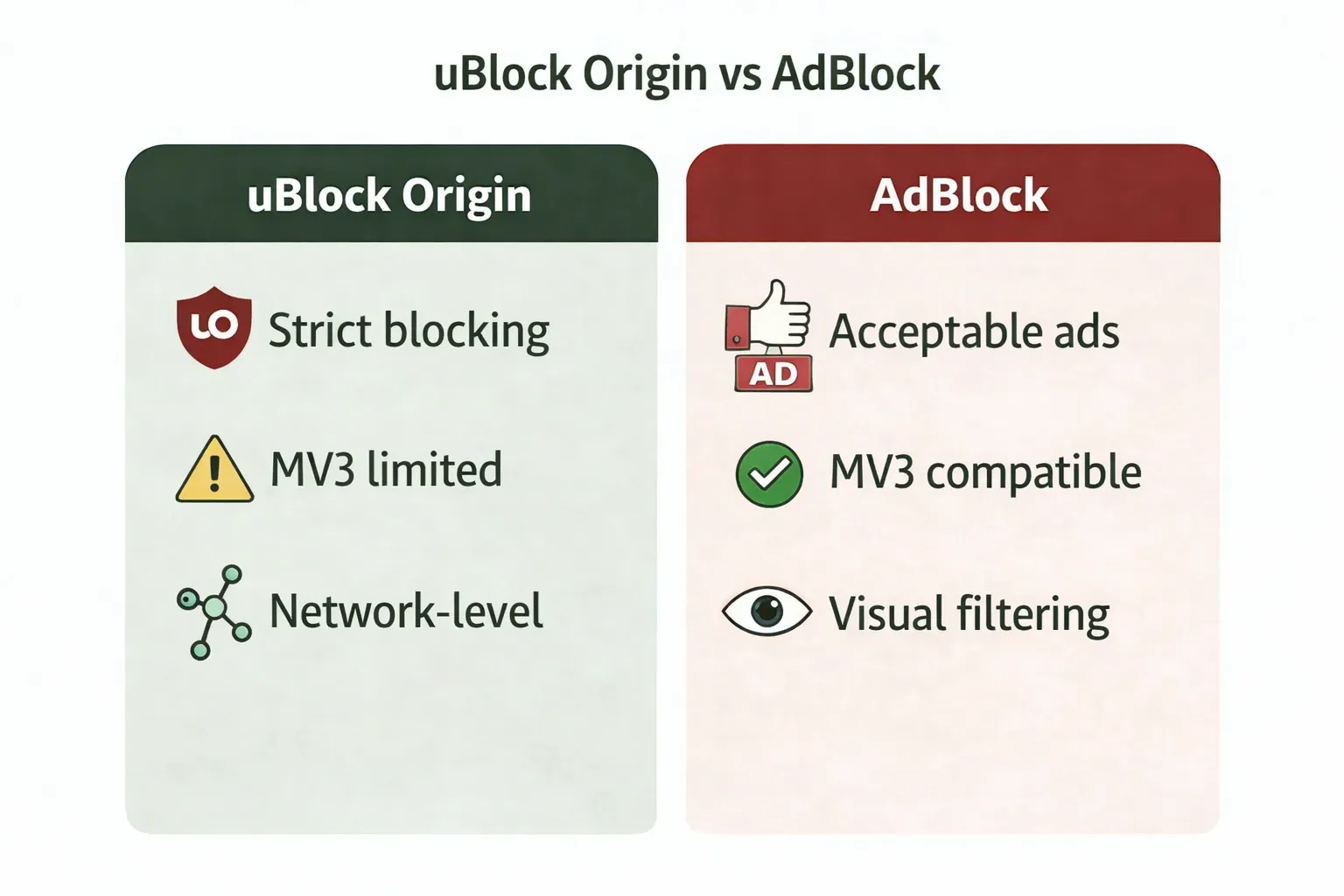
Default behavior determines your daily internet experience. Out of the box, it allows certain search ads, text ads, and “non-intrusive” banners to load. This program allows some larger publishers to pay fees for allowlisting, while smaller websites can participate for free. While you can disable this in settings, the default setup permits some ads.
uBlock Origin rejects this model. It follows a strict block-first philosophy and does not participate in paid allowlisting programs. As an independent, open-source project primarily developed by Raymond Hill, it has no built-in financial model tied to allowing ads.
2. Manifest V3 Chrome Restrictions
In late 2024 and through 2025, Google fully transitioned Chrome to Manifest V3. This replaced the powerful webRequest API with the highly restricted declarativeNetRequest API.
Chrome users can no longer run the classic uBlock Origin. You must use uBlock Origin Lite. This stripped-down version blocks standard ads well but lacks deep cosmetic filtering and dynamic script control. AdBlock updated its extension to comply with MV3, leveling the playing field on Chrome.
3. Network-Level vs Visual Filtering
uBlock Origin actively stops network requests for ads and malicious scripts before they reach your browser. Then it uses cosmetic filtering to collapse the empty spaces left behind. AdBlock focuses more on hiding intrusive media after the page begins loading.
Key Takeaway: If you want zero ads and use Firefox, pick uBlock Origin. If you want a simple Chrome extension and do not mind seeing acceptable ads, pick AdBlock.
uBlock Origin vs AdBlock for YouTube Ads: Which Works Better?
Which one is better for YouTube ads? uBlock Origin (on Firefox) reliably blocks YouTube ads better than AdBlock. YouTube constantly updates its anti-adblock scripts using server-side ad injection. When YouTube ads slip through, uBlock Origin's open-source community pushes rapid filter updates to fix the breakage faster than AdBlock.
Why YouTube Ads Are Hard to Block
YouTube deploys anti-adblock scripts, randomizes ad delivery, and serves ads directly from the same servers hosting the video content. This server-side delivery makes it extremely difficult for traditional list-based blockers to distinguish the ad from the actual video. A blocker might work perfectly on Monday and fail completely on Tuesday.
How to Fix YouTube Ads Not Blocking (Step-by-Step)
If you spend more time fixing ads than watching videos, follow these steps.
- Update filter lists: Force an update in your extension dashboard. This solves 90% of YouTube breakages.
- Disable conflicting extensions: Running two ad blockers at once breaks them both. Never run uBlock Origin and AdBlock simultaneously.
- Switch to Firefox: MV3 limits Chrome's ability to inject rapid fixes. Firefox retains full extension power.
- Try Blockify: Install Blockify for Chrome to block YouTube and other streaming ads.
Are Ad Blocker Extensions Still Effective in 2026?
For standard web pages like Reddit, news sites, or online shopping, traditional list-based extensions remain highly effective. Both tools easily hide flashing banners and stop cross-site trackers.
They fail completely when platforms weave the ad directly into the video or audio stream. Traditional ad blockers hit a wall with injected streaming ads on Spotify, Twitch, Hulu, and aggressive server-side YouTube ads.
Best Alternative for Streaming Ads (Beyond Traditional Blockers)
If your real pain point is dynamic media platforms, endless tweaking of classic extensions wastes time. Traditional ad blockers rely on static lists. Modern platforms require dynamic solutions.
This is where Blockify becomes highly valuable. Built specifically for content-heavy browsing, Blockify utilizes a dual-layer blocking mechanism. Instead of relying solely on static network lists, it features smart ad detection with intelligent fallbacks (including safe muting) to handle stubborn audio and video ads that standard extensions miss.
Blockify offers a reliable, set-and-forget experience across all major streaming platforms. It actively targets the dynamic media ads that slip past uBlock Origin Lite and AdBlock on Chrome.
Final Verdict: Should You Use uBlock Origin or AdBlock?
The uBlock Origin vs AdBlock comparison comes down to browser choice and user intent.
Choose uBlock Origin if you:
- Use Firefox or Brave.
- Want strict, uncompromising ad removal out of the box.
- Care about fast page loads, low RAM usage, and preserving battery life.
- Prefer independent, open-source software over corporate products.
Choose AdBlock if you:
- Want the absolute simplest interface.
- Never intend to open an advanced settings menu.
- Do not mind seeing polite, acceptable ads to support website publishers.
- Use Chrome and want a fully updated MV3 tool.
Choose Blockify if you:
- Are exhausted by manual YouTube troubleshooting.
- Mainly want to block injected video and audio ads on streaming platforms.
- Need a set-and-forget solution for modern dynamic media.
Manifest V3 proved that browser choice now dictates blocking quality. Start with the setup that matches your browser. If ads still slip through on media-heavy sites, upgrade your stack to a modern dynamic blocker.
FAQs
Is uBlock Origin or AdBlock Better Overall?
uBlock Origin is better overall for users who want stricter blocking and fewer ads slipping through. AdBlock is easier for beginners and better for users who want a simpler setup with less tweaking.
Does uBlock Origin Still Work on Chrome in 2026?
Yes. Chrome users now rely on uBlock Origin Lite because Manifest V3 limits the classic extension. It still blocks standard ads well, but it offers less control and weaker cosmetic filtering than the Firefox version.
uBlock Origin vs AdBlock for YouTube Ads: Which Works Better?
uBlock Origin on Firefox is usually more reliable for YouTube ads because it gets fast community filter updates and still has stronger browser APIs. On Chrome, Blockify is a better alternative as both tools are less consistent as YouTube changes how ads are delivered.
Is AdBlock Easier to Use Than uBlock Origin?
Yes. AdBlock is simpler out of the box and requires less learning for first-time users. uBlock Origin is still easy for most people, but its main advantage is stricter default blocking rather than a beginner-first interface.