
Are you wondering if Stands Ad Blocker is worth installing? Let me cut to the chase. Yes, it effectively hides visible ads and pop-ups, speeding up basic web navigation. However, if you value data privacy, you should look elsewhere. In exchange for a free, ad-free screen, the extension collects and shares your clickstream data with third-party market analytics firms.
This stands ad blocker review breaks down exactly what you get—and what you give up—when using this popular extension in 2026. If you just want a surface-level cosmetic cleanup, it works. If you want strict background tracker blocking and zero data harvesting, it fails.
Above-the-Fold Breakdown:
- Last updated: March 2026
- Version tested: 2.1.64
- Browsers checked: Chrome, Edge, Firefox, Android
- Price: Free
Is Stands Ad Blocker Good?
Is Stands Ad Blocker good? Yes, for casual users who strictly want to remove visible pop-ups, banners, and basic video ads without complex setups. It excels at cosmetic ad filtering. However, Stands is not good for privacy-conscious users. It fails to block advanced background tracking scripts and officially collects user browsing data for third-party market analytics.
- Best for: Stripping annoying ads from everyday websites with zero friction.
- Skip if: You demand strict tracker blocking, verifiable data privacy, or granular power-user controls.
Mini Scorecard:
- Ad blocking: 8/10
- Privacy/trust: 4/10
- Ease of use: 9/10
- Value: 7/10
What Is Stands Ad Blocker?
Stands is a free browser extension designed to hide visible web advertisements, but it lacks the deep network-level tracking protection found in premium privacy suites.
Stands acts as a lightweight filter between your browser and the websites you visit. It intercepts requests for intrusive media—like auto-playing videos and pop-up banners—preventing them from rendering on your screen. This creates a visually cleaner, faster browsing experience.
However, Stands is not a comprehensive privacy suite, nor is it a VPN. Do not confuse cosmetic ad hiding with true network-level tracking protection.
Quick Facts:
- Type: Browser extension / Android app
- Supported environments: Chrome, Edge, Firefox, Opera, Android
- Main use case: Basic cosmetic ad removal
Stands Adblocker Features
The stands adblocker features prioritize absolute simplicity over granular control, offering a basic whitelist toggle and element blocker while stripping away legacy "fair ads" programs.
Built for Casual Browsing
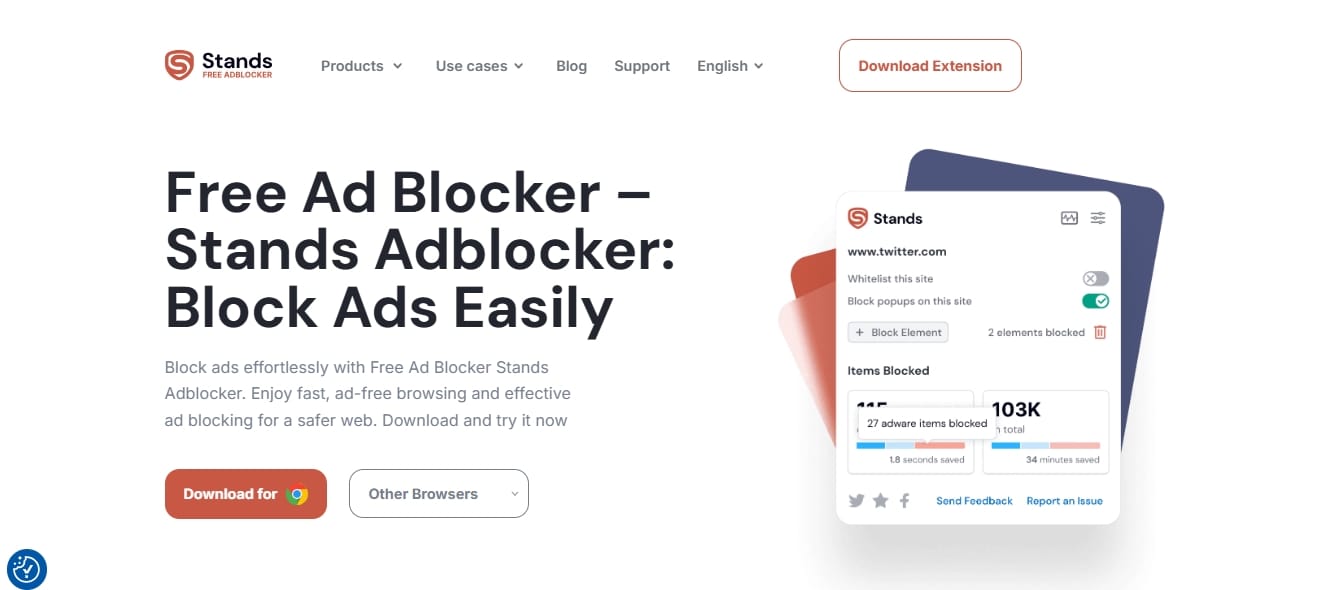
The feature set revolves entirely around user convenience. You get a simple on/off toggle for site whitelisting (allowlisting) to support specific content creators. An element blocker lets you manually hide stubborn page elements, while built-in controls manage annoying cookie banners. A real-time dashboard tracks the sheer volume of ads intercepted, providing instant visual gratification.
Missing Power-User Tools
Advanced users will find this extension restrictive. It lacks dynamic filtering, detailed script blocking, and the ability to import extensive third-party blocklists. The interface is meant to be ignored, not fine-tuned.
The Shift Away From "Fairness"
Long-time users might remember the "Fair AdBlocker" branding. Older versions championed a "Fair Ads" acceptable ads program and featured charity donation prompts. Recent updates quietly stripped these away, streamlining the product into a standard block-all-visible-ads utility.
Stands Adblocker Performance
Stands successfully cleans up visual web clutter but struggles significantly against invisible analytics scripts and background trackers.
Visible Ads vs. Hidden Trackers
When evaluating stands adblocker performance strictly on visual cleanup, the tool shines. It effortlessly strips out standard banners, intrusive pop-ups, and auto-play videos on most major publisher sites.
Behind the scenes, performance deteriorates. The extension routinely misses background trackers, third-party error-monitoring scripts, and deep analytics tools. It hides what you see but fails to neutralize what silently tracks your behavior.
The 58/100 Benchmark Reality
Independent testing highlights this divide. While UX-focused reviewers praise its ease of use, technical benchmarks like Adblock Tester give Stands a failing 58/100. Both scores are valid. UX reviews reward clean interfaces and visual ad removal. Technical benchmarks penalize the failure to block deep tracking scripts.
Modern streaming platforms aggressively combat ad blockers. While Stands blocks YouTube ads for many users, its success rate remains highly volatile due to ongoing platform updates.
Privacy, Business Model, and the Q Continuum Report
Stands collects and shares your clickstream data with third parties. A February 2026 security report identified it among extensions funneling user data to market analytics firms.
The Chrome Web Store Contradiction
The official Chrome Web Store listing presents a jarring contradiction. The top privacy module claims the developer does not collect your data. Read slightly further down, and the exact same listing explicitly states that Stands collects your visited websites, search engine results, clickstream data, and viewed content.
It clarifies:
"We also provide Browsing Data to third parties for their own use, such as for market analytics purposes."
The 2026 Privacy Investigation
Stands operates by observing every page you load, anonymizing that data, and monetizing it. In February 2026, independent cybersecurity researcher "Q Continuum" published an extensive report identifying 287 Chrome extensions exfiltrating browsing history to data brokers. Stands AdBlocker was specifically named in this report alongside other tools feeding data to global analytics corporations.
While safe from traditional malware, this extension treats your browsing history as its actual product. You trade your data for a clean screen.
[[MEDIA: Side-by-side screenshot highlighting the Chrome Web Store privacy contradiction next to the Q Continuum report findings]]
Browser Compatibility & Manifest V3 Reality Check
Your experience heavily depends on your browser choice. The stands adblocker chrome extension faces strict technical limits under Google’s Manifest V3 framework.
The Chrome / Chromium Constraints
Stands operates smoothly on Chrome, Edge, and Opera. However, Google's Manifest V3 (MV3) infrastructure fundamentally restricts how Chromium-based extensions operate. Under MV3, the stands adblocker chrome extension cannot utilize massive, rapidly updating dynamic blocklists. This bottleneck slows its ability to adapt to new ad networks and dynamic video ads.
Firefox and Mobile Support
Firefox relies on a less restrictive extension framework. Consequently, the Firefox version retains slightly deeper filtering capabilities, though its user base remains small.
On mobile, standard extension support is fragmented. Stands bypasses this by offering a standalone Android browser app rather than a universal mobile plugin. It currently offers no native Safari iOS extension.
Stands Adblocker Pros and Cons
The extension trades deep privacy protection for absolute ease of use and visual simplicity.
Pros:
- 100% free with no paywalled premium tiers.
- Intuitive, clean interface designed for beginners.
- Highly effective at removing visible page clutter and pop-ups.
- Extremely low setup friction.
- Approachable site whitelisting controls.
Cons:
- Actively collects and shares user clickstream data.
- Fails to block complex background trackers and analytics.
- Named in the 2026 Q Continuum browsing data exfiltration report.
- Inconsistent YouTube ad-blocking reliability.
- Lacks granular customization for power users.
Best Alternatives to Stands Ad Blocker
If sharing your browsing history is a dealbreaker, several superior alternatives exist.
- uBlock Origin Lite: The ultimate privacy-first option. It blocks ads and trackers with exceptionally low overhead, completely respects your privacy, and securely navigates Manifest V3 limitations.
- Brave Browser: Perfect for users willing to switch environments. Brave features native, browser-level ad and tracker blocking, entirely bypassing extension-based restrictions.
- AdGuard: A comprehensive solution offering system-wide apps and highly effective browser extensions with verifiable, privacy-respecting business models.
- Blockify: An excellent Chromium-based alternative for heavy media consumers. It uses dual-layer blocking and fallback "safe muting" to handle dynamic ads across YouTube, Twitch, and Hulu without harvesting your data.
FAQ
Is Stands Ad Blocker good?
Yes, for purely cosmetic ad removal. It excels at hiding banners and pop-ups. However, it fails at blocking advanced background trackers and falls short for users prioritizing digital privacy.
Is Stands Ad Blocker safe?
It is safe from traditional malware and viruses. However, its privacy policy explicitly confirms the collection and sharing of user clickstream data with third-party analytics firms, presenting a privacy risk.
Does Stands collect browsing data?
Yes. Despite confusing messaging on its Web Store page, Stands officially discloses that it collects the websites you visit, your search results, and your clickstream data to share with market analytics third parties.
Are there better Stands Adblocker alternatives?
Yes. uBlock Origin Lite offers superior tracker blocking with zero data collection. AdGuard provides stronger system-wide protection, and Blockify is better optimized for modern streaming platforms like YouTube and Twitch.
Does Stands work on Android or iPhone?
Stands offers a standalone ad-blocking browser app for Android devices. It does not provide a standard Safari extension for iOS.
Final Verdict
Ultimately, your stands adblocker extension review depends entirely on your personal priorities. It successfully strips away the visual clutter of the modern web, installs in seconds, and requires zero technical knowledge. But that convenience demands a steep trade-off: the active collection of your browsing data and weak defense against invisible tracking scripts.
If you want a free, frictionless way to hide banners, Stands works. If you value your digital footprint, choose a privacy-first alternative.