Looking for a SpotiAds alternative? If your Spotify Web Player is drowning in audio ads again, swapping in another random Chrome extension won't fix it; the blocking landscape fundamentally changed.
I tested every credible replacement on Spotify web player in 2026. The best alternatives to SpotiAds are browser + blocker stacks, not standalone extensions.
The top alternatives include Blockify for Chromium-based browsers, Firefox + uBlock Origin and so on. Each uses a browser + blocker stack because Chrome's Manifest V3 migration broke traditional ad-blocking extensions.
Choose Your SpotiAds Replacement Stack
| If you want… | Use this | Setup |
|---|---|---|
| Least effort, works across sites | Blockify | ~2 min |
| Maximum free reliability | Firefox + uBlock Origin | ~5 min |
| Ad-free Spotify without switching default browser | Spotify-only Firefox + uBO | ~5–7 min |
| Chromium fallback (Firefox blocked) | Brave + Blockify | ~4 min |
Why SpotiAds May Not Work Anymore (and Why Most Chrome Extensions Fail Now)
Two shifts collided:
1. Chrome's Manifest V3 broke extension-based blocking. MV3 replaced the webRequest API with the more limited declarativeNetRequest API, removing the real-time request interception blockers like uBlock Origin and SpotiAds relied on. The full uBlock Origin was removed from the Chrome Web Store in late 2024; Chrome permanently disabled all remaining MV2 extensions in July 2025. Hard-coded rule limits further curtail the ability to keep pace with constantly rotating ad domains.
2. Spotify made ad delivery dynamic. Spotify launched its own ad exchange (SAX), enabling real-time programmatic bidding on inventory. Ads now arrive through dynamically rotating paths that resemble regular content; the old "block this URL pattern" approach became unreliable.
Bottom line: SpotiAds didn't fail because of you. The ground shifted. Another legacy Chrome extension won't solve the root problem.
Best Alternatives to SpotiAds for Blocking Spotify Web Player Ads
Each option is a stack, browser + blocker + settings. That's what reliable Spotify ad blocking requires now.
Option 1: Blockify (Simplest Ad Blocker Better Than SpotiAds)
Best for: Set-and-forget blocking on Chrome, Edge, or Brave with zero filter-list management.
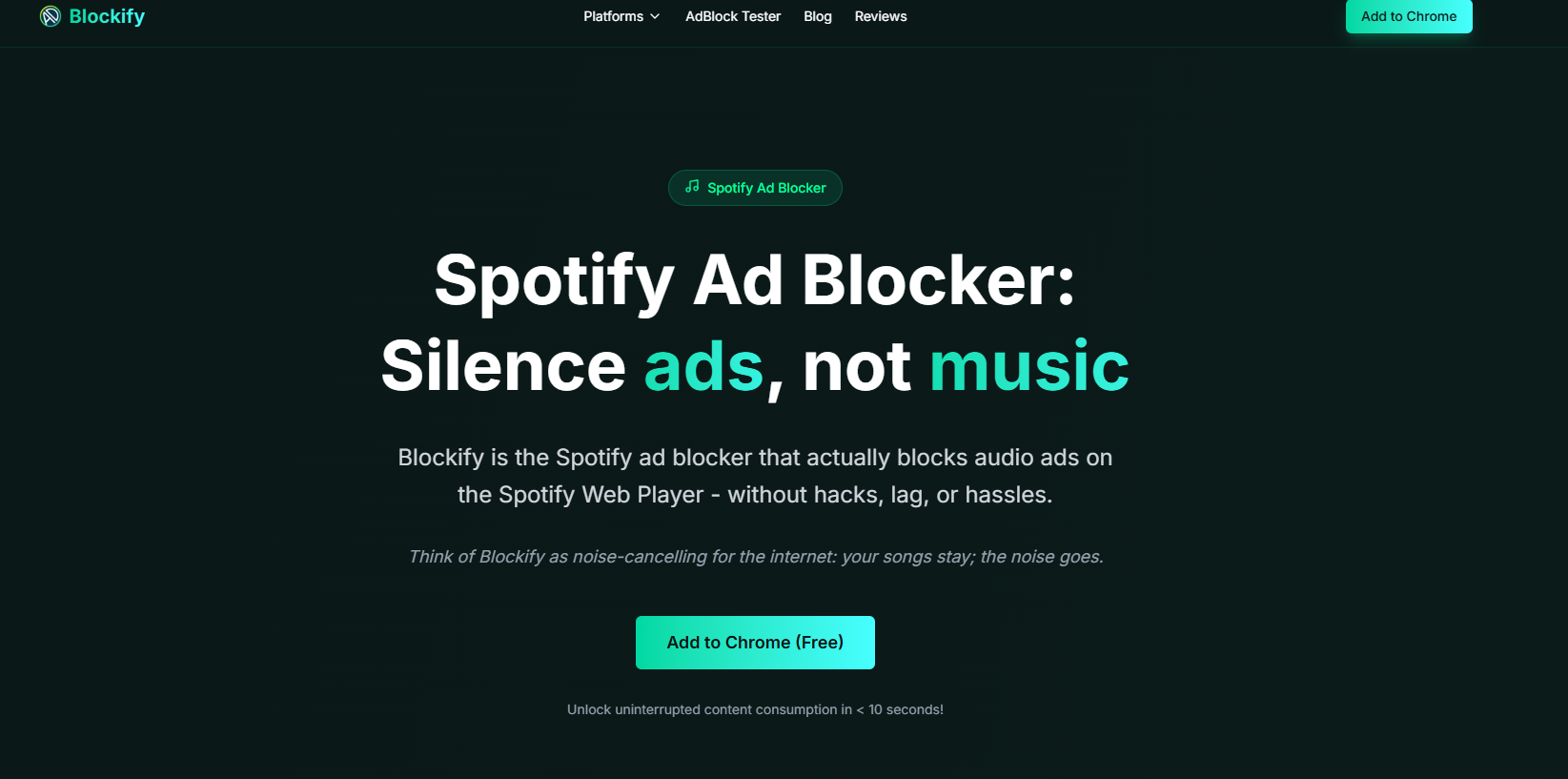
Blockify is a lightweight MV3 Chrome extension with a dual-layer engine: primary ad blocking plus automatic ad-muting fallback. When the primary layer can't catch a dynamically injected ad, the fallback mutes it; you never hear the interruption. It has 300,000 users, a 4.79 rating, and 5,296 reviews on the Chrome Web Store.
How to set up Blockify:
- Install Blockify from the Chrome Web Store.
- Pin the extension to your toolbar.
- Open open.spotify.com, log in, play something.
- Click the Blockify icon, confirm Spotify protection is active.
Option 2: Firefox + uBlock Origin (Best Free SpotiAds Alternative)
Best for: Reliable, free, transparent ad blocking if you're willing to use Firefox.
Mozilla continues supporting MV2 extensions alongside MV3, including the blockingWebRequest API. uBlock Origin, the industry-leading open-source content filter maintained by Raymond Hill, retains full capability on Firefox.
How to set up:
- Install Firefox.
- Install uBlock Origin from Mozilla Add-ons.
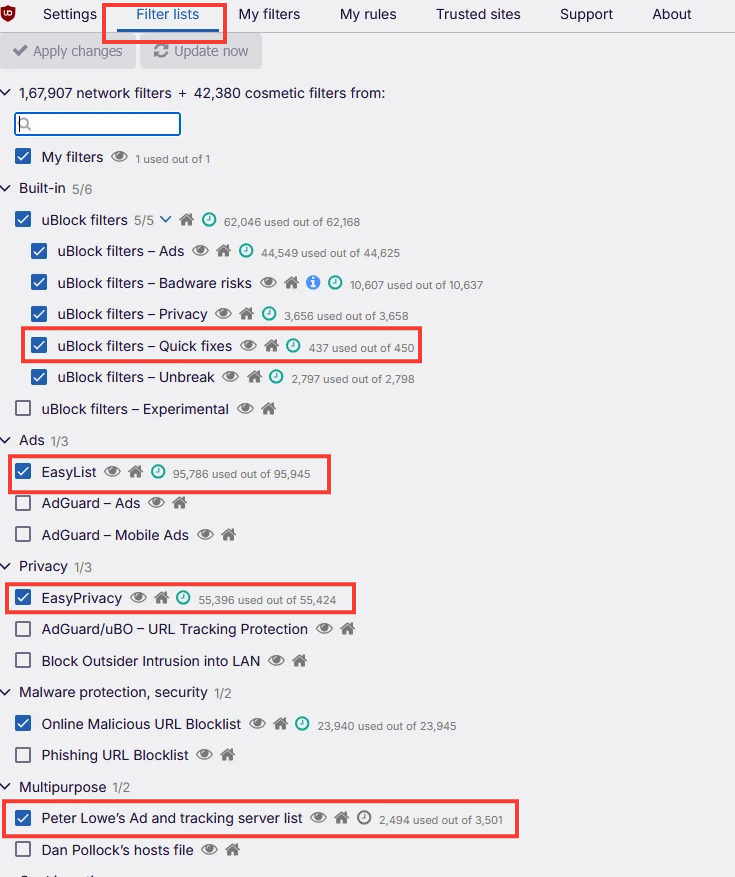
- Open uBO Dashboard → Filter lists tab.
- Confirm enabled: all default lists (EasyList, EasyPrivacy), Peter Lowe's Ad and tracking server list, and "uBlock filters – Quick fixes" (critical for recent changes).
- Click "Update now" at the top.
- Open open.spotify.com in Firefox, log in, start playback.
Option 3: Spotify-Only Firefox + uBlock Origin (Keep Chrome as Daily Browser)
Best for: Reliable Spotify ad blocking without switching your default browser.
Set up a dedicated Firefox instance solely for Spotify. It sits on your taskbar, opens directly to the web player, and feels like a standalone app.
Path A — Firefox Portable (Windows):
- Download Firefox Portable.
- Install uBlock Origin; configure with the same filter lists from Option 2.
- Create a desktop/taskbar shortcut opening https://open.spotify.com/ directly.
Path B — Separate Firefox Profile (all platforms):
- In Firefox, navigate to about:profiles → Create a New Profile → name it "Spotify."
- Launch that profile → install uBlock Origin in it only.
- Pin the tab or create a window shortcut for an app-like feel.
Option 4: Brave + Blockify (Chromium Fallback)
Best for: When Firefox isn't an option (IT policy, device restrictions).
Brave's content filtering operates at the browser level, not as an MV3-limited add-on, and it continues supporting privacy-focused MV2 extensions. Pairing Brave Shields with Blockify's streaming-specific detection adds a dual-blocking layer.
How to set up:
- Install Brave.
- Install Blockify.
- Open open.spotify.com, start playback.
What to Avoid in 2026 When Blocking Spotify Ads
| Approach | Why It Fails |
|---|---|
| DNS blockers / Pi-hole | Spotify's ad and music delivery share infrastructure; DNS blocking often breaks playback entirely. |
| Hosts file edits | Same overlap, plus requires manual maintenance and admin access. |
| "Mute ads" only | You still wait through the full ad duration — a downgrade from specialized tools. |
| Random Chrome extensions | MV3-limited, unmaintained, or outright scams. |
| Converter tools | Different tool, different intent, often bundled with adware. |
| API-based third-party clients | Increased legal pressure and Web API restrictions make these high-risk and unstable. |
How to Switch From SpotiAds to Another Spotify Ad Blocker
Leftover cookies, cached scripts, and conflicting extensions cause most "my new blocker doesn't work" failures.
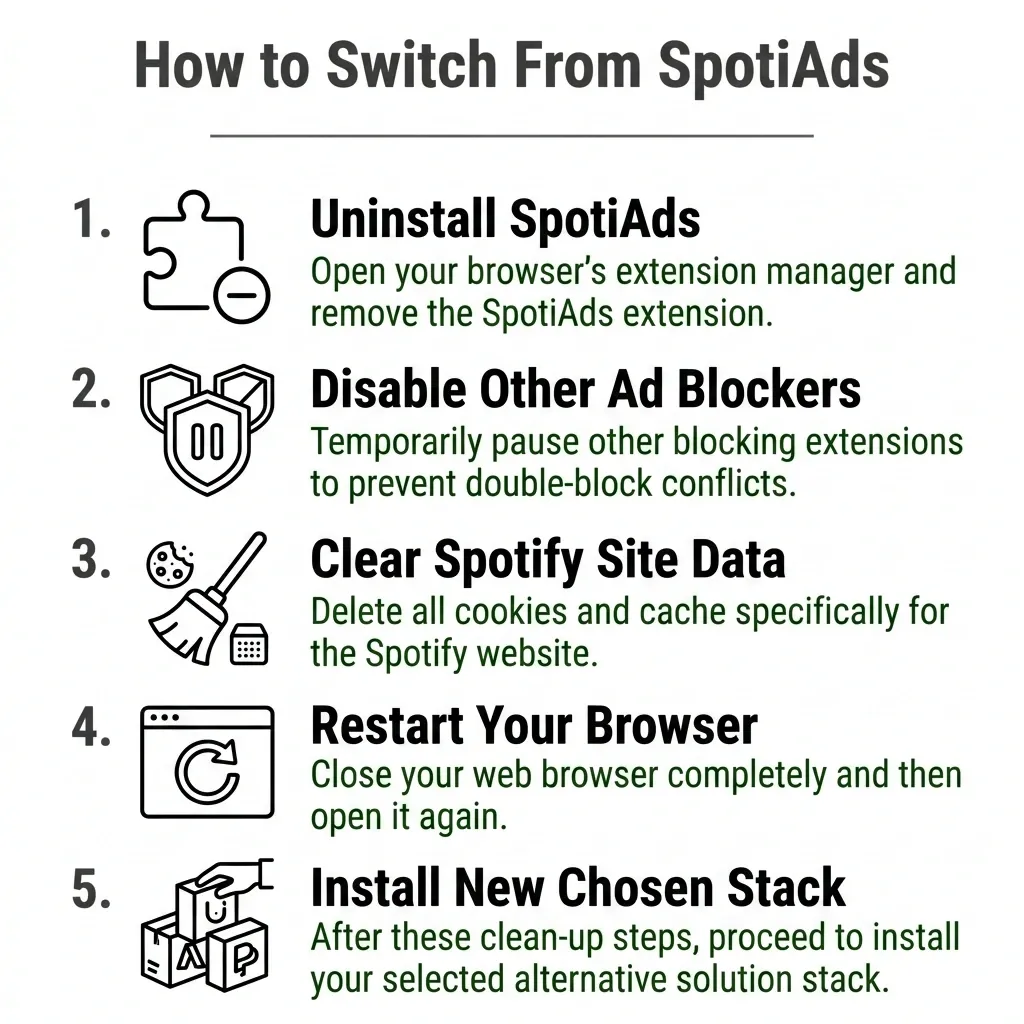
- Uninstall SpotiAds from your extension manager.
- Disable other ad blockers temporarily to avoid double-block conflicts.
- Clear site data for open.spotify.com — delete Spotify cookies + cache.
- Restart your browser completely.
- Install your chosen stack from above.
Troubleshooting: Pauses, Errors, or Ads Still Playing?
Ads still playing: Confirm the extension is enabled on open.spotify.com. Update filter lists (uBO: Dashboard → Update now). Clear site data, hard refresh (Ctrl+Shift+R). Test in a clean profile with only your blocker, if ads vanish, another extension is conflicting.
Player stops or requires constant refreshing: Update your blocker. In uBO, confirm the "Quick fixes" list is enabled and current (it patches exactly these breakages). Disable custom filter lists one at a time to isolate conflicts.
"Playback Error" or "Protected Content": A privacy extension is likely blocking DRM (Widevine). Disable extensions one by one. Confirm DRM is enabled — Firefox: about:preferences → "Play DRM-controlled content"; Brave/Chrome: chrome://settings/content/protectedContent → both toggles on.
How to Spot Fake Spotify Ad Blockers
When popular extensions die, sketchy replacements flood search results.
Red flags: "Converter" upsells pushing MP3 downloads instead of blocking ads. Forced .exe downloads outside official stores. Excessive permissions (bookmarks, downloads, full browsing history). No updates in 6+ months. Publisher ownership changes, trusted extensions can be sold to owners who push malicious updates silently.
Safe install rules: Official stores only (Chrome Web Store, Mozilla Add-ons). Check the "Last updated" date. Read the permissions list. Prefer open-source projects when transparency matters.
Do Ad Blockers Violate Spotify's Terms?
Do ad blockers violate Spotify's Terms of Service? Yes. Spotify's User Guidelines explicitly prohibit "circumventing or blocking advertisements or creating or distributing tools designed to block advertisements." Violations may result in account termination or suspension.
Is it illegal? In most jurisdictions, no, it's a Terms of Service breach, not a criminal act. Spotify reserves the right to enforce, but legal action against individual users is rare. Frameworks vary by country.
What are the risks?
- Account enforcement — Spotify's terms allow termination, though enforcement appears focused on modified-app users rather than web-player ad-blocker users. Risk is nonzero.
- Playback instability — Blocked scripts can trigger errors or loops (see troubleshooting above).
- Security risk from unvetted extensions — The biggest real-world danger. Shady blockers expose you to malware and data harvesting. Stick to the vetted stacks in this guide.
Maintenance: How to Keep Your Spotify Ad Blocker Working
Monthly: Update your browser and blocker (uBO: Dashboard → Update now; Blockify: check extension updates). Play Spotify for 10–15 minutes to confirm blocking works.
When ads return: In many cases, updating filter lists resolves the issue. Clear site data for open.spotify.com. If still broken after 24–48 hours, switch to your backup stack (this is why knowing two options from this guide matters).
Expect occasional breakage. Spotify pushes ad-system updates in cycles. Update, test, give it a day before switching tools.
FAQs
What are the best SpotiAds alternatives to block Spotify ads in 2026 (Web Player)?
For open.spotify.com in 2026, the most reliable SpotiAds alternatives are browser + blocker stacks: Blockify on Chromium browsers, or Firefox with uBlock Origin for the strongest free blocking.
Is Blockify an ad blocker better than SpotiAds for Chrome in 2026?
If you want the simplest Chrome/Edge/Brave setup, Blockify is a popular SpotiAds replacement because it is built for Manifest V3 and adds a fallback to prevent audible ad interruptions.
How do I switch from SpotiAds to another Spotify ad blocker?
Uninstall SpotiAds, disable other blockers temporarily, clear site data for open.spotify.com, restart the browser, install your new stack, then test playback for 10–15 minutes.
Do ad blockers violate Spotify’s terms of service?
Spotify’s terms generally prohibit blocking or circumventing ads on the free tier, so using a Spotify ad blocker can be a Terms of Service violation and may carry account enforcement risk.
Is it illegal to use an ad blocker on Spotify, and what are the risks?
In many places it is a Terms of Service/contract issue rather than a criminal issue, but laws vary by country. Risks include account action, playback errors, and installing unsafe extensions with invasive permissions.