
Tired of ad blockers that silently break websites or hide how they work? The post-Manifest V3 era demands a modern, transparent privacy tool. This Ghostery review evaluates whether the popular extension holds up in 2026.
Is Ghostery Good?
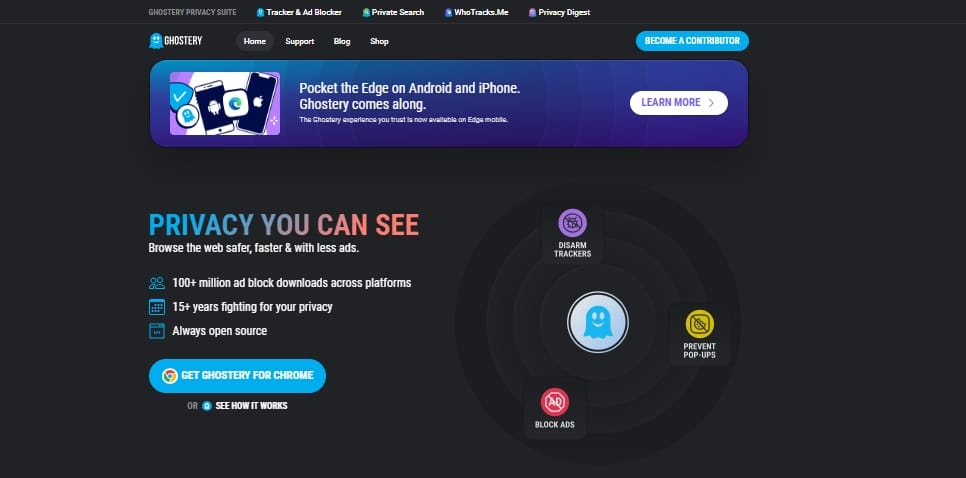
Yes, Ghostery is a highly effective, transparent ad blocker and privacy extension in 2026. It excels at blocking trackers, dropping video ads, and handling annoying cookie banners automatically. Ghostery is especially valuable for Google Chrome users needing a stable, Manifest V3-compliant privacy tool, though Firefox power users may still prefer stricter alternatives.
Quick Verdict: Who Should Use Ghostery?
Ghostery delivers excellent tracker visibility and seamless Chrome MV3 compatibility. It trades maximum granular local filtering for an intuitive, low-friction dashboard.
Best for:
- Mainstream Chrome and Chromium users wanting set-and-forget protection.
- People wanting automated cookie banner rejection.
- Users who want exact transparency on which corporate entities are tracking them.
Not ideal for:
- Firefox power users requiring the absolute strictest local-first filtering rules.
- Privacy minimalists avoiding products with any historical data-broker controversies.
Bottom line:
Ghostery remains a strong practical choice today. Your ideal fit depends entirely on your primary browser, personal trust threshold, and desired manual control.
What Ghostery Is and What It Blocks in 2026
Key Takeaway: Ghostery prioritizes tracker transparency alongside cosmetic ad blocking, neutralizing ads, scripts, and GDPR banners by default.
Ghostery features that matter today
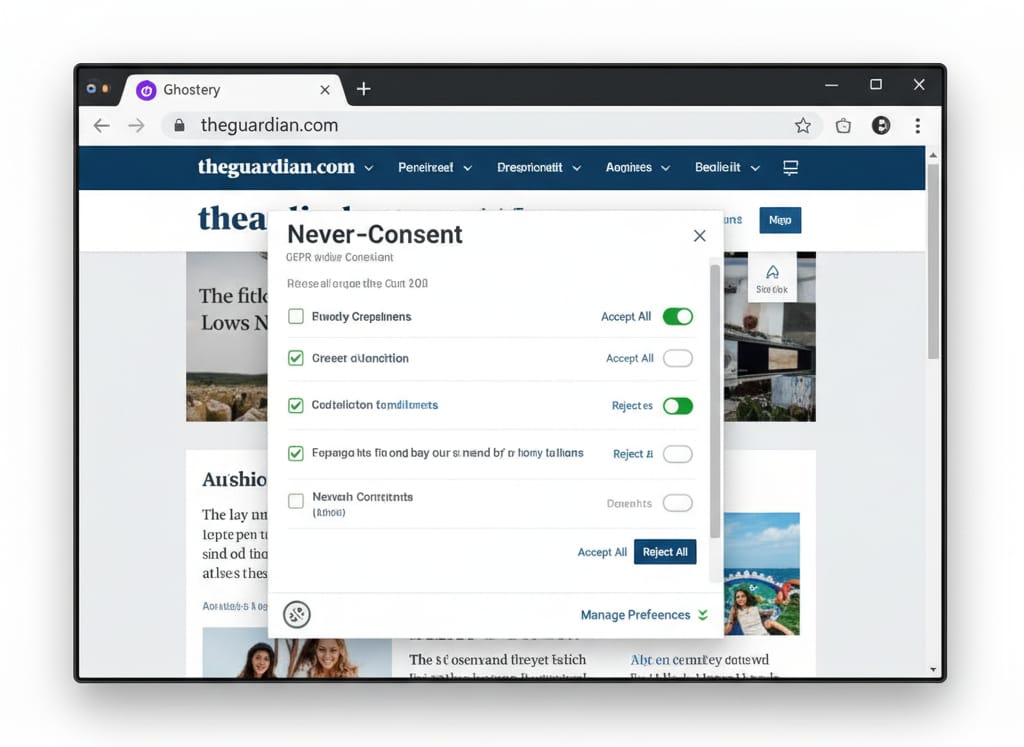
Ghostery delivers core ad blocking, anti-tracking, and a unique tracker intelligence panel. Standout utility tools include "Never-Consent" (automated cookie banner rejection), "Browsing Assistant" (mitigates sudden site breakages), and "Distraction Eraser" (permanently hides annoying page elements).
Default blocking capabilities
Out of the box, the extension neutralizes standard display ads, invasive trackers, pop-ups, and page clutter. Video ad blocking functions well across most streaming platforms, though complex sites require specific caveats due to rapid script changes.
Recent architectural shifts
Ghostery completely removed user accounts in October 2025, deleting stored emails for sync purposes to bolster privacy. Operating strictly under Manifest V3 constraints, it discontinued its standalone mobile browser to focus entirely on open-source browser extensions.
Is Ghostery free?
Yes, every feature within the Ghostery ad blocker is free. Ghostery GmbH funds development through optional community contributions rather than paywalls.
How I Tested Ghostery
Key Takeaway: I benchmarked Ghostery against top competitors across major browsers, measuring cosmetic cleanup, tracker interception, and resource impact.
Methodology
I evaluated the Ghostery extension review process on Chrome, Firefox, Edge, and Safari (desktop), alongside Firefox for Android and Safari for iOS. I compared it strictly against uBlock Origin, uBlock Origin Lite, AdGuard, Brave Shields, and Blockify.
Test criteria
- Cosmetic cleanup: Real-world ad removal on heavy news and shopping domains (AdBlock Tester).
- Fingerprinting resistance: Verified using EFF Cover Your Tracks.
- Usability: Cookie wall handling via Never-Consent and site breakage friction.
- Resource efficiency: Network requests blocked and page weight reduction measured via WebPageTest.
I tested default settings first to replicate average usage, followed by recommended maximum tuning.
Ghostery Ad Blocker Performance
Ghostery delivers excellent cosmetic cleanup and unmatched tracker visibility, but requires manual tuning to match the strongest strict-blocking defaults.
Website ad blocking
Ghostery successfully removes banners, sidebars, and autoplay videos. It excels at collapsing empty ad spaces, leaving page geometry natural and uncluttered rather than littered with blank white boxes.
Tracker interception depth
The extension drastically cuts third-party network requests. Ghostery reveals exactly who tracks you, offering granular tracking transparency that standard filter-list blockers lack.
Speed and resource impact
Running the extension reduces page weight and accelerates load times. I noticed no significant CPU strain, though older hardware might see a fractional startup delay upon launching the browser, especially because loading and evaluating rules in the browser carries performance overhead.
YouTube reliability (March 2026)
Ghostery reliably suppresses pre-roll and mid-roll YouTube advertisements currently. However, YouTube alters detection scripts constantly; no browser extension guarantees permanent, uninterrupted video ad blocking without occasional disruptions. (An October 2025 YouTube update temporarily caused a black screen error for Ghostery users, highlighting this ongoing volatility).
Default vs. tuned configurations
Ghostery's default setup leans toward preserving website functionality over scorched-earth blocking. To maximize anti-tracking potential, you must manually adjust the dashboard settings to block all categories aggressively.
How Ghostery Protects Privacy
Ghostery uses database-driven intelligence (TrackerDB) to identify specific companies, trading pure local filtering for rich ecosystem transparency.
TrackerDB vs. Filter Lists
Blockers like uBlock Origin execute local rules based on static text lists. Ghostery layers its TrackerDB intelligence over standard blocking. This identifies tracking companies and categorizes behavior, granting you insight into corporate data harvesting.
Dashboard transparency
The user interface explicitly lists the tech companies monitoring your session. You gain per-tracker visibility, allowing you to block Google Analytics globally while explicitly allowing a proprietary local site metric.
Privacy commons
Ghostery contributes aggregated, anonymized data to the WhoTracks.Me project. This empowers global privacy research, turning individual user protection into a broader ecosystem benefit. Real-world data proves its utility: a February 2026 West Point study utilized Ghostery’s categorization to identify commercial surveillance vulnerabilities occurring on military networks.
Is Ghostery Safe? Ownership and Trust History
Ghostery is entirely safe today. Operating as an account-free, open-source tool, it has fully resolved its past data-sharing controversies.
The trust timeline
Ghostery’s reputation suffered heavily during the early Evidon era due to the GhostRank opt-in data sharing controversy. Following its acquisition by Cliqz and subsequent transition to an independent company (Ghostery GmbH), the product completely decoupled from data-broker origins.
Current privacy posture
The browser extension codebase is open-source and visible on GitHub. By permanently deleting all user accounts in late 2025, Ghostery ensured no personal profiles or emails are stored anywhere on their servers.
Practical verdict
Some privacy maximalists flatly reject tools with any corporate history. Those individuals will always gravitate toward purely community-driven, local-first filter tools. However, for mainstream users, modern Ghostery operates with verifiable transparency and absolute security.
Ghostery Extension Usability
Ghostery offers a frictionless daily experience, actively mitigating broken websites and bypassing complex rule syntaxes.
Setup and daily controls
Installation requires zero technical knowledge. The dashboard translates tracking data into digestible visual toggles, keeping controls accessible for non-technical users.
Never-Consent and Distraction Eraser
Never-Consent dismisses GDPR cookie banners on most publishing sites automatically. Distraction Eraser lets you manually zap persistent web elements, permanently remembering those layout choices for future visits.
Handling site breakages
Aggressive blocking sometimes causes login failures on strict banking portals. Ghostery’s Browsing Assistant silently detects anti-adblock walls and pauses protection dynamically to restore functionality. Manually "trusting" a site takes exactly two clicks, avoiding deep menu diving.
Ghostery Chrome Extension and Browser Compatibility
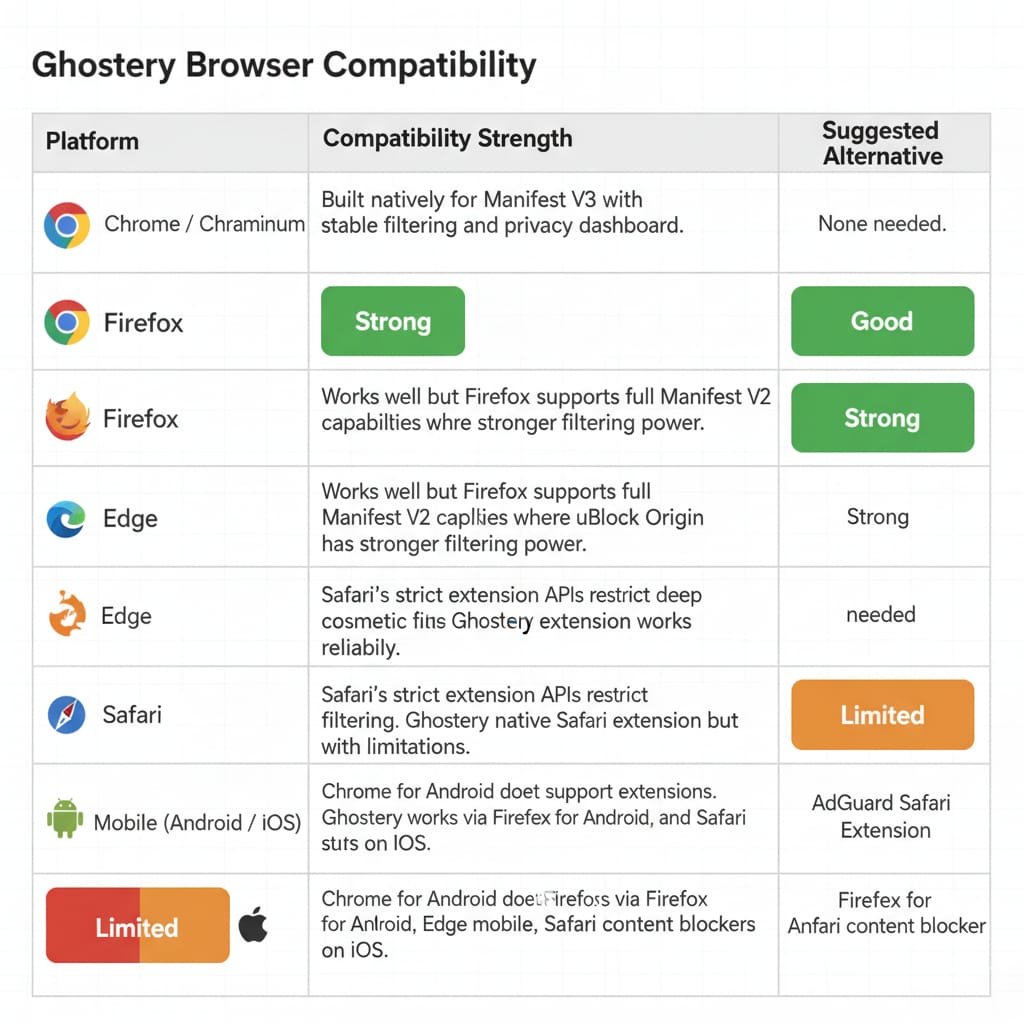
Ghostery thrives on Chrome under Manifest V3, making it a top recommendation for the Google ecosystem, though varying APIs limit its reach on Safari and mobile.
Chrome / Chromium
The Ghostery Chrome extension is highly practical following the Manifest V2 enterprise policy phase-out. Built natively for MV3, it serves as a stable, reliable default for modern Chrome users facing restricted filtering APIs.
Firefox
Firefox retains Manifest V2 capabilities, allowing uBlock Origin to operate at peak power. Choosing Ghostery on Firefox means prioritizing dashboard transparency over raw, uncompromising control.
Edge and Safari
Ghostery integrates seamlessly into Microsoft Edge desktop environments. Safari's aggressive API restrictions limit deep cosmetic filtering, though Ghostery provides a dedicated native Apple extension.
Mobile (Android and iOS)
Chrome for Android prohibits extensions. To use Ghostery on an Android device, install Firefox for Android or Edge. iOS users rely on the Safari extension via Apple's native content-blocker architecture.
Ghostery Pros and Cons
Unmatched transparency is its greatest strength; reliance on softer defaults is its primary weakness.
Pros:
- Strong tracker visibility: See exactly which corporations harvest your session data.
- Cross-browser stability: Reliable MV3 protection across Chrome, Firefox, Edge, and Safari.
- Frictionless usability: Fix broken websites with zero technical knowledge.
- Valuable extras: Never-Consent and Browsing Assistant save daily time.
- Clean trust posture: Account-free, open-source model resolves past controversies.
Cons:
- Historical baggage: Past data-broker ties still deter privacy maximalists.
- Softer default settings: Requires manual tuning for maximum tracking protection.
- Varying mobile capability: Safari and Android API limits fragment the experience.
- Platform volatility: YouTube anti-adblock scripts cause occasional playback disruptions.
- Fierce Firefox competition: uBlock Origin achieves stronger results on Mozilla's browser.
Ghostery vs Alternatives (uBlock Origin, AdGuard, Blockify)
The right ad blocker depends entirely on your primary browser and technical comfort level.
Ghostery vs uBlock Origin (uBO)
uBO is the definitively stronger choice for Firefox power users leveraging custom filter syntax. Ghostery wins for users wanting visual tracking data and automated cookie handling without tweaking code.
Ghostery vs uBlock Origin Lite (uBOL)
Built specifically for Chrome's Manifest V3, uBOL is incredibly lightweight. Ghostery offers a broader privacy UX and transparency panel, but consumes slightly more system resources than uBOL.
Ghostery vs AdGuard
AdGuard relies heavily on traditional filter-list execution. Ghostery offers better tracker transparency, while AdGuard provides slightly sharper cosmetic blocking rules.
Ghostery vs Blockify
Blockify strictly targets users frustrated by video ads on heavy streaming platforms. Utilizing a dual-layer blocking system (including smart fallbacks like safe muting), it requires zero setup for Twitch or YouTube. If you prioritize uninterrupted video playback over analyzing tracker databases, Blockify is a highly reliable alternative for Chrome and Edge.
Final Verdict
Ghostery is a highly capable, trustworthy privacy tool in 2026. By permanently removing user accounts and successfully adapting to Manifest V3, the company modernized its core product. It excels at visualizing tracker intelligence and keeping daily browsing completely friction-free.
While not the universal best pick for Firefox power users needing absolute local filtering supremacy, the Ghostery ad blocker performance remains solid across major video platforms. This Ghostery review confirms it thrives as a balanced, transparent privacy solution for the everyday web.
FAQ
Is Ghostery good in 2026?
Yes, Ghostery is a highly effective, transparent ad blocker. It is particularly valuable on Chrome after Manifest V3 restrictions, offering excellent tracker visibility and ad removal.
Is Ghostery safe to use today?
Ghostery is entirely safe. It operates as a transparent, open-source tool. The company removed all user accounts in October 2025, storing no personal emails and fully resolving past controversies.
Does Ghostery block YouTube ads?
Yes. Ghostery successfully suppresses YouTube advertisements. However, frequent platform script changes inherently cause occasional disruptions across all blockers.
Is Ghostery better than uBlock Origin?
Ghostery is better for casual users wanting tracker transparency and simple interfaces. uBlock Origin remains technically superior for Firefox power users demanding maximum local filtering control.
Does Ghostery work on Chrome after Manifest V3?
Yes. Ghostery rebuilt its extension architecture to comply with Chrome's Manifest V3 constraints, providing reliable protection on all modern Chromium browsers.
What happened to Ghostery Private Browser?
The standalone Ghostery Private Browser was discontinued. Mobile users should install the extension via Firefox for Android or Safari for iOS.
Does Ghostery collect data?
The modern extension does not collect or sell personal profiles. It utilizes anonymized, opt-in telemetry to fuel the WhoTracks.Me open-source privacy database.