
Ads shatter your focus, drain your battery, and consume your bandwidth. Finding the best ad blockers for Opera in 2026 requires navigating a shifting technical landscape.
While Chrome restricts developers with the Manifest V3 framework, Opera actively preserves support for older, powerful MV2 extensions on desktop.
Your optimal setup depends entirely on your hardware and habits. Let’s explore what fits you best.
Opera Ad Blockers Compared (Desktop, GX & Mobile)
You only need one dedicated tool tailored to your browsing behavior.
Tool |
Best for |
Opera Desktop / GX |
Web Ads |
Video / Dynamic Ads |
Price |
uBlock Origin |
Maximum blocking strength |
Yes |
Excellent |
Mixed |
Free |
Opera Built-in |
Zero-setup browsing |
Yes |
Good |
Limited |
Free |
AdGuard |
Multi-device ecosystems |
Yes |
Strong |
Good |
Free/Paid |
Ghostery |
Visual privacy tracking |
Yes |
Good |
Mixed |
Free |
What Features Should I Look for in an Opera Ad Blocker?
Evaluate your options across two distinct categories: static web banners and dynamic media ads. The best ad blockers for Opera must handle both efficiently without breaking site functionality.
Use this evaluation checklist before installing an Opera ad blocker extension:
- Static blocking strength: It must eliminate banners, pop-ups, and trackers instantly.
- Dynamic media handling: Look for intelligent filtering or safe-muting fallbacks to bypass ads injected directly into video or audio streams.
- Resource efficiency: Native blockers and lightweight extensions reduce CPU load.
- Device compatibility: Desktop and Opera GX thrive on Chrome Web Store extensions. Opera Mobile relies almost entirely on native built-in features.
- Transparent business model: Check if the developer forces an "Acceptable Ads" whitelist by default.
5 Best Free Ad Blockers for Opera (Tested & Ranked)
We built this list by testing current Opera configurations across desktop, GX, and mobile environments. We evaluated blocking strength using the AdBlock Tester benchmark, reviewed Opera developer guidelines, and analyzed extension resource footprints.
1. uBlock Origin: Best Free Ad Blocker Extension for Opera Desktop
Best for: Power users demanding the strictest possible filtering framework.
Why it wins: uBlock Origin consistently remains highly effective because Opera explicitly supports legacy MV2 extensions on desktop. uBlock Origin also drastically lowers power use and accelerates page load times.
Trade-offs: Customizing advanced filter lists requires a slight learning curve. You must run it entirely alone. The developer explicitly warns against using uBlock Origin alongside any other content blocker, including Opera's native shield.
2. Opera Built-In Ad Blocker: Best Zero-Setup Option
Best for: Users seeking a cleaner web without installing third-party add-ons.
Why it wins: Opera integrates its blocker natively across desktop and mobile. Opera recently upgraded its Android browser, adding an "Enhanced Mode" that utilizes advanced uBlock and AdGuard technology directly inside the app.
Trade-offs: It occasionally struggles with complex dynamic ad formats.
3. AdGuard: Best Cross-Device Ecosystem
Best for: Households securing Opera, Windows, macOS, iOS, and Android simultaneously.
Why it wins: AdGuard offers a highly capable Opera ad blocker extension paired with a massive standalone software ecosystem. They provide system-wide blocking via dedicated apps and DNS routing, extending your privacy shield beyond the browser window.
Trade-offs: System-wide protection requires a paid license. The sheer volume of configuration settings across their desktop apps can overwhelm casual users.
4. Ghostery: Best Visual Privacy Alternative
Best for: Users prioritizing transparent tracker blocking without digging into technical menus.
Why it wins: Ghostery features a highly visual dashboard detailing exactly which trackers monitor your session.
Trade-offs: It prioritizes privacy visualization over aggressive multimedia ad removal. Like many traditional filter-list extensions, it experiences unpredictable behavior on heavily fortified video platforms.
Best Setup by Device: What to Pick
Let us explore the best ad blocking setup for Opera:
Best Ad Blocker for Opera GX
Opera GX appeals to gamers demanding low memory usage and zero interruptions. Your priority is maintaining system performance.
Turn off the native GX blocker if you install a dedicated extension. Running two blockers simultaneously creates network conflicts, breaking video playback and slowing down your system. Stick to the one-blocker rule.
Free Ad Blockers for Opera Mobile
Opera Mobile does not support traditional browser extensions. You must rely on the native toolset.
- Android: Open your Opera settings and locate the built-in ad blocker. Switch your protection to "Enhanced Mode" to leverage the advanced uBlock and AdGuard filtering technology Opera integrated in late 2024.
- iOS: Apple tightly restricts third-party browser engines. Treat Opera on iOS strictly as a built-in-first environment by enabling the native tracking and ad blocking toggles in the app settings.
Avoid These Common Opera Setup Mistakes
Here are some setup mistakes that you must avoid:
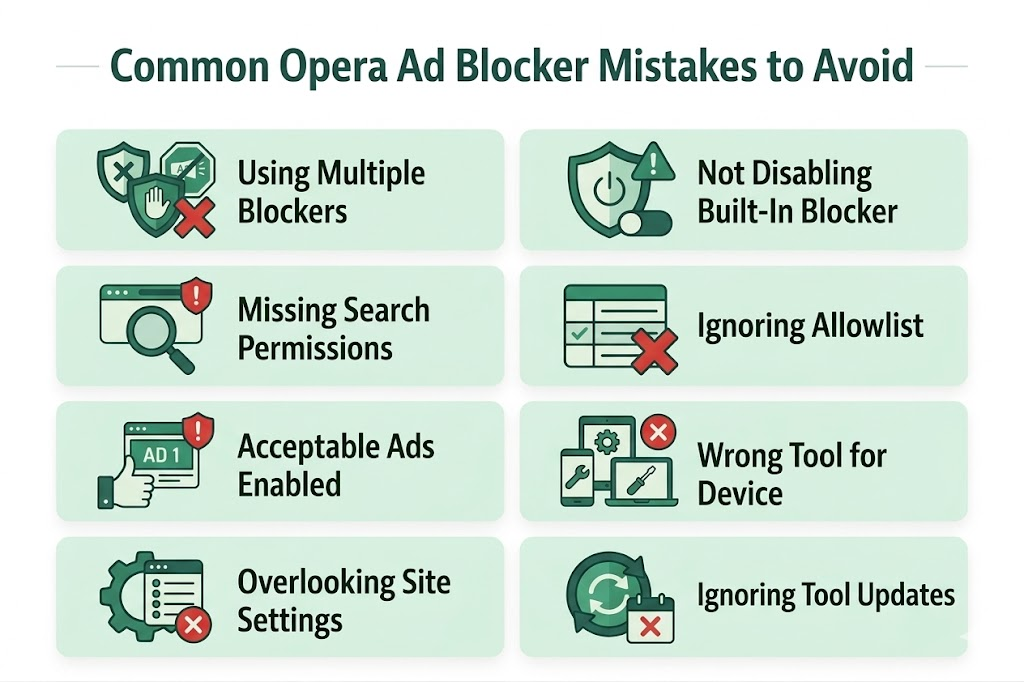
Stacking Multiple Blockers
Do not stack blockers. They fight over the same network requests. This conflict is the leading cause of broken video playback and high RAM usage in Opera. Pick one.
Restricting Search Page Access
Opera prevents third-party extensions from altering major search engines for security reasons. If you install an extension but still see sponsored Google results, open your Opera extension manager and check the box labeled "Allow access to search page results" for your chosen tool.
The Acceptable Ads Tradeoff
Avoid blockers that force "Acceptable Ads" by default. Always verify a tool's business model.
An independent NYU Tandon study discovered that users exposed to the Acceptable Ads model encountered 13.6% more problematic advertisements than those browsing without any ad blocker.
Are Traditional Extensions Still Enough in 2026?
Standard filter-list extensions flawlessly eliminate static banners, pop-ups, page overlays, and invisible tracking scripts. They clean up text-heavy blogs and news sites instantly.
However, streaming platforms constantly rewrite their code to bypass static lists. When platforms inject a sponsor message directly into a video stream, traditional blockers often break the entire media player trying to stop it.
FAQs
What Are the Most Effective Ad Blockers Available for Opera?
The most effective ad blockers available for Opera are uBlock Origin for strong desktop filtering, Opera's built-in blocker for zero-setup browsing, AdGuard for cross-device coverage, and Ghostery for privacy-focused blocking.
What is the Best Free Ad Blocker Extension for Opera?
For Opera desktop, uBlock Origin is the best free ad blocker extension for Opera because it delivers strong filtering, low resource use, and reliable blocking of banners, pop-ups, and trackers.
Does Opera Have a Built-In Ad Blocker?
Yes. Opera includes a built-in ad blocker on desktop and mobile. It is the easiest no-install choice, especially on mobile where browser extension support is limited.
What Features Should I Look For In an Opera Ad Blocker Extension?
Look for strong banner and pop-up blocking, tracker protection, low CPU and memory use, good compatibility across Opera desktop, GX, and mobile, and better handling of dynamic video or audio ads.