If you're looking for the best ad blocker for Twitch in 2026, simple one-click extensions aren’t enough anymore. Twitch uses server-side ad insertion (SSAI), which makes live ads harder to block, and Chrome’s Manifest V3 limits what many extensions can do.
That means there isn’t one universal solution; the best setup depends on your browser and how much effort you’re willing to put in.
I’ve tested the current working methods across Chrome, Firefox, Brave, Edge, Opera GX, and iOS. Here’s what blocks Twitch ads right now, what’s inconsistent, and what to use instead.
Quick Answer: Best Ad Blockers for Twitch Streams in 2026
The most reliable free setup is Firefox + uBlock Origin + TwitchAdSolutions scripts. If you prefer Chromium, Brave Shields outperforms Chrome extensions. For low-effort blocking that also covers YouTube and Spotify, Blockify handles streaming ads without manual configuration.
| Setup | Twitch Live Reliability | Quality | Privacy | Setup Time | Chrome | Firefox | Edge | Brave | Opera GX | iOS |
|---|---|---|---|---|---|---|---|---|---|---|
| uBO + TwitchAdSolutions | ★★★★★ | High | Excellent | ~10 min | ✗ | ✓ | ✓ | ✗ | ✓ | ✗ |
| Brave Shields (tuned) | ★★★★☆ | High | Good | ~3 min | ✗ | ✗ | ✗ | ✓ | ✗ | ✗ |
| Blockify | ★★★★★ | High (mutes as fallback) | Good | ~2 min | ✓ | ✗ (soon) | ✓ | ✓ | ✗ | ✗ |
Why Most Ad Blockers Fail on Twitch
Two structural changes broke traditional Twitch ad blocking.
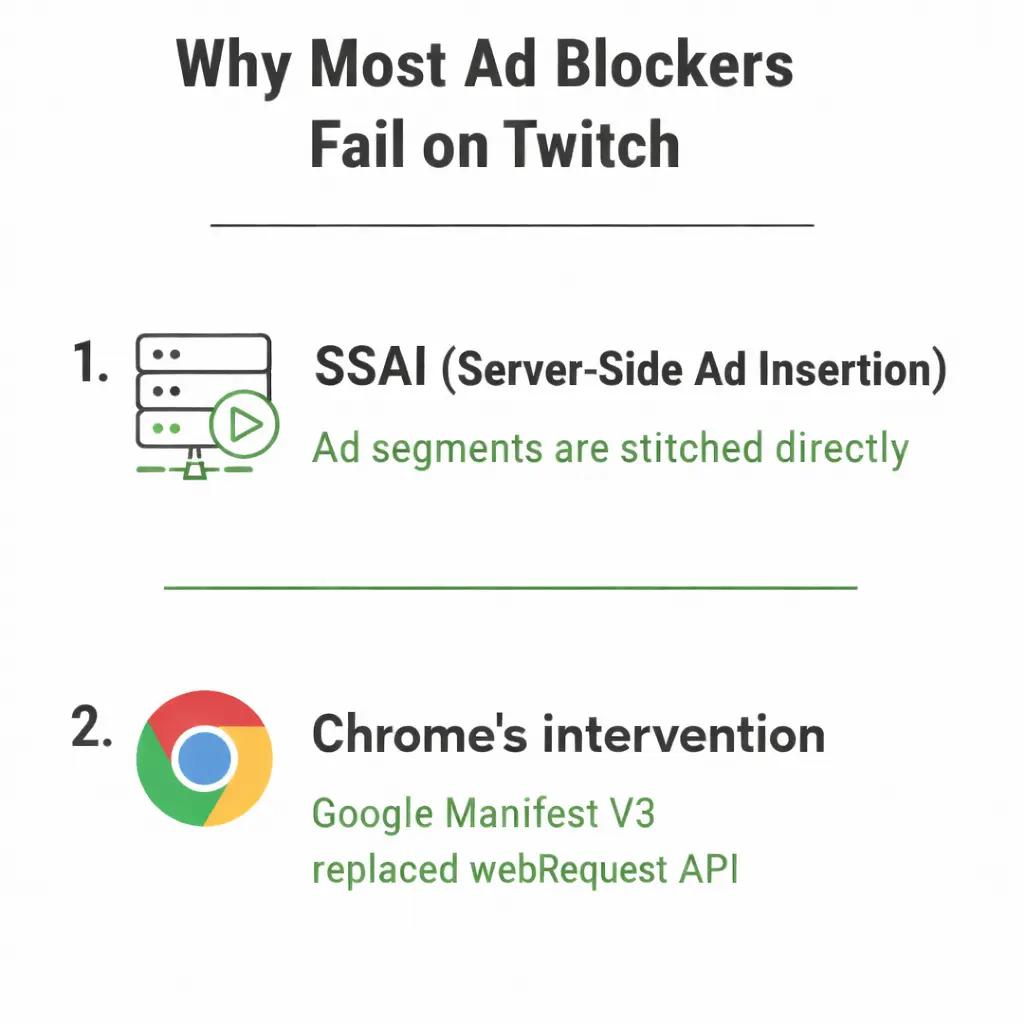
Twitch uses server-side ad insertion (SSAI). Unlike standard web ads loaded from a separate URL your blocker can intercept, Twitch stitches ad segments directly into the live video stream at the server level.
Chrome killed advanced blocking extensions. Google's Manifest V3 replaced the webRequest API with the far more limited declarativeNetRequest API. The full uBlock Origin no longer runs on Chrome; uBO Lite lacks the scriptlet injection Twitch workarounds depend on.
What still works: Firefox (full uBlock Origin + custom scripts), Brave (built-in Shields bypass MV3 limits), Edge and Opera GX (still support full uBlock Origin; no confirmed MV2 end date), Blockify (detection methods beyond filter lists).
The 3 Ad-Blocking Approaches (Know the Difference)
Not all ad-blocking approaches work the same way. The distinction matters for privacy and reliability.
Block (local scripts): Tools like uBlock Origin + TwitchAdSolutions modify Twitch player behavior locally within the browser. They do not intentionally proxy your stream traffic through third-party servers. Strong privacy profile, but can cause brief 480p drops or purple screens depending on the script variant and Twitch changes. Scripts may require periodic updates when Twitch modifies its player or ad delivery.
Proxy (ad-free relay): Extensions in the TTV LOL family route stream requests through third-party servers that attempt to deliver ad-free segments. Your stream traffic passes through external infrastructure, which can introduce privacy considerations and potential latency. If the relay servers go offline or are throttled, blocking may stop working.
Bypass (Streamlink): Streamlink pulls the stream into an external player like VLC media player or MPV, bypassing the Twitch web player. This avoids browser-based ad insertion mechanisms. Privacy is generally strong (direct connection to Twitch CDN after URL resolution), and stability is typically high, though Twitch can still modify stream delivery methods.
Best Ad Blocker for Twitch on Firefox
Firefox still supports full Manifest V2 extensions, meaning uBlock Origin runs with complete capabilities, including the scriptlet injection Twitch workarounds require.
Setting Up uBlock Origin
- Download Firefox from mozilla.org/firefox/new
- Install uBlock Origin from the official Mozilla Add-ons listing — avoid clones
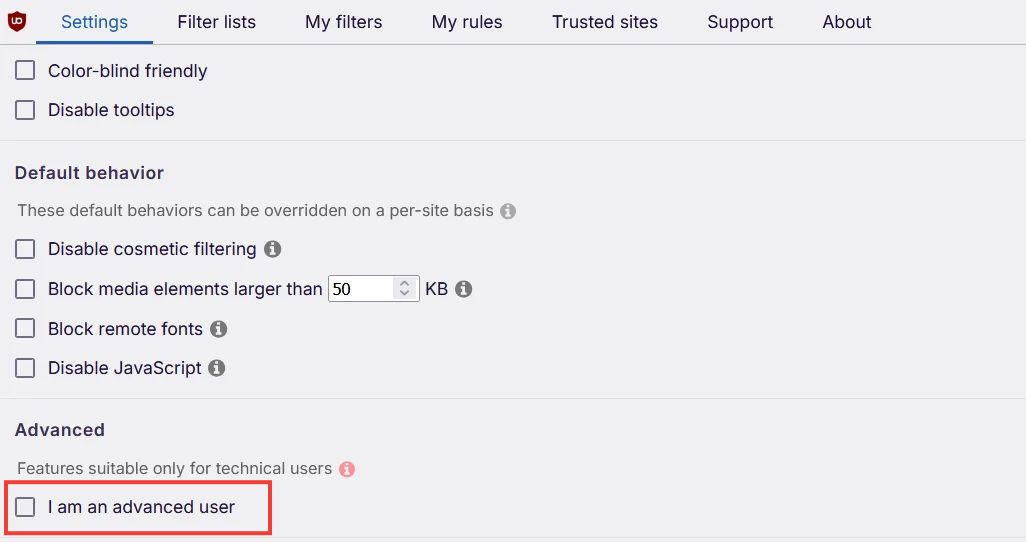
- Open the uBO Dashboard (uBO icon → gear icon) → enable "I am an advanced user"
Add TwitchAdSolutions Scripts
TwitchAdSolutions by Pixeltris is the most widely used Twitch ad-blocking script collection (10,000+ GitHub stars). Avoid combining with ad-blockers.
Verify It Works
- ✅ Working: No pre-roll ad on entering a live channel. Stream loads directly at selected quality.
- ⚠️ Partial: Brief purple/black screen (2–5 sec), then stream loads without ads. Normal; the ad segment was blocked but the player needed a moment to recover.
- ❌ Not working: Full ads play or stuck on loading screen. Jump to Troubleshooting.
Known Trade-Offs
- Purple screen: Ad segment blocked, but the player doesn't know what to do with the gap. Refresh resolves it. See purple screen fix.
- 480p quality lock: Some scripts temporarily drop resolution during ad segments and fail to recover. See 480p lock fix.
- Conflicts: Running multiple Twitch-related extensions causes instability. Use only one Twitch ad-blocking method at a time.
Best Ad Blocker for Twitch on Brave
Brave is your best Chromium option. Brave Shields operates at the browser level, not as an extension constrained by MV3, so it can do things Chrome extensions structurally cannot.
How to Setup Brave for Twitch
- Download Brave from brave.com/download
- Navigate to twitch.tv → click the Shields icon (lion) in the address bar
- Set Trackers & ads blocking to Aggressive
- Keep Block scripts off (Twitch needs JavaScript)
- Go to brave://settings/shields/filters → enable any Twitch-specific community filter lists
- Hard refresh Twitch and test on a live channel
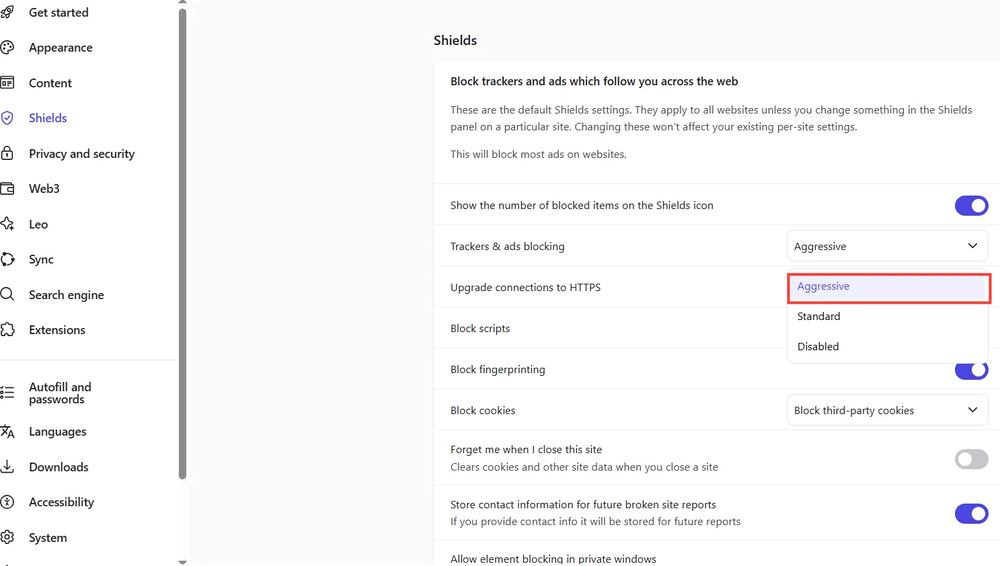
Expect: Brave blocks most Twitch ads, but SSAI means some segments may slip through. Brief black frames where ads would have been are normal. If reliability drops, pair with Streamlink or switch to Blockify on Chrome.
Best Ad Blocker for Twitch on Chrome
Chrome is the hardest browser to block Twitch ads on in 2026. Manifest V3 gutted the capabilities that made powerful blocking possible. Most "Twitch ad blocker" Chrome extensions either don't work on live streams, haven't been updated in months, or are forks of abandoned projects.
Option 1 (Recommended): Switch Browsers
Install Firefox or Brave, import bookmarks/passwords (both offer one-click import), then follow the Firefox or Brave setup above. This is the single most effective move.
Option 2 (Stay on Chrome): Blockify
Blockify works within MV3 constraints using a dual-layer approach: when standard blocking is possible, it blocks; when SSAI makes that impossible (Twitch live streams), it falls back to safe muting; silencing ads without disrupting the stream or triggering purple screens.
Setup: Install from the Chrome Web Store → pin to toolbar → open a live stream. Blockify has 300,000+ users and a 4.8-star rating from 5,200+ reviews. It also covers YouTube, Spotify, and other streaming platforms in a single install.
Option 3: Streamlink Bypass
Skip the web player entirely with Streamlink.
Best Ad Blocker for Twitch on Edge and Opera GX
Edge and Opera GX still support full uBlock Origin as of February 2026, neither has announced an MV2 end date. You can use the same setup as Firefox: uBlock Origin + TwitchAdSolutions scripts.
Install uBlock Origin from the Edge Add-ons Store or Opera Add-ons, then follow the TwitchAdSolutions script instructions above.
⚠️ MV2 support could change without warning. If blocking breaks after a browser update, switch to Firefox or use Blockify (Edge) as a cross-browser fallback.
Best Twitch Ad Blocker for iOS
iOS ad blocking for Twitch is fundamentally limited. Every iOS browser uses Apple's WebKit engine, the deep script injection desktop solutions rely on isn't available.
Sideload a Modified Twitch IPA (Advanced)
The only method that blocks Twitch ads at the iOS app level:
- Install AltStore or Sideloadly
- Download a modified Twitch IPA from a reputable, actively maintained GitHub repository
- Sign and install the IPA → trust developer profile (Settings → General → VPN & Device Management)
- Re-sign every 7 days (free Apple ID) or yearly with a paid developer account
⚠️ Only download IPAs from well-known repos. Verify developer identity, check GitHub stars/issues, never install from random sites.
Low-Effort Alternatives
Twitch Turbo ($11.99/month) removes all ads across every device. VPN workaround: Connect to regions where Twitch serves fewer ads (see VPN section); results vary and change frequently.
Are Twitch Ad Blockers Safe?
The Twitch ad-blocking space has ongoing trust concerns. New extensions appear frequently, and some are forks of older open-source projects. In some cases, forks request broader permissions than the original or add closed-source components, which can reduce transparency.
Vetting checklist before installing a Twitch ad blocker:
- Listed in an official extension store (Chrome Web Store, Firefox Add-ons, etc.)
- Linked to a verified GitHub repository (if open source)
- Minimal required permissions (avoid blanket “read and change all data on all websites” unless clearly justified)Active maintainer responding to issues
- Recent updates
- Clear disclosure if traffic is routed through third-party proxy servers
Red Flag Pattern: Fork-and-Abandon
A common pattern in the Twitch ad-blocking space is:
- An open-source project gains popularity
- Development slows or stops
- Forks appear under new names
- Some forks request broader permissions or introduce closed components
- Maintenance becomes inconsistent
Because Twitch frequently changes ad delivery mechanisms, abandoned or minimally maintained extensions tend to stop working quickly.
If a Twitch ad blocker was published recently, has no transparent development history, or lacks a verifiable maintainer identity, approach it cautiously.
Troubleshooting: When Ad Blockers Malfunction
- Hard refresh (Ctrl+Shift+R)
- Clear Twitch cookies only
- Disable other Twitch-related extensions (conflicts are the #1 cause)
- Verify script/extension is updated (Twitch pushes silent changes regularly)
Purple Screen Fix
Purple screen means your blocker partially works; the ad segment was blocked, but the player can't handle the gap.
Fix: Refresh the page. Update your TwitchAdSolutions script. Try switching script variants. On Brave: toggle Shields off/on, then hard refresh.
480p Quality Lock Fix
Some scripts drop quality during ad segments and fail to recover.
Fix: Manually reselect quality (gear icon). Check the repo's Issues tab for config toggles. Update to the latest script version; 480p lock is among the most frequently patched issues.
Buffering and Desync
Local scripts: Disable secondary ad-blocking extensions, running multiple blockers causes filter conflicts.
Proxy extensions: Buffering usually means an overloaded proxy server; switch to a local method.
Brave: Toggle between Standard and Aggressive blocking.
VPN "Safe Haven" Regions (Backup Option)
Some users report fewer ads in certain regions, but this changes frequently and cannot be relied upon.
| Region | Reliability (Feb 2026) | Downside |
|---|---|---|
| Poland | Moderate | Occasional pre-rolls |
| Romania | Moderate–High | Possible geo-restrictions |
| Ukraine | High (currently) | Latency if geographically distant |
| Georgia | High (currently) | Limited VPN server availability |
Test protocol: Close all Twitch tabs → connect to VPN → hard refresh → open a live channel → watch 5+ minutes for pre-roll and mid-roll. Regions that work today may serve ads tomorrow.
FAQ
Can you block ads on Twitch?
Yes, but not with a simple install-and-done extension. Twitch's SSAI stitches ads into the video stream. You need Firefox with uBlock Origin, Brave Shields, a streaming-focused blocker like Blockify to bypass the web player entirely.
How do you block ads on Twitch without a subscription?
Most reliable free methods in 2026: Firefox + uBlock Origin + TwitchAdSolutions (setup), Brave Shields (setup). Blockify also offers a free tier covering Twitch, YouTube, Spotify, Hulu, and more.
Which browser extensions are recommended for blocking Twitch ads?
Firefox: uBlock Origin + TwitchAdSolutions. Chrome: Blockify (works within MV3 constraints). Brave: built-in Shields. Edge/Opera GX: full uBlock Origin. Avoid unknown or recently published "Twitch Adblock" extensions.
What are the most effective ad blocking solutions for live streaming?
For Twitch: script-based blocking (TwitchAdSolutions via uBlock Origin on Firefox) or browser-level blocking (Brave Shields) to handle SSAI. For cross-platform coverage (Twitch, YouTube, Spotify), Blockify offers the widest coverage in one install.